
Product Releases
and Updates
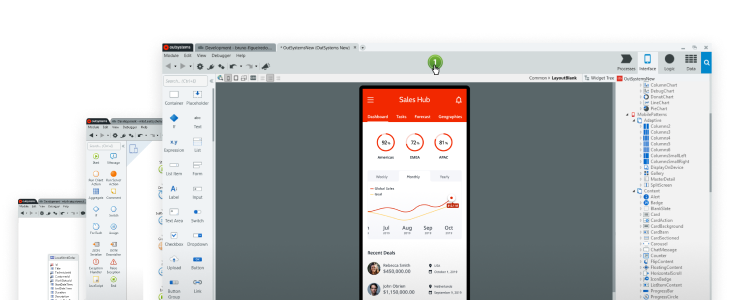
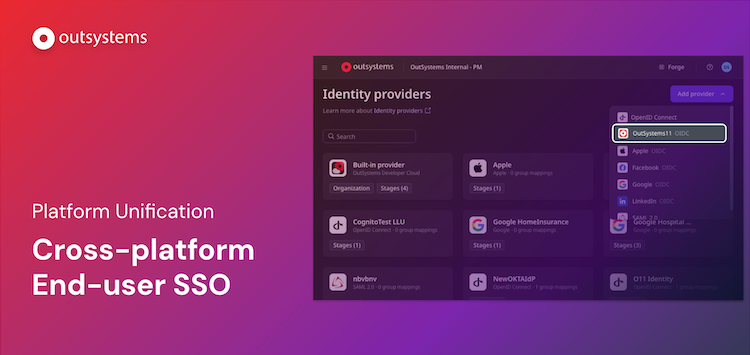
We are excited to announce our latest O11/ODC interoperability milestone: Cross-platform end-user single sign-on (SSO). This capability ensures that your end-users can navigate seamlessly between both O11 and ODC estates without facing additional login prompts.
Previously, because the platforms run on separate runtimes, users had to log in twice if they needed to access apps across both environments. With this new release, session authentication is shared, allowing end-users to move transparently between O11 and ODC user journeys.
The main benefits are:
- Frictionless end-user experience: Users log in just once. Session authentication is shared across platforms, allowing users to seamlessly transition between O11 and ODC applications without additional login prompts.
- Accelerated AI and feature adoption: Instantly adopt ODC-native capabilities - such as advanced AI Agents -and embed them directly into your existing O11 user journeys.
- No change to your existing O11 apps: no need to undergo any change to existing O11 or ODC applications to use this capability; it is just a simple configuration away.
This capability ensures your O11 foundation remains the secure core of your operations while you leverage ODC's innovations for both net-new apps and for augmenting existing O11 applications with AI.
We are excited to announce expanded Kubernetes provider support for OutSystems Developer Cloud Self-Hosted deployment. In addition to OpenShift, ODC Self-Hosted now runs seamlessly on Azure AKS, AWS EKS, and Google Cloud GKE. This milestone significantly expands deployment flexibility for organizations deeply invested in these cloud ecosystems.
This multi-provider support addresses a critical gap for enterprises that have standardized on specific cloud platforms and Kubernetes distributions. Rather than requiring infrastructure changes to adopt ODC, teams can now deploy their mission-critical applications, data, and AI agents directly within their existing Kubernetes footprint, while continuing to leverage ODC's powerful automated platform management capabilities. Whether your organization operates on AWS, Azure, or Google Cloud, you now have the agility to build and scale your digital transformation initiatives without infrastructure compromises.
This expanded provider support reinforces ODC's commitment to flexibility and operational freedom—enabling teams to maintain their preferred cloud investments while gaining access to ODC's innovative development and AI capabilities.
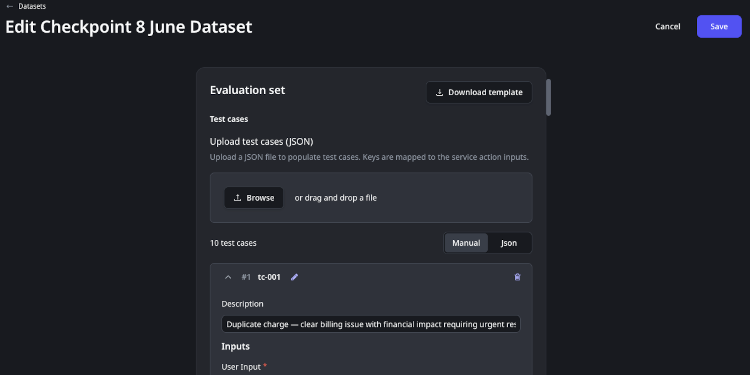
Build and maintain evaluation datasets
To keep evaluations accurate and up to date as your agents evolve, you need to be able to maintain the datasets behind them, control the environment they run in, and intervene when something goes wrong mid-run. This release extends the evals experience by allowing you to edit and export datasets, configure evaluation run setup and teardown, and cancel a run in progress.
Dataset editing and export
Datasets are now editable. Users can open any saved dataset and add rows, remove rows, or update cell values, including inputs, expected outputs, and expected tool calls. Changes are persisted immediately so the next evaluation run picks up the updated dataset without any re-import step. Datasets remain tied to the same Agentic App and Service Action, and the column-mapping rules from before still apply.
Users can also export any dataset as a JSON file. The exported format matches the standard JSON upload format, so it can be re-imported as-is, versioned in source control alongside agent code, or shared with teammates working in a different environment.
Setup and teardown for evaluation runs
Evaluation runs can now be configured with a setup Service Action and a teardown Service Action. Setup runs before the evaluation starts, and teardown runs after it completes. Both are regular Service Actions from any App or Agentic App, and both are optional. This lets users provision test data in external systems, load fixtures, or reset environment state automatically, without manually preparing or cleaning up between runs. Setup and teardown Service Actions must be fully self-contained and take no input parameters.
Cancelling a running evaluation
Users can cancel an evaluation run in progress. The run report reflects the cancellation, showing partial results for test cases that completed before the cancel and a "Cancelled" status for the run as a whole. This allows you to stop a long-running or mistaken run without waiting for it to finish.
.png)
We are excited to introduce a major visual and structural transformation of ODC Studio. This update provides a modernized, professional-grade workspace specifically engineered to minimize distractions and empower you to focus on development. By refining the tools developers use daily, we aim to influence the way they conceptualize and create positively. Standard IDEs often suffer from visual clutter, inconsistent icons, and layouts unsuited for modern high-density screens; this collective friction leads to increased fatigue and slower transitions. Our goal was to eliminate these obstacles, creating an environment that matches the high quality of the applications built within it.
- Reduced Cognitive Load: A noise-free, modular panel-based layout removes visual distractions, so your attention stays on logic and application architecture rather than filtering out UI clutter.
- Modern Professional Experience: Refreshed typography with the Inter font family, a minimalist iconography system, and Fusion Indigo accents with rounded aesthetics deliver crisp, premium rendering on HiDPI and Retina displays — an IDE that feels as polished as the apps you build with it.
We just published a new course designed specifically for experienced O11 developers who want to unlock ODC's agentic capabilities without rebuilding their existing apps.
The course covers everything from understanding how O11 and ODC work together, to consuming O11 data in ODC, to building and connecting agents to existing O11 apps. By the end, developers know how to agentify their O11 apps using ODC with minimal changes to what they've already built.

We're introducing Compare Revisions, a new capability in the ODC Workflow Editor that shows differences between workflow versions side by side, making it easier to review changes, resolve conflicts, and recover from unexpected states with confidence.
- Visual comparison on the canvas: Nodes and connections are color-coded to show exactly what changed: green for added elements, blue for modified ones, red for conflicting changes. You can see the shape of what changed at a glance, without having to inspect each node individually.
- Property-level comparison highlights: Click on any node to open its properties side by side in read-only panels. Changed properties are highlighted, covering everything from names and descriptions to service actions, screens, events, assigned roles, scheduling, timeout settings, and more, so nothing is hidden in the details.
- Synchronized pan and zoom: Both canvases move together as you navigate, keeping matching parts of your workflow aligned and making comparison intuitive even in large or complex workflows.
Three entry points : Access the comparison view directly from the Revision History to compare any two saved revisions; from the Session Recovery dialog, to see what changed while your editing session was interrupted; or from the Publish Conflict dialog, to review conflicting changes and decide how to proceed before publishing.
Compare Revisions gives your team the context they need to make informed decisions, whether you're reviewing what a teammate changed, recovering from an unexpected interruption, or resolving a publish conflict without risking lost work.
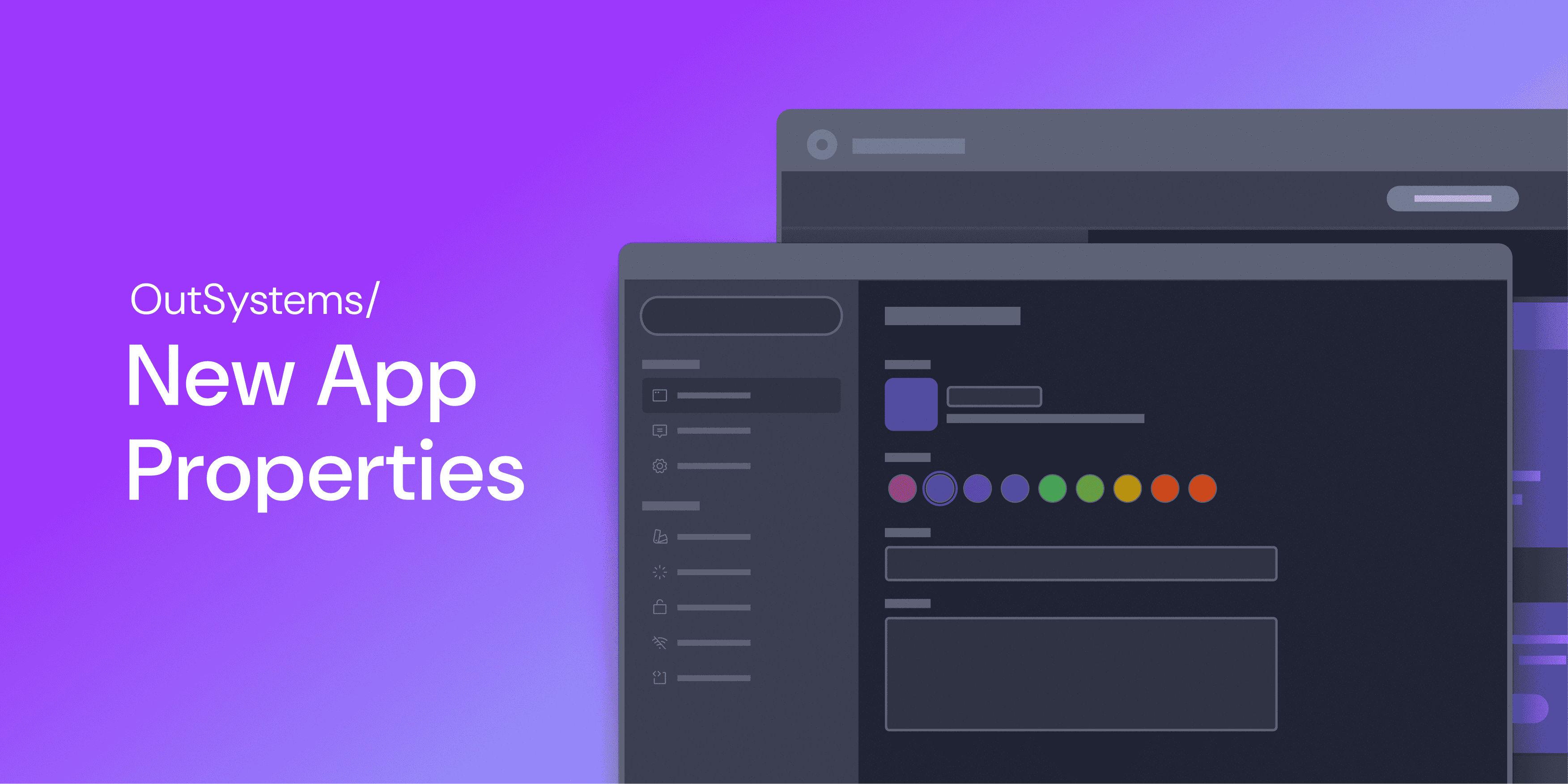
We're pleased to announce a new experience for app properties configuration in ODC Studio. This new experience provides a modern, searchable dialog that surfaces everything in one place, enabling developers to easily configure properties specific to their application.
What’s new?
- Vertical tab navigation with keyword search: A new properties dialog has a scalable, side-navigation layout. Use the built-in search box to instantly filter all available properties by keyword.
- Dedicated mobile space: Mobile properties are now organized into four focused tabs: Appearance, Splash Screen, Permissions, and Offline Data Sync. Each consolidates related options in a logical, easy-to-navigate section.
- Context-aware settings: The dialog automatically shows only the properties relevant to what you’re building. Mobile-only tabs, such as Permissions and Offline Data Sync, are hidden for web apps and low-code libraries.
- Built to grow: The new architecture provides a scalable foundation for surfacing future properties that today require manual configuration.
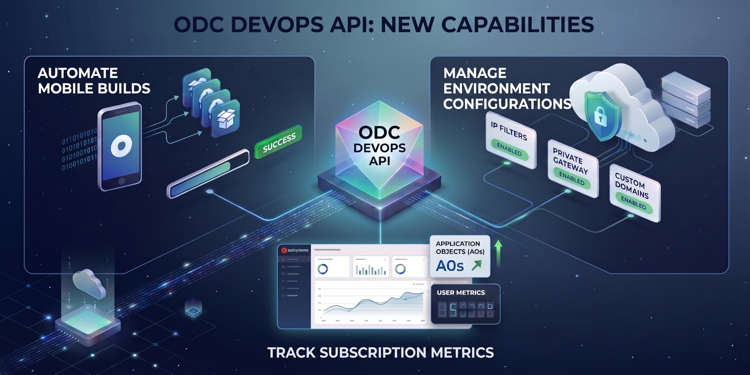
We are excited to announce a significant expansion of the ODC DevOps API, including new APIs that allow you to automate mobile delivery and environment configuration, and to monitor your subscription directly from your own tools (CI/CD pipelines or other external tools), enabling you to go beyond application deployment automation.
What’s new?
- The Native Mobile Build API automates the generation of mobile app packages. Integrate it with your 3rd-party CI/CD pipelines to generate the mobile packages required for app distribution through app stores or your own distribution platform.
- The Environment Configurations API helps ensure consistent security and connectivity across your IT landscape. It allows you to manage environment configurations to automate IP Filters, Private Gateways, and Custom Domains.
- The Subscription API lets you build custom alerting systems or automate internal cross-charging between business units by accessing the same metrics found in your Subscription Overview, including Application Objects (AOs) and Users.
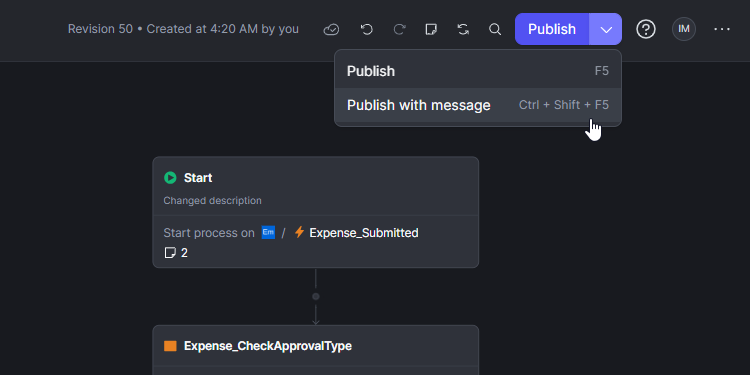
We are pleased to announce that the ability to add descriptive context to publications is now available within ODC Workflows. This update ensures that every workflow revision includes the necessary reasoning and detail to streamline team collaboration and governance.
By documenting the "why" behind every change, teams can transform their workflow history into a clear audit trail. These messages provide critical context during development and are especially valuable when resolving publishing conflicts or reviewing historical modifications.
Key Platform Details:
- Integrated Workflow Experience: The Publish button in the Workflow Editor now includes a "Publish with message" option for adding immediate context.
- Keyboard Efficiency: Developers can trigger the message dialog directly using Ctrl+Shift+F5 (Windows/Linux) or Cmd+Shift+F5 (Mac).
- Contextual Visibility: Messages are visible within the Revision History panel and are surfaced automatically in Publish Conflict dialogs to help developers make informed decisions when merging changes.
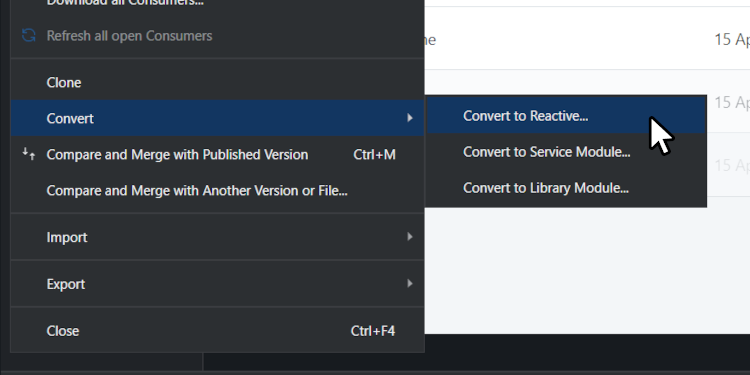
Modernizing your legacy application portfolio just got a lot faster. We are excited to announce the General Availability of the Traditional to Reactive Conversion accelerators in Service Studio.
To bridge the "Modernization Gap" of maintaining separate front-end architectures we’ve introduced a new "Convert to Reactive" menu option that automates the mechanical "heavy lifting" of app migration.
Key Benefits:
- Reduce Effort: Automate the recreation of UI, logic, and data structures, cutting manual conversion work by 30% to 60%.
- Consolidate Operations: Standardize your portfolio on a single, modern stack to simplify resource allocation and training.
- Modernize UX: Unlock high-performance features like parallel data fetching and instant page transitions.
Get Started:
Update to the latest Service Studio and select Module > Convert to Reactive to clone and transform your modules. For best results, follow a producer-to-consumer conversion order.