
Product Releases
and Updates
Thank you! Your submission has been received!
Oops! Something went wrong while submitting the form.
Upgrading the Platform Server is easier with the new progressive modules preparation. Instead of compiling all modules at once, the process occurs in small batches. Now, you can work on other modules while one batch is in preparation and resume the development of top consumed modules faster as the Platform Server prepares those first. The modules preparation is more resilient to failures: it no longer restarts from scratch if an error occurs, and if you need to relaunch, the already successfully prepared modules won't be included in the retry, making it better and faster.
Try Platform Server's new version 11.15.0.
Try Platform Server's new version 11.15.0.
Easily connect your apps with the most popular no-SQL database, MongoDB. The new integrations are available exclusively in the latest version of Integration Builder and fully supported by the OutSystems platform. Find out more about MongoDB integrations in our documentation.
Integrate with PostgreSQL and Aurora PostgreSQL relational databases on Integration Builder and get an enhanced experience with one of the most popular database management systems. You can also find this external database provider on Integration Studio. Find more about it in our documentation.
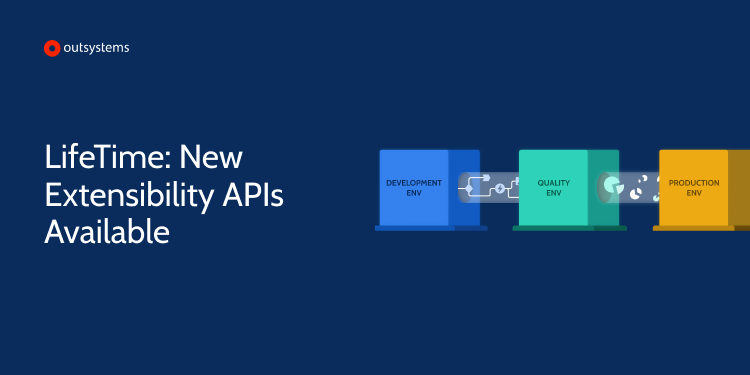
Have you ever wanted to add or remove environments automatically to and from LifeTime?Now you can automate those processes with the new extensibility APIs available from LifeTime version 11.11.0.

You can now develop all layers of Traditional Web apps (logic, interface, and data), translate the interface into other languages, rearrange and detach top-level tabs, refresh REST APIs, and consume SOAP web services in this new Service Studio version. Add and manipulate widgets more precisely in the UI editor; zoom in and out in the flows with the new canvas zoom. The performance and stability are also improved for better use. We’re releasing features and improvements every week. Download this version with the beautiful new UI, enhanced usability, and a dark theme on Service Studio Mac or Windows Beta.
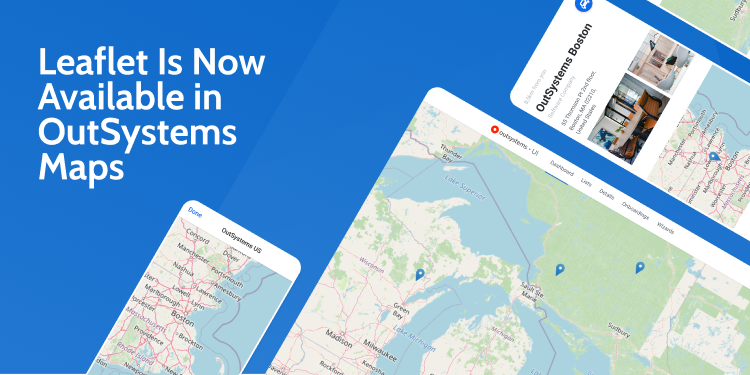
Build rich and interactive Leaflet maps without having to install an additional component. Now, as well as Google Maps, OutSystems Maps also supports Leaflet, one of the leading open-source and free map libraries. Check our working samples and respective documentation, and stay tuned for more features we’ll be adding to this component.
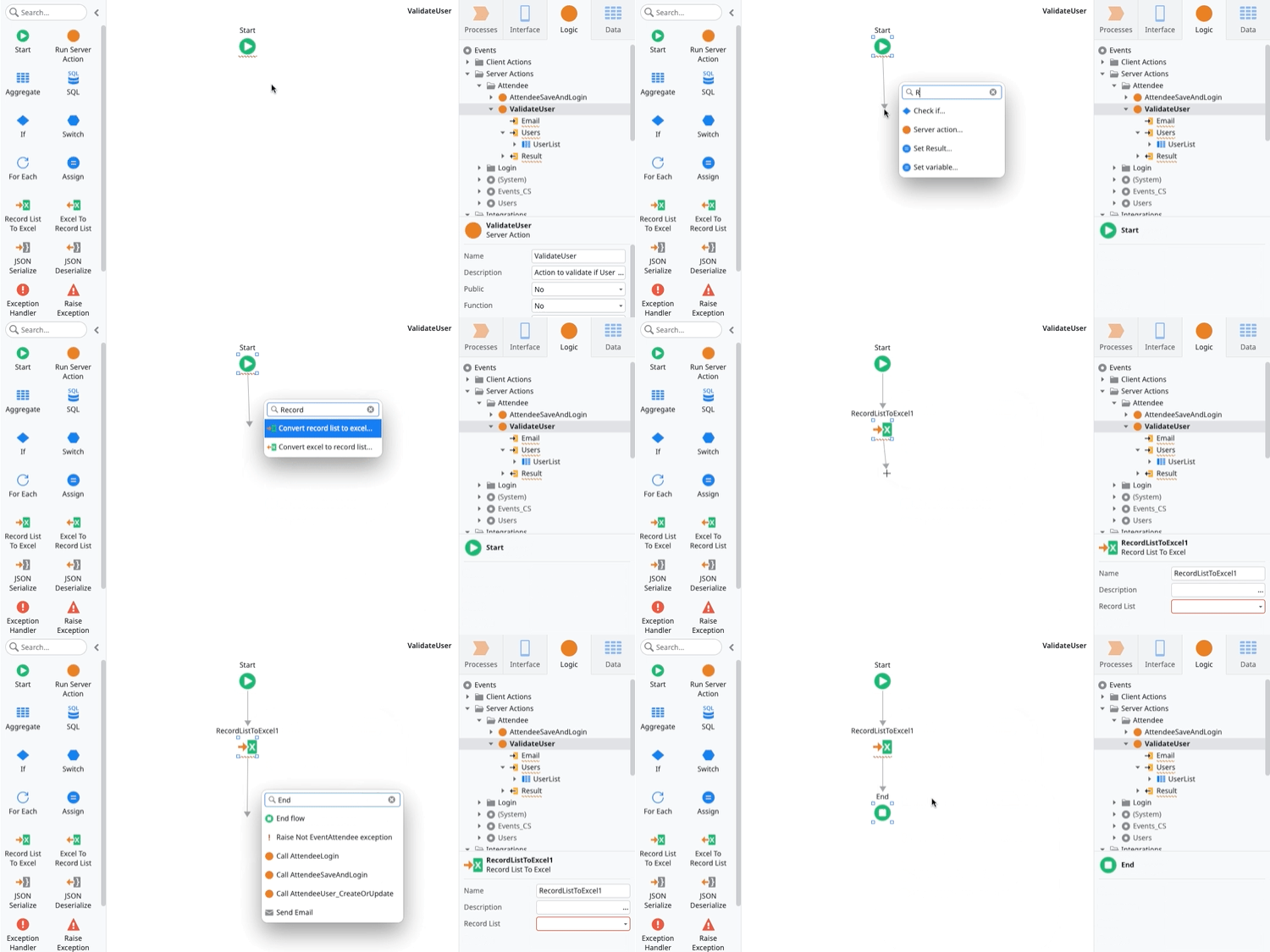
Find even more elements with the new and improved AI-assisted development quick search. Now when you receive inline suggestions and don't find what you're looking for, not only you'll get contextual actions, but you will also be able to search and add toolbox nodes directly to your flow.
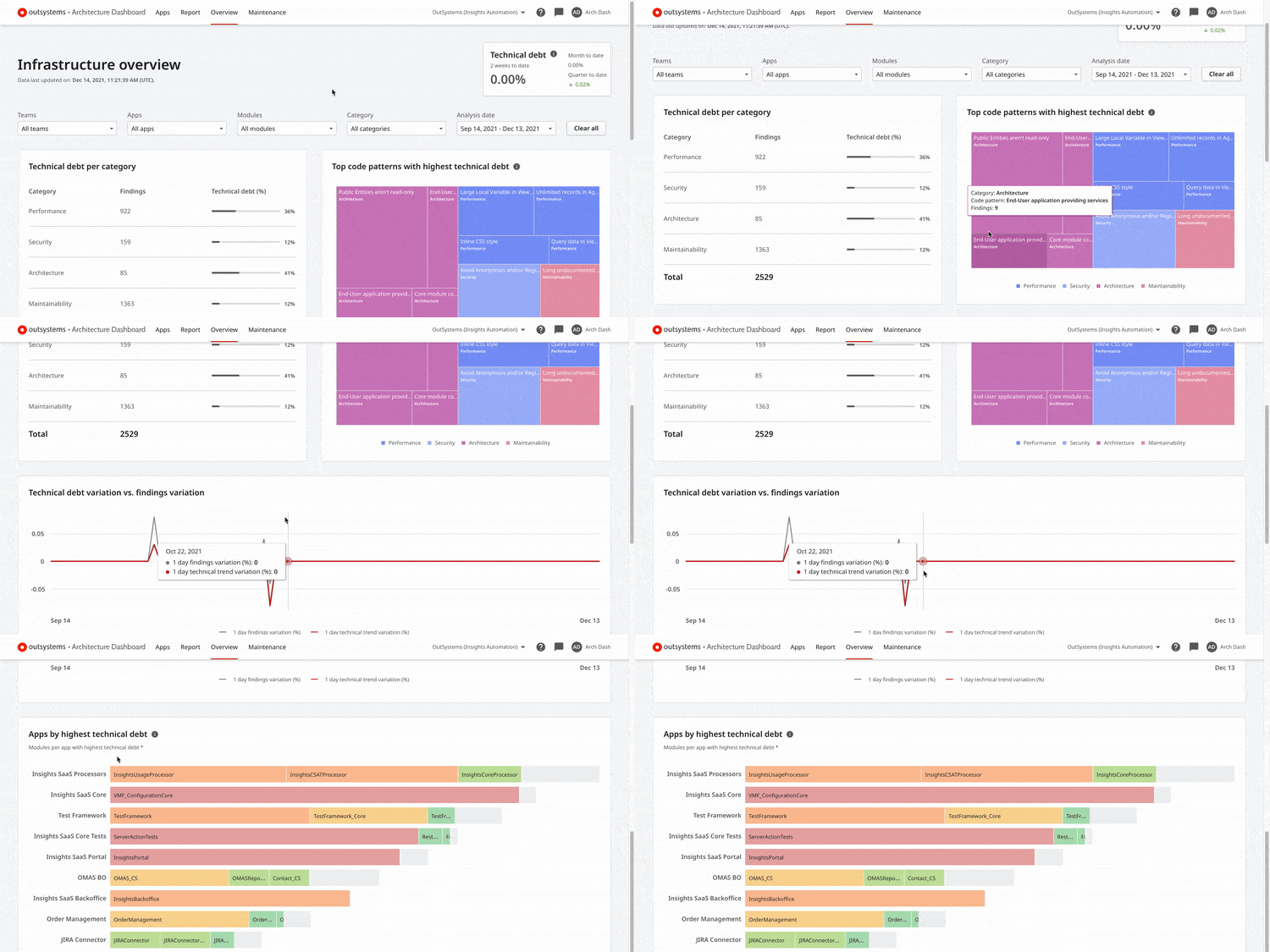
Efficiently analyze and manage technical debt across all your apps with the new overview area on Architecture Dashboard. There you can have an overall glimpse of your apps' technical debt, plus a detailed analysis of the categories and code patterns that contribute the most to it. Additionally, you can see its daily evolution and variation to focus on the specific apps, modules, and teams that need your attention the most. Find more about the new overview area here.
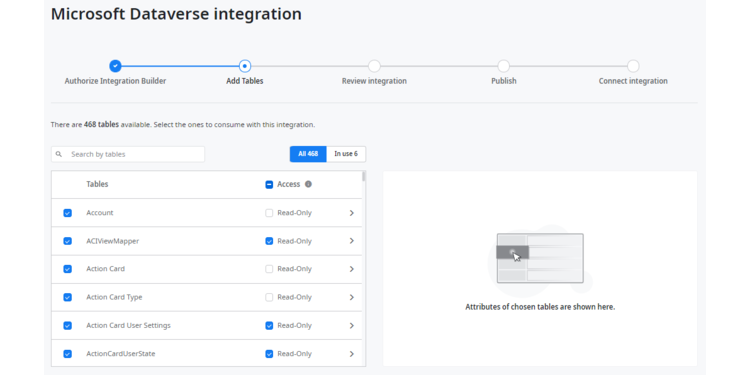
You can now set the access permissions of your integration in Integration Builder and define read-only or read and write access at the object or entity level. Easily use an integration without extensive knowledge of the underlying system of record, avoiding altogether corrupting the external system data by calling an action that other developers shouldn't access.
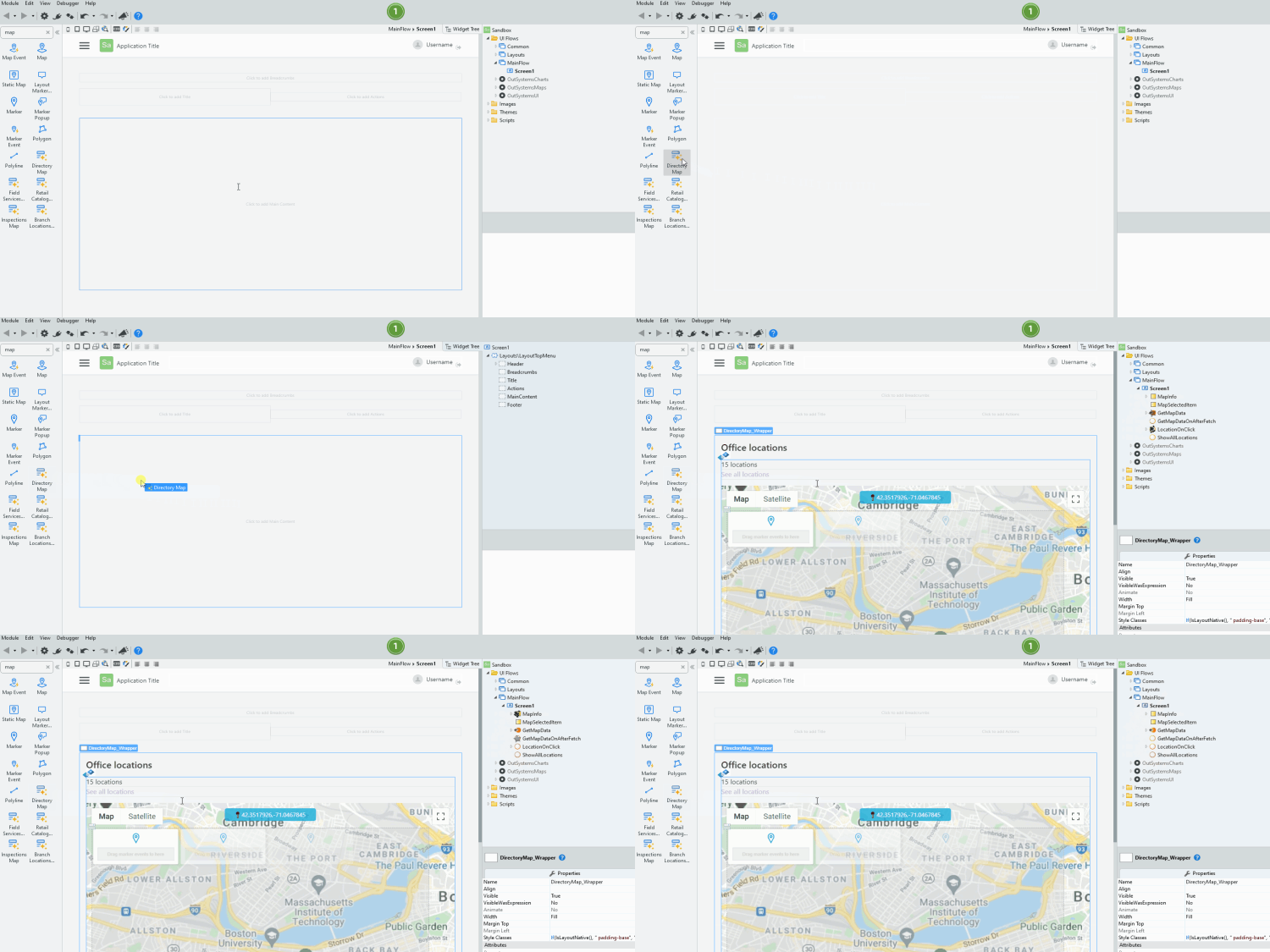
Develop apps faster with screen building blocks that you can easily use and change according to your needs. Designed for Reactive Web and Mobile apps, the OutSystems Accelerators component covers industry-specific customer use cases with sample data, so you can quickly bootstrap the development of your apps.