
Product Releases
and Updates
Thank you! Your submission has been received!
Oops! Something went wrong while submitting the form.
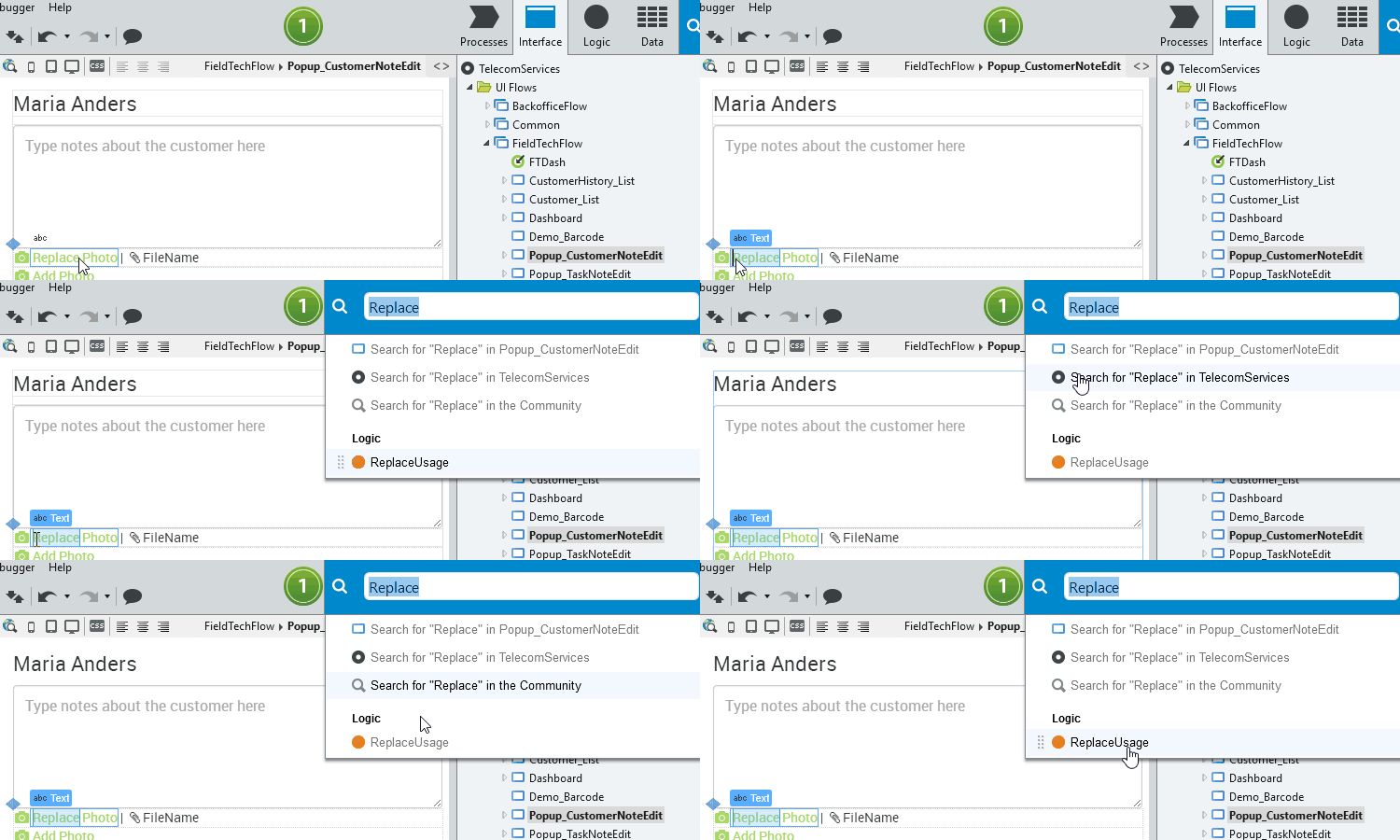
Everyone knows the pain of finding and replacing. This new Service Studio version makes that so much easier. If you select text and press Ctrl + F, the global search opens with your selected text already populated. For the Search and Replace window, it’s the same: select text, press Ctrl + R, and the Search field in the Search and Replace window is populated.
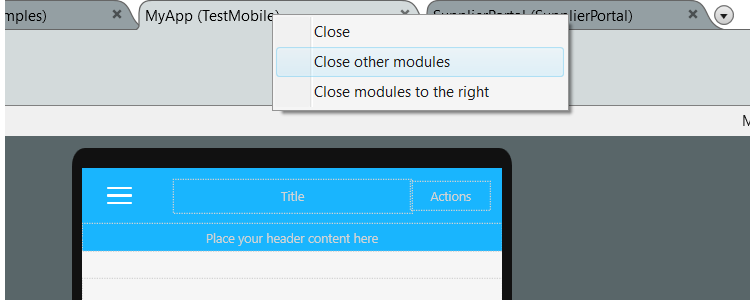
Service Studio modules can be like browser tabs. One minute, it’s just one, and the next, you have so many you can’t keep track. To help with that, you can now use “Close,” “Close other modules,” and “Close modules to the right” on the module tab. All you have to do is right-click the tab to see the new options.
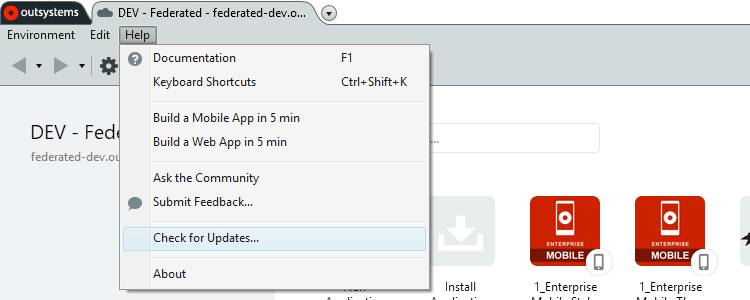
Never miss a thing. With a constant flow of updates, you want to make sure you're always using the latest Service Studio version. To stay in the know, simply go to Help > Check for updates... to find out if you’re using the latest version.

Exporting entity diagrams as images is very useful, right? So it should be as easy as possible. Simply right-click an entity diagram and select “Export to Image.”
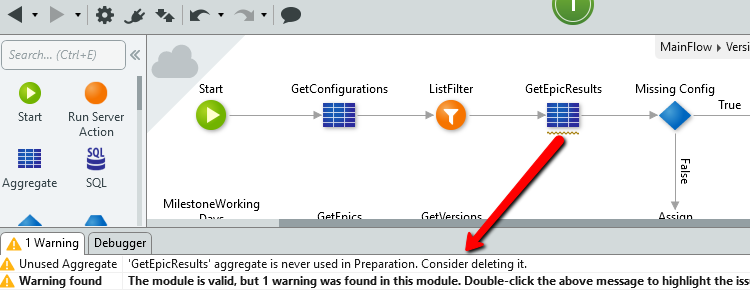
Wondering what could potentially slow down your apps? New messages have you covered. Now you receive a warning message whenever you have an unused aggregate in flows and warnings for writable site properties and session variables if they are not used in the module.
14 August 2018
Stateless BAPI Calls
The new OutSystems Platform Server allows you to create an extension module to manage stateless regions in SAP, which means that stateless BAPI calls to SAP servers are created for higher performance.
31 July 2018
Supporting Android O
Change has come. As of today, we support Android O, which means that, by default, Android apps target API level 26. You can still deploy apps to the Play Store as you always did, in line with Google's announcement.
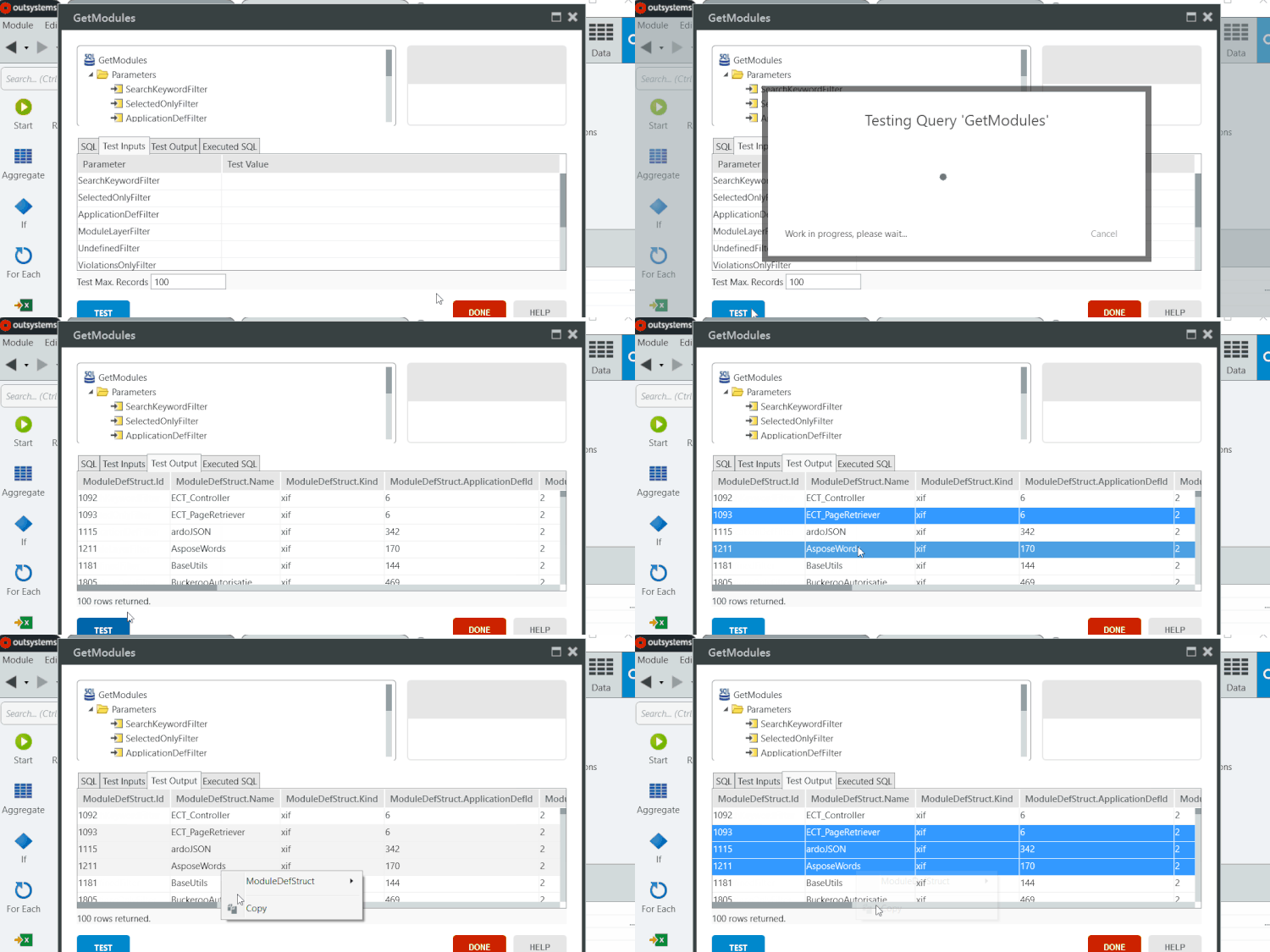
Remember testing query results and not being able to copy tabular data? Well, now it's possible to just copy it to the clipboard. And if you paste it into an Excel file, your data is automatically arranged in the right cells.
30 July 2018
Counting Selected Elements
Now you can see how many elements you have selected. For example, if you want to edit multiple objects, you can make sure that you have selected the right number of items.
30 July 2018
Disabling Automatic Data Preview for Aggregates
Say goodbye to a preview for every change, big or small. Service Studio has a new option that enables you to deactivate automatic data fetching when building aggregates. The result is a smooth and faster process because your data is displayed only on demand.