
Product Releases
and Updates
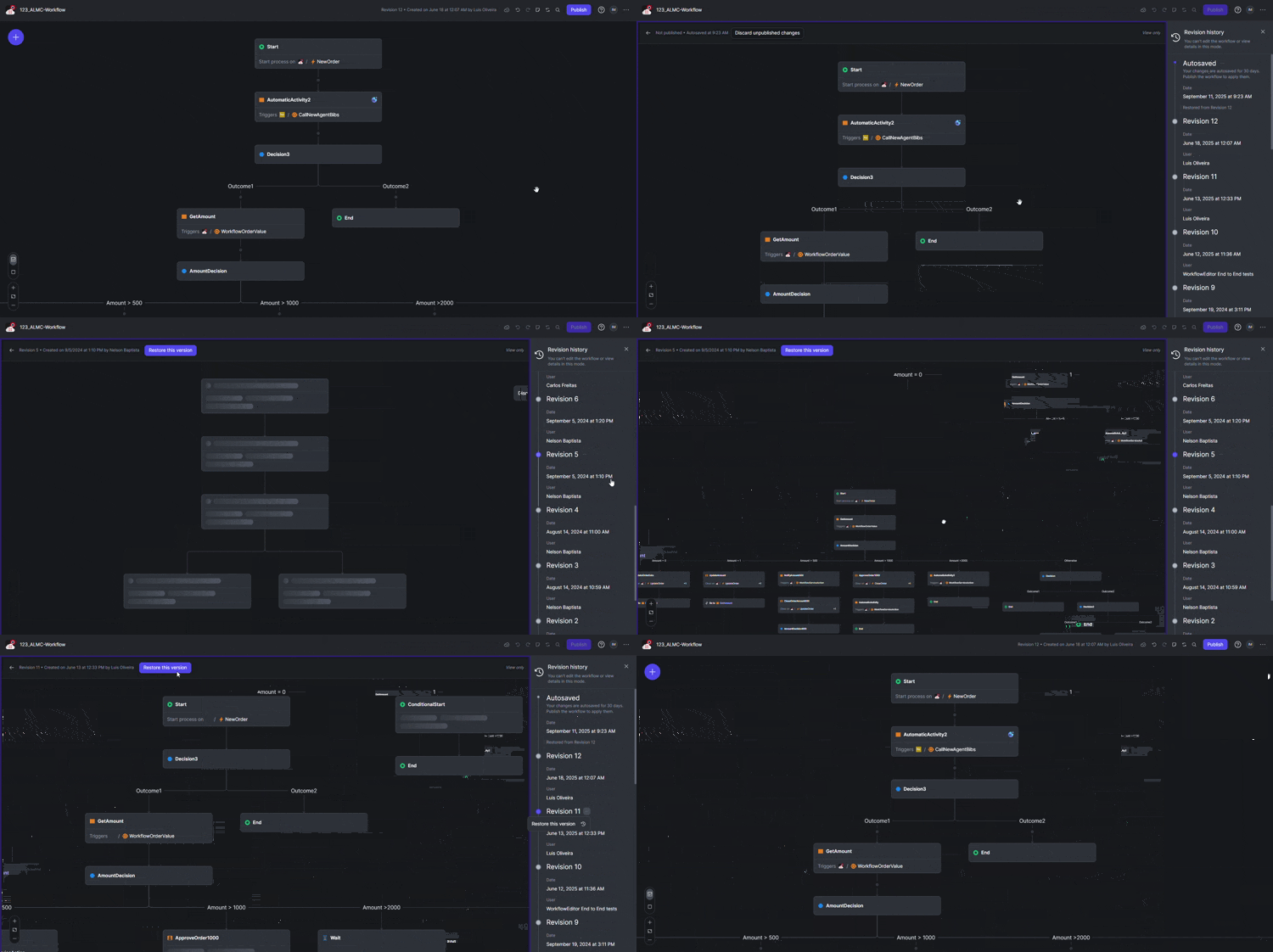
You can now track and manage all published revisions of your workflows directly from the Workflow Editor. This new revision history feature allows you to:
- View a timeline of all published workflow revisions.
- Access and visualize any previously published version.
- Revert to a previous revision if needed.
This capability, also accessible from the ODC Portal, provides a complete overview and control over your workflow versions, making it simpler to manage changes and restore past states. We've also added the ability to discard auto-saved changes. If you've made edits to a workflow and want to revert to the last published version, you can now do so with a single action inside the Workflow Editor. This ensures you can easily return to a stable, published state without manually undoing your changes.
These new functionalities are designed to give you more control and flexibility as you build and iterate on your ODC workflows.
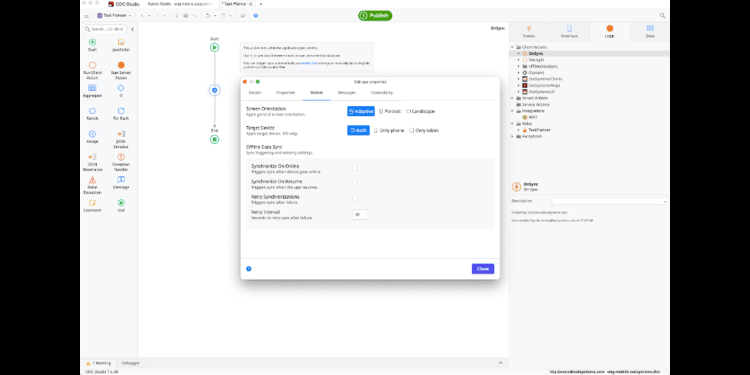
We’re excited to announce that ODC Studio now lets you sync database entities with local storage entities using built-in offline data sync feature, removing the need to consume OutSystems UI to implement offline capabilities.
It is designed to streamline the application development process, reduce your dependencies, and ensure continuity with both OutSystems UI and Mobile UI. With a refined development experience and elevation to a system-level event, built-in offline data sync simplifies the complex development process of synchronizing data in your applications.
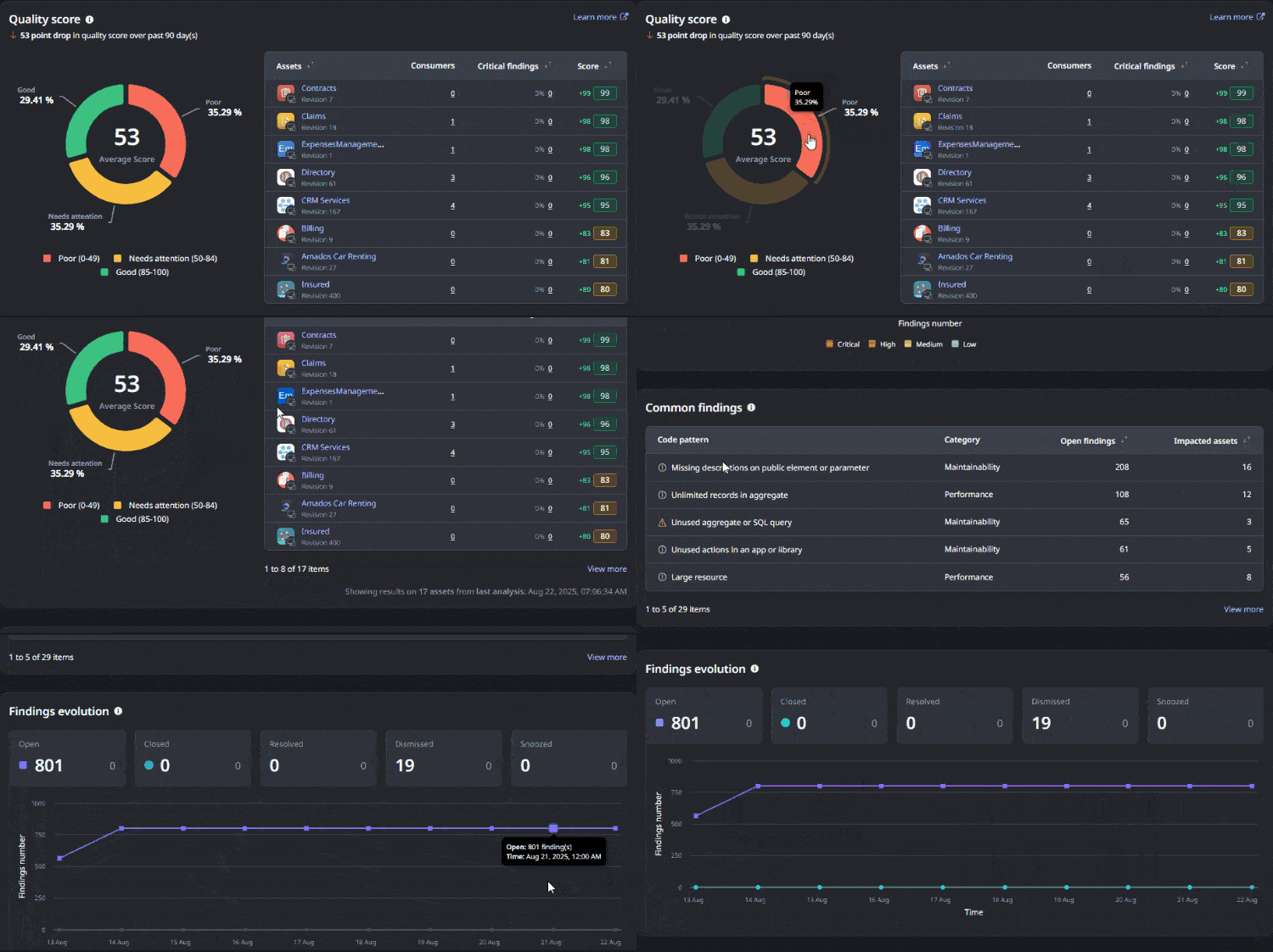
We’re excited to announce the Mentor Code Quality dashboard with portfolio-level insights. This capability gives tech leads and architects a bird’s-eye view of their code quality and technical debt across their whole portfolio, making it easier to guide teams, instantly spot risks, and track progress.
The dashboard allows you to see at a glance how each app or library scores in terms of code quality, helping you make informed decisions about where to focus first. With the Code Quality dashboard, it’s easier to keep your app portfolio agile and prepared for changing business demands.
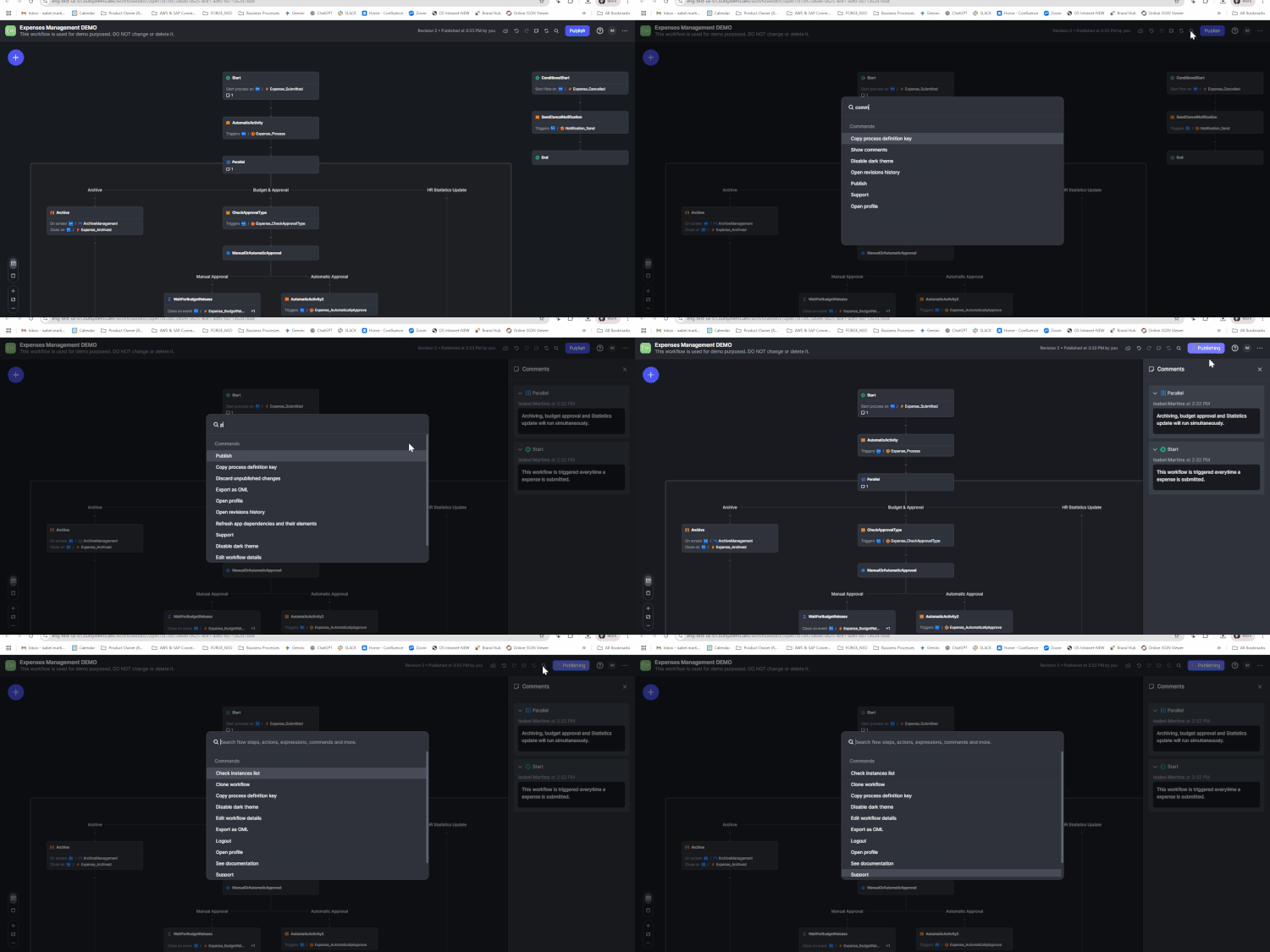
We're thrilled to announce a significant enhancement to ODC Workflows search capabilities. This enhancement is designed to streamline the workflow modeling process by simplifying discoverability, edition, and navigation.
Users can now quickly find various elements across their workflows through a unified search entry point. The search prompt is specifically designed to search flow steps, actions, expressions, and commands, ensuring that almost any operation within your ODC Workflow can be found instantly.
This enhancement is designed to provide a more efficient and intuitive way to interact with your ODC Workflows, putting the power of precise discovery directly at the user's fingertips.
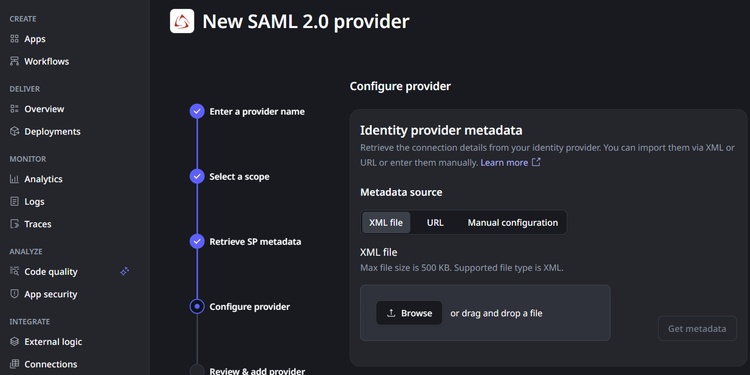
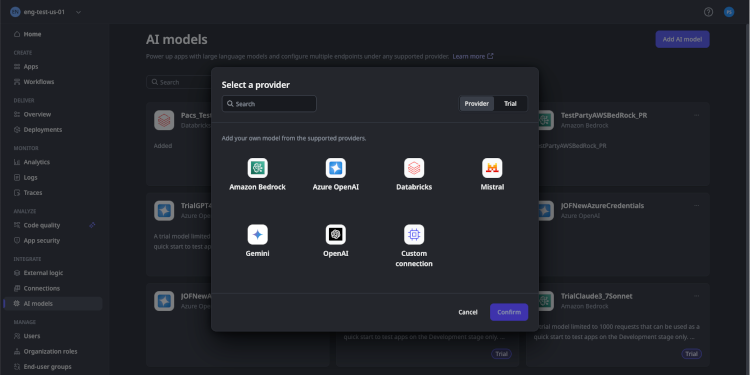
The AI model landscape is evolving fast, creating challenges in integration, governance, and increased operational overhead that hinder scalable AI deployment and adherence to security and compliance standards. OutSystems is tackling this head-on with enhanced native AI Model Management in OutSystems Developer Cloud.
We are excited to announce expanded support for leading AI model providers, now including Databricks, Mistral, Gemini, and OpenAI, alongside your existing custom models. This means you can continuously leverage cutting-edge capabilities, seamlessly connecting, governing, and reusing AI models with built-in monitoring, guardrails, and stage-specific configurations. This expanded native support simplifies every stage of the development lifecycle, enabling rapid innovation and confident AI scaling across your application portfolio, keeping you at the forefront of AI.
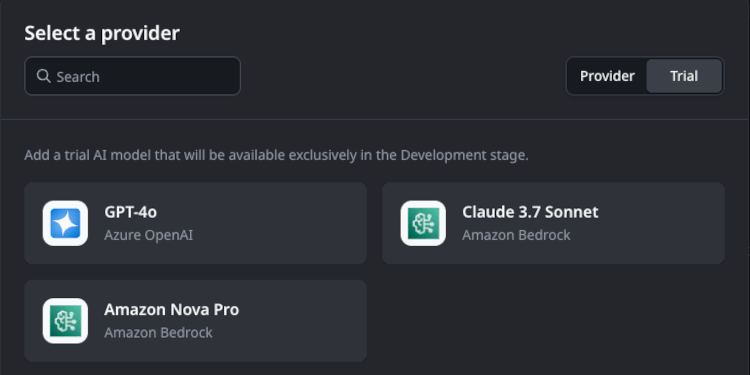
We’ve partnered with Amazon to bring two powerful AI models — Claude 3.7 Sonnet and Amazon Nova — directly into the OutSystems Developer Cloud (ODC), giving you a clear path to explore, test, and build with cutting-edge large language models.
These models offer improved reasoning, richer responses, and faster performance for your AI agents and applications. With 1,000 free trial requests, you can safely evaluate how each model fits into your use cases — from intelligent assistants to automated decision-making.
This integration empowers teams to prototype confidently, benchmark model performance, and fine-tune agent behavior.
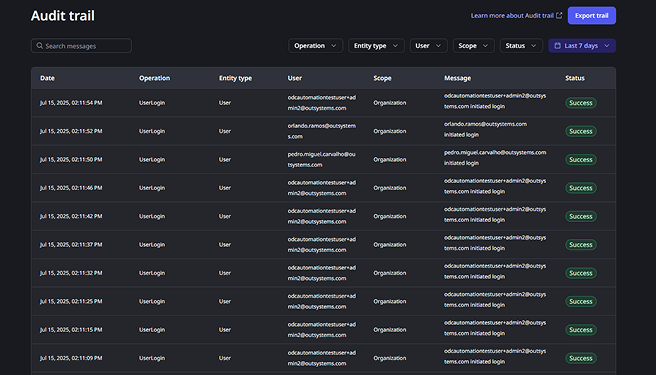
We're excited to announce ODC Audit Trail, a comprehensive and chronological record of actions across ODC Portal, Studio, and APIs. Easily search for specific events through an intuitive interface, or export detailed logs in CSV format for in-depth analysis and long-term retention.
Audit Trail offers significant advantages:
- Compliance: Verifiable documentary evidence to meet regulatory standards and internal policies.
- Troubleshooting: Help diagnose operational issues by revealing who made changes, where, and when.
- Incident response: Crucial for reconstructing events, tracing platform activity, and maintaining governance over your operations.
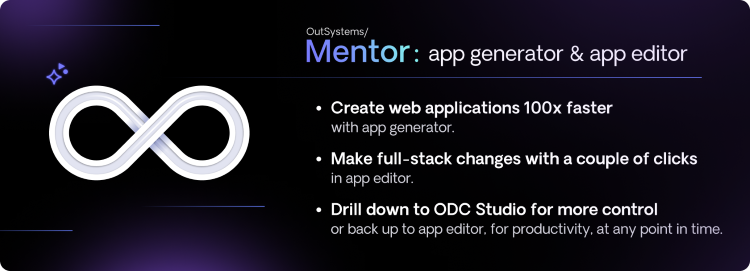
OutSystems Mentor continues to advance low-code development with enhanced integration capabilities and improved data visualization options. With this release, Mentor-generated apps can now write data directly to entities in the Data Fabric or from any application of the tenant, making it easier to build connected, enterprise-ready solutions.
Additionally, two new screen templates have been introduced to better support high- and low-volume data scenarios, enabling more intuitive and scalable user experiences.
What's New:
Mentor App Generator Enhancements:
- Expanded Enterprise Integration Capabilities: Mentor-generated applications can now write data directly to external systems, including Salesforce, SQL databases, SAP, and Public entities within the tenant. More than just enabling connections, Mentor generates integrations with awareness of your organization's existing application portfolio. This avoids fragmented solutions and duplicated data, ensuring reusability, architectural consistency, and long-term value.
- UI Diversity - Data visualization enhancements: We’ve added two new screen templates to better support both complex and lightweight data scenarios:
- Detail Screen with Sidebar and Tabs: Automatically generated for entities with multiple relationships and numerous attributes. This layout improves navigation and organization for complex data models.
- Pop-up: A lightweight interface designed for quick edits on entities with fewer attributes—ideal for simple, focused interactions.
- AI-Powered UI Personalization: Mentor now automatically suggests a Font Awesome icon and header color for your app, enhancing the design experience with smarter defaults and expanding the theme properties driven by AI.
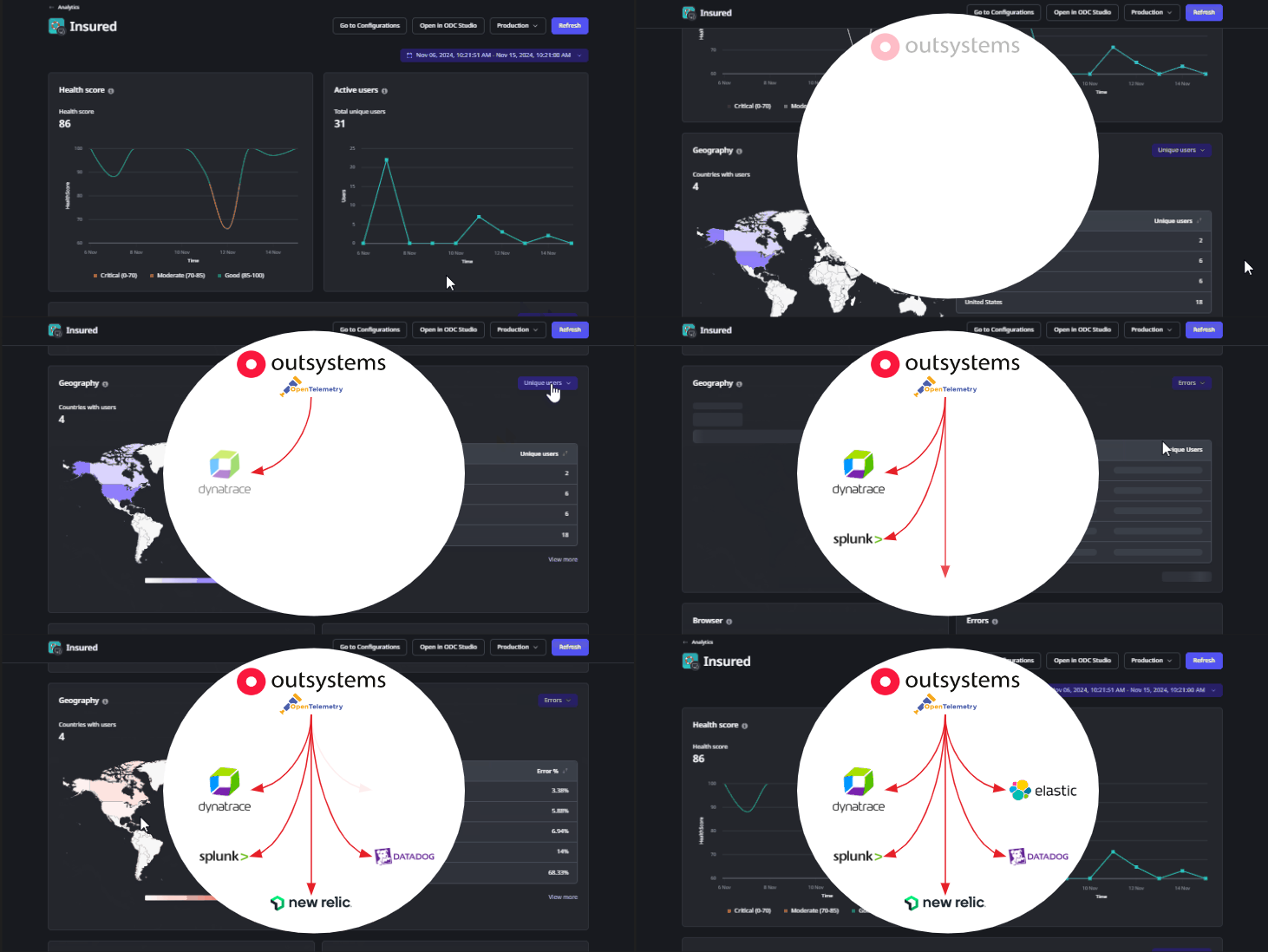
With ODC App Analytics Stream, you can automatically send observability data - application logs, traces, and metrics - directly to third-party application performance monitoring tools (e.g., Dynatrace, New Relic) or cloud storage (e.g., AWS S3) in OpenTelemetry format.
If you have enterprise monitoring needs or compliance mandates, this update will help you reduce operational risk and centralize monitoring across platforms.