
Product Releases
and Updates
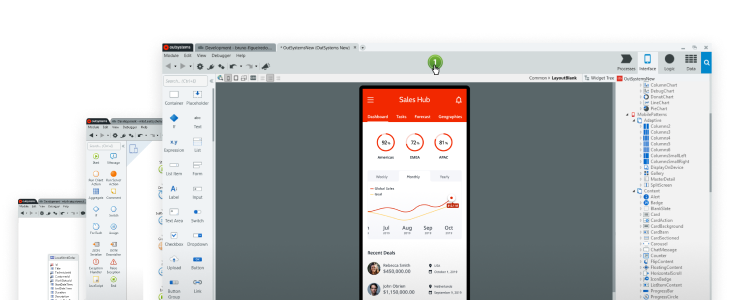
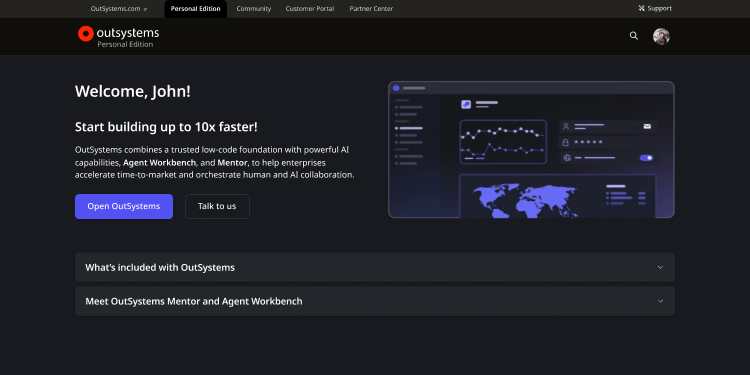
We're thrilled to announce the new OutSystems Personal Edition, a free, single access point for developers to explore the full power of the platform.
With this update, we're eliminating time-bound experiences and the need to move your apps. A Personal Edition is a "forever free", dedicated and permanent space for your personal projects and learning.
OutSystems Personal Edition includes:
- Dedicated space: Your personal space for a better, more focused experience.
- Agent Workbench: Free access to OutSystems Agent Workbench and other powerful AI capabilities to build, test, and innovate.
- Forge contribution: Developers can now submit assets to Forge under their individual ownership.
- Asset collaboration: Easily collaborate with other developers from the community on your projects.
- Dedicated storage: 1GB of dedicated application data storage—no more "database full" errors.
As businesses look to integrate agentic AI, they face a new challenge: "AI agent sprawl." This happens when different teams develop fragmented AI solutions without a central strategy, leading to a complex mess of tools, inconsistent data access, and a lack of governance. This siloed approach makes it difficult to manage agents at scale, introduces security risks, and prevents businesses from truly delivering enterprise-wide agentic transformation. The result is stalled pilots that can't deliver real business value.
Introducing Agent Workbench
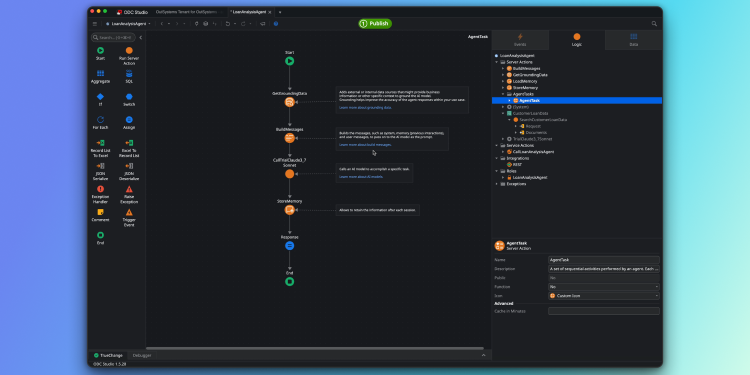
The new Agent Workbench is now generally available, empowering you to build, manage, and scale intelligent AI agents on a unified platform for building agents and apps. Designed to help you build custom agents to streamline operations, elevate customer experiences, and grow revenue, Agent Workbench includes three sets of critical capabilities:
- AI model and data integrations: Set up a foundational layer of LLMs (custom or pretrained) and enterprise data ( structured or unstructured) to fuel agent action and decision-making and drive impactful results.
- AI agent lifecycle management: Build, test, deploy, and monitor agents with low-code agility, end-to-end security, and the full context of your entire app portfolio.
- AI agent orchestration: Build and orchestrate multi-agent workflows and patterns to deliver next-level automation and better outcomes.
Agent Workbench simplifies the transformation of existing business applications, workflows, and tools into intelligent, agentic systems that can reason, plan, and act. With one click, you can move the entire system—agents, apps, and all supporting layers—through development, testing, and production as an integrated whole, with all lifecycle management handled in a single toolchain.
Please review the Agent Execution limits fair usage policy for AI Agents in OutSystems Developer Cloud, as well as our promotional offer for Agent Workbench.
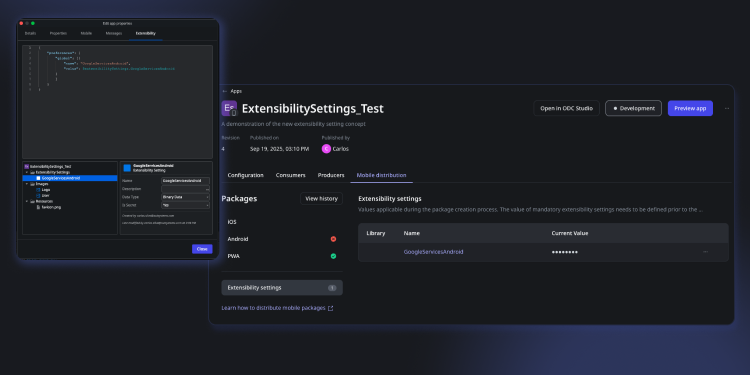
OutSystems is introducing a new extensibility settings experience designed specifically for native mobile apps. With this update, you can define development-stage specific configurations for mobile plugins and applications, providing greater flexibility throughout the SDLC process.
In ODC Studio, extensibility settings for mobile applications and libraries can now be managed directly from the Extensibility Configurations tab. On the ODC Portal, you’ll find these settings under the Mobile distribution tab within your app details screen.
Note: editing extensibility settings requires generating a new mobile package for your application.
We're pleased to announce that OutSystems 11 now offers full compatibility with PostgreSQL 17.
This update ensures that you can continue to seamlessly leverage your data in your OutSystems applications and confidently upgrade your PostgreSQL database engines. With this latest version, you can now take advantage of significant performance improvements, enhanced security, and new developer capabilities, ensuring your solutions remain both modern and competitive.
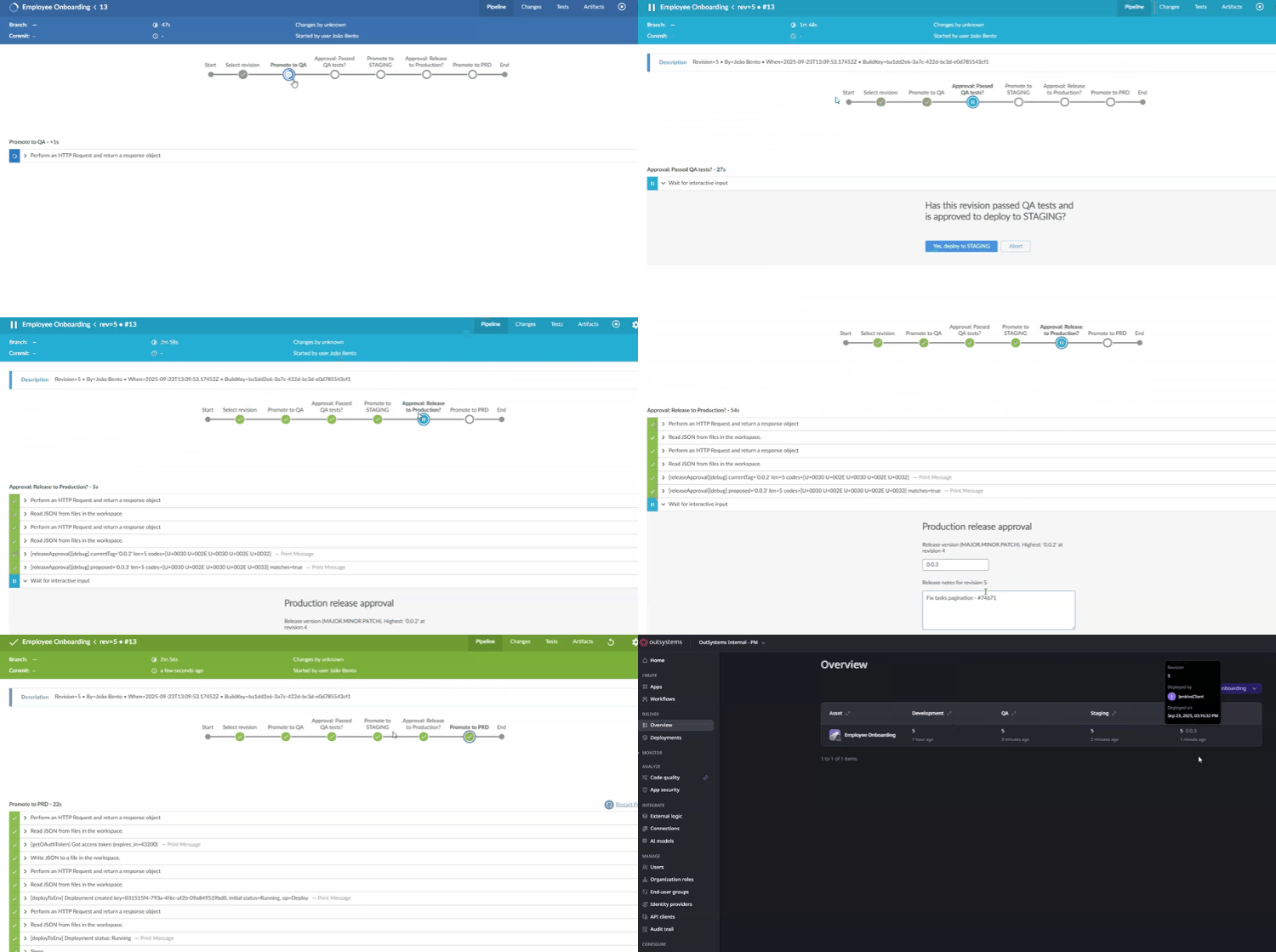
Your CI/CD pipeline, your rules. We're thrilled to announce a powerful leap forward in how you can build with OutSystems. We're opening up ODC with a new set of APIs that give you full control to integrate your entire CI/CD pipeline with the tools you already love.
This isn't just an update; it's about giving you more freedom. Connect OutSystems with third-party CI/CD tools like Jenkins or Azure DevOps to automate every step from code to production. You can improve your processes, enforce quality gates, and deliver reliable apps faster than ever.

OutSystems Mentor continues to accelerate application development by integrating new generative AI capabilities. This update brings significant enhancements to Mentor's App Generator and App Editor, empowering your team to create enterprise-grade apps with richer and more tailored user experiences.
What's New:
Dashboard Composition: Mentor now generates dashboards that are use-case tailored, contextually relevant, and aligned with OutSystems UX standards. By interpreting the user’s intent from prompts or requirement documents, Mentor automatically applies the most suitable UI patterns and chart types to surface information effectively. Supported components include counters, horizontal/vertical bar charts, donut and pie charts, and list views. These patterns can be explicitly referenced in a prompt or embedded within requirement documents, ensuring generated dashboards are both functionally precise and visually consistent.
List Composition: Mentor now generates diverse, use-case–specific list screens optimized for easy data exploration and interaction. Depending on the underlying data model, lists can be composed with table views (with context-aware columns, filtering, and sorting), or alternative patterns such as gallery views, card layouts, and map-based views. Supported components include: table card list, gallery, gallery with detail (on sidebar), table, table with detail (on sidebar), master detail, card list with detail (on sidebar), card list with map. These patterns can be explicitly defined in prompts or embedded within requirement documents, ensuring generated applications deliver list UIs that are functionally accurate, navigable, and aligned with OutSystems UX guidelines.
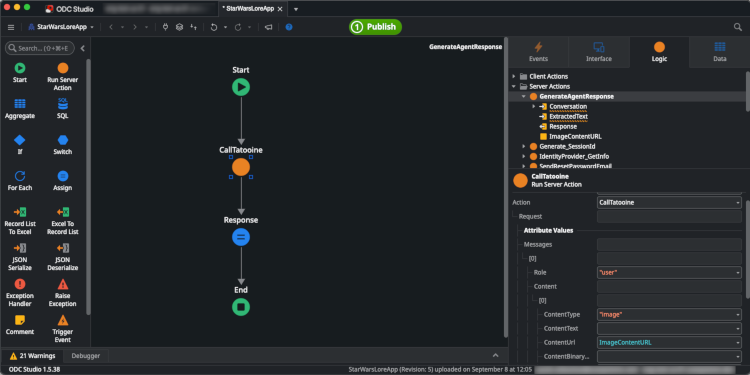
To address this need, the CallAIModel action has been updated to support sending images to AI models. This new functionality introduces a breaking change to the structure of the Content input parameter. Previously, this parameter was a simple Text field. It has now been replaced with a new Content structure that can hold either a ContentURL (Text) or ContentBinary (Binary Data) field. This new structure provides the flexibility to send image data in various formats, ensuring that your applications can interact with a wide range of multimodal AI models. This change enables developers to build more advanced AI applications that can see and interpret the world, empowering new and exciting user experiences.
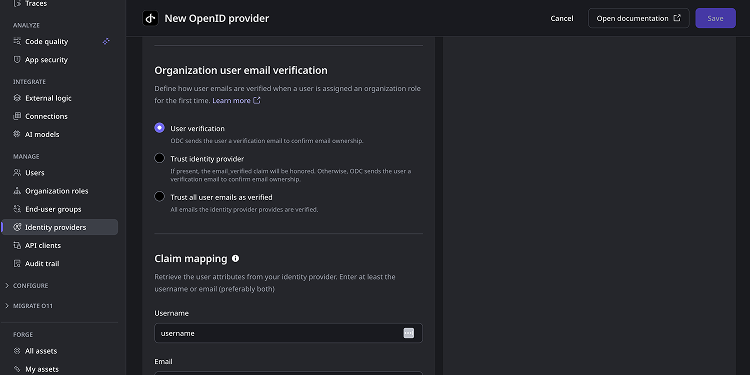
This update streamlines user identity and email verification processes while improving security and user experience.