
Cloud app development: Build cloud-native applications
Scalable, secure cloud app development is no longer just “hosting in the cloud”—it’s designing, building, deploying, and operating applications on cloud infrastructure using cloud-native principles. When teams pair cloud-native architecture with modern DevOps and CI/CD practices, they can release faster, scale more reliably, and reduce operational friction across environments.

What is cloud application development?
Cloud application development is the process of designing, building, testing, deploying, and operating applications that run on cloud infrastructure and use cloud services delivered over the internet. Depending on the model, teams may use IaaS (infrastructure resources), PaaS (managed platforms and runtime services), and SaaS (fully managed applications) to accelerate delivery while reducing infrastructure overhead
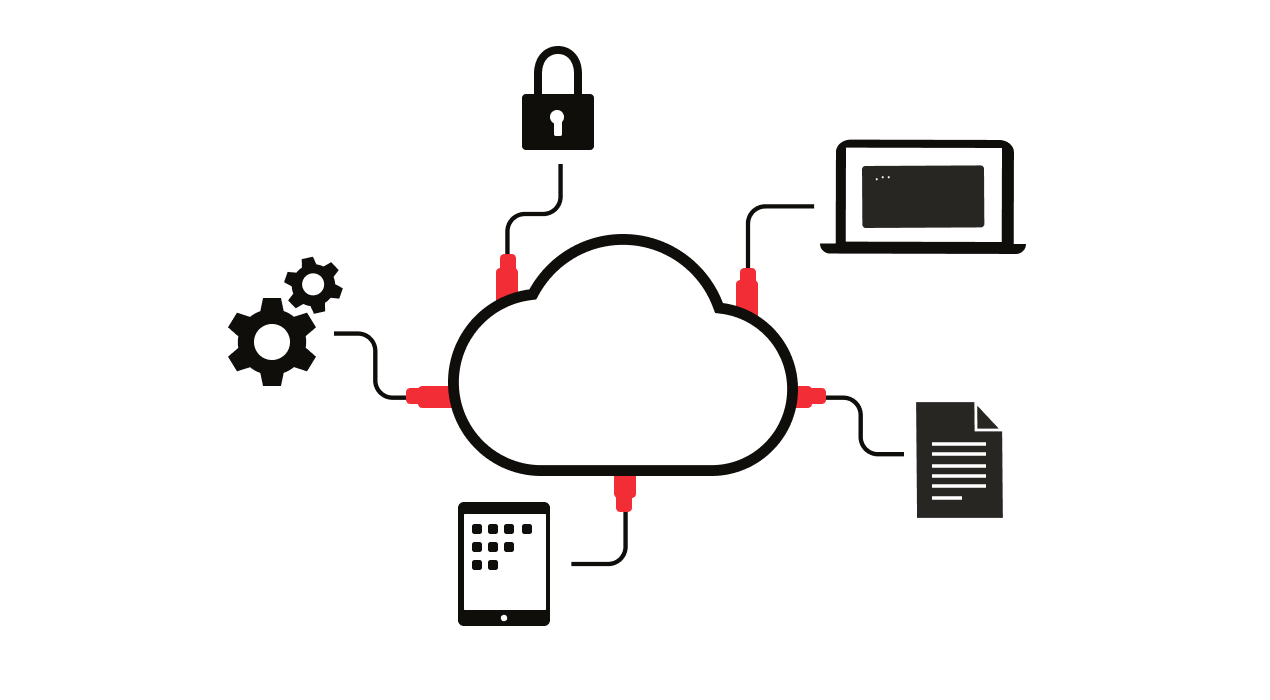
Modern cloud application development increasingly aligns with cloud-native architecture—such as microservices and managed services—to improve resilience and scalability. In practice, that also means DevOps and CI/CD aren’t optional: automated pipelines, consistent environments, and fast feedback loops are central to building and evolving cloud-native applications.
Read more about app development in our comprehensive guide
Cloud-native architecture for application development
Cloud-native architecture is an approach to building applications that can scale, recover, and evolve quickly in cloud environments. Rather than deploying a single, tightly coupled system, cloud-native applications are typically designed around:
- Microservices that isolate business capabilities and reduce blast radius
- Containers for consistent packaging across dev, test, and production
- Orchestration (for example, Kubernetes) to manage scaling and availability
- API-first design to support integration and composability
- Stateless services where possible, to simplify scaling and recovery
Why it matters for delivery and operations:
- Resilience: failures are isolated and easier to recover from
- Scalability: services scale independently based on demand
- Faster releases: smaller components enable quicker, safer deployments
- Portability: consistent packaging reduces environment drift
Benefits of developing in the cloud
Cloud app development helps teams build and run applications with the scalability and speed modern businesses expect—especially when cloud-native architecture and automation are part of the approach. The benefits below map to the outcomes IT leaders care about: performance at scale, delivery velocity, risk reduction, and cost control.
.png)
Scalability
Cloud-native applications can scale up or down based on demand, helping maintain performance during traffic spikes and seasonal surges. With CI/CD automation, teams can also ship updates more frequently without turning releases into high-risk events.
See the differences between cloud scalability and elasticity
Flexibility
Cloud development lets teams choose the right model for the workload—IaaS, PaaS, or SaaS—and evolve that choice over time as architecture and requirements change. This flexibility supports modernization without requiring a full rebuild or on-premise infrastructure on day one.
Security
Cloud development can strengthen security when teams apply secure-by-design practices and leverage built-in protections offered by cloud providers and platforms. This is especially critical for applications handling sensitive customer, financial, or regulated data.
Discover how to ensure cloud-native security
Cost-effectiveness
Cloud pricing models reduce large upfront infrastructure investment and help teams align cost with actual usage. When paired with right-sizing and automation, cloud development can improve efficiency without sacrificing reliability.
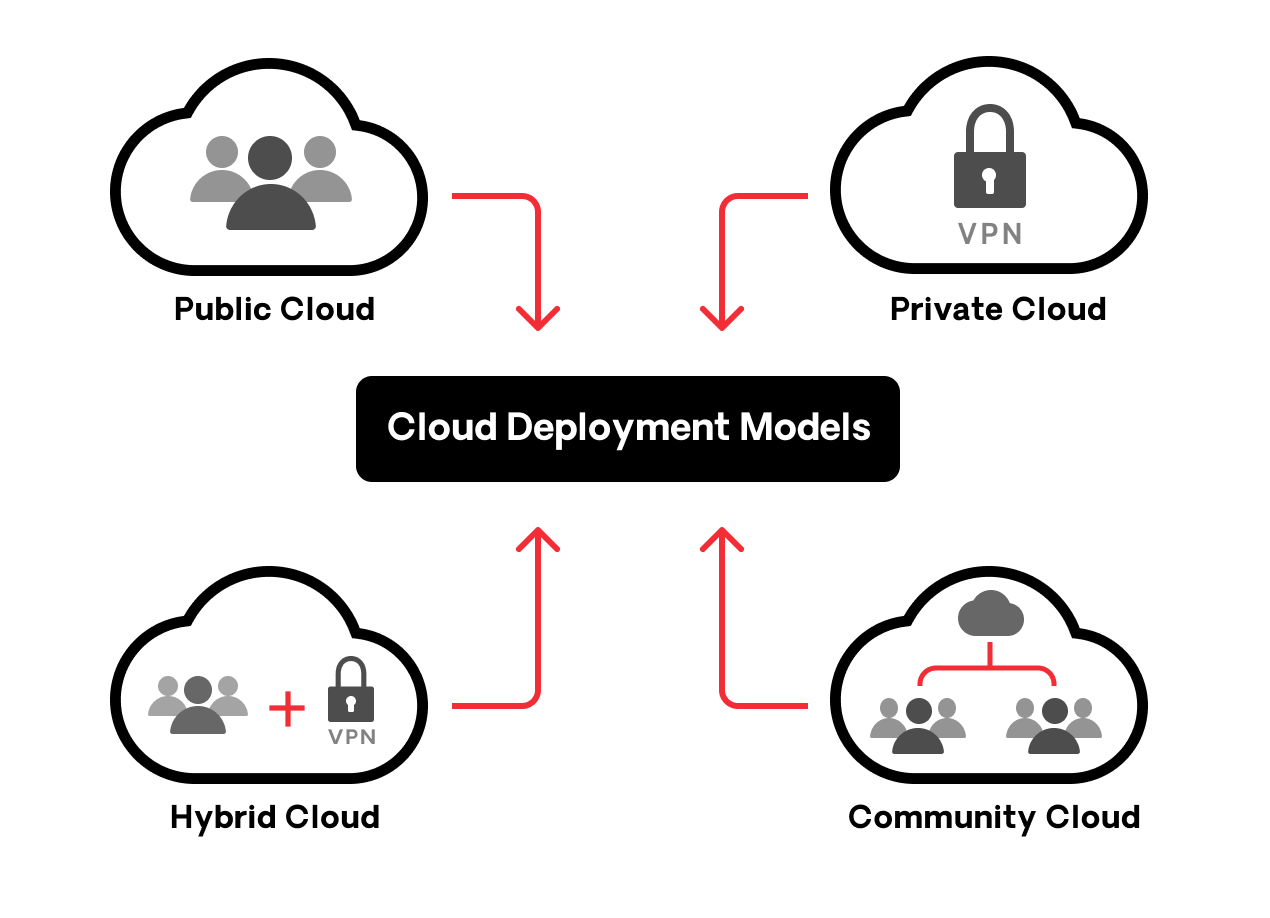
What are the cloud deployment models?
Your deployment model shapes how you architect and operate cloud applications—including compliance posture, data residency, operational control, and how easily workloads can scale. Choosing the right model early helps teams avoid rework later as application complexity grows.
There are five models to choose from:
- Public
- Private
- Hybrid
- Multi-cloud
- Community
1. Public cloud
In a public cloud, cloud infrastructure and services are managed by a third-party provider, and resources are delivered on demand. This model is commonly used for customer-facing web apps, mobile backends, and variable-demand workloads where elasticity matters.
Examples of popular public clouds include Amazon Elastic Compute Cloud (Amazon EC2), Microsoft Azure, Google Cloud, and IBM Cloud.
Public cloud advantages vs. disadvantages
2. Private cloud
In a private cloud, infrastructure is dedicated to a single organization (on premises or hosted), providing tighter control and customization. Private cloud is often used for regulated workloads, sensitive data environments, and legacy-dependent applications that require strict governance.
Examples of private cloud providers include Amazon, IBM, Cisco, Dell, and Red Hat.
Private cloud advantages vs. disadvantages
3. Hybrid cloud
Hybrid cloud combines public and private cloud (and sometimes on premises), enabling teams to place workloads based on risk, performance, and compliance needs. Hybrid is common for modernization journeys where core systems remain private while new digital experiences leverage public cloud scale.
Hybrid cloud advantages vs. disadvantages
4. Multi-cloud
Multi-cloud uses multiple public cloud providers, often to optimize features, resilience, and regional performance. Multi-cloud is common for global applications that need redundancy, provider-specific capabilities, or region-based optimization.
Multi-cloud advantages vs. disadvantages
5. Community cloud
A community cloud is shared by multiple organizations with similar requirements (for example, compliance or industry-specific controls). This model can be useful for sector-based applications where organizations collaborate while maintaining restricted access.
Community cloud advantages vs. disadvantages
Choosing the right platform for cloud application development?
Choosing a cloud application platform is a long-term decision. It impacts how quickly teams can deliver, how reliably applications run, and how effectively you can secure and govern your environment as complexity grows. Beyond cost, evaluate whether the platform supports modern cloud-native development and operational excellence.
Key criteria to consider:
- Cloud-native architecture support: microservices, containers, orchestration, API-first patterns
- Integrated DevOps and CI/CD: automated pipelines, consistent environments, release governance
- Observability: monitoring, logs, tracing, and actionable insights for operations
- Security and compliance: certifications, identity and access controls, encryption, auditability
- Ecosystem and integrations: services, connectors, and extensibility to fit your stack
Cost and quality still matter, but the right platform should also help teams scale delivery and operations without requiring a deep bench of specialized infrastructure expertise for every application team.
Steps for successful cloud application development process
A modern cloud application lifecycle goes beyond build and release. Cloud-native development pairs delivery with operations—continuous improvement, monitoring, and iteration are part of the workflow. These steps provide a practical path from idea to production and beyond:
1. Idea and research
Start by validating the problem, audience, and expected outcomes. Research user needs, constraints (security, compliance, latency), and whether the workload benefits from cloud-native patterns like elasticity and managed services.
2. Design and architecture
Translate requirements into an architecture that supports scalability, resilience, and maintainability. Define service boundaries, integration patterns (API-first), data strategy, and nonfunctional requirements like performance and security.
3. Build and test
Implement features with strong engineering hygiene: automated testing, repeatable builds, and environment consistency. Where appropriate, low-code platforms can accelerate UI, workflow, and integration delivery while keeping standards in place.
Using DevOps for efficient and continuous deployment
DevOps practices help teams build, release, and run cloud applications with less friction by connecting development and operations around automation and feedback loops. For cloud app development, that means continuous integration, continuous delivery, and consistent environments across the pipeline.
DevOps benefits for cloud apps:
- Faster releases with smaller, safer deployment increments
- Lower risk through automated testing and standardized pipelines
- Consistent environments that reduce “works on my machine” issues
- Easier rollback and recovery when issues occur
- Better feedback loops from production insights into development
OutSystems supports these practices with built-in capabilities that help teams standardize delivery workflows and automate key steps across the CI/CD lifecycle.
Importance of security in cloud apps
Security in cloud application development is a shared responsibility: cloud providers secure the underlying infrastructure, while application teams are responsible for what they build, configure, and expose—including identity, access controls, data handling, and secure code practices.
To protect cloud applications and data, implement defense-in-depth measures such as encryption, role-based access controls, and multi-factor authentication, and align to relevant standards (for example, ISO 27001 or SOC 2). Choose platforms and providers that support security audits, encryption at rest and in transit, and strong governance controls.
Explore OutSystems enterprise-grade security and compliance
The role of AI in cloud application experience
Artificial intelligence (AI) can improve cloud application user experience through practical capabilities like chatbots, personalization, and predictive recommendations that help users get value faster. For example, intelligent assistants can guide users through workflows, reduce support burden, and improve satisfaction.
AI also supports the cloud development lifecycle, not just the end-user experience. Teams can apply AI to:
- Intelligent monitoring and anomaly detection to surface issues earlier
- Predictive performance insights to anticipate scaling needs
- AI-assisted testing to improve coverage and speed feedback loops
- Automation recommendations that reduce manual operational tasks
AI-driven cloud applications already show up in familiar places—like recommendation engines and personalization in streaming or e-commerce—but the most valuable AI use cases remain grounded in measurable outcomes: better relevance, faster support, fewer incidents, and smoother operations.
Low-code and cloud application development
Cloud-native development can move fast, but it can also become tool-heavy and expertise-dependent. Combining low-code with cloud-native approaches helps teams deliver cloud-native applications faster with more consistent delivery patterns and less operational friction.
With the right low-code platform like OutSystems, teams can accelerate delivery while supporting:
- Faster build cycles for UI, workflows, and integrations
- Consistent runtime behavior across environments
- Integrated DevOps and CI/CD to standardize release processes
- Auto-scaling and resilience patterns aligned to cloud-native needs
OutSystems also uses AI to speed up repetitive development tasks, helping teams focus more time on higher-value architecture and business logic.
Why choose OutSystems' low-code platform for your cloud development journey?
OutSystems helps professional development teams build and evolve cloud-native applications with less complexity—supporting scalable architecture, secure delivery, and modern CI/CD practices. Instead of stitching together dozens of tools and workflows, teams can standardize how they build, test, deploy, and operate applications across the lifecycle.
Key advantages include:
- Cloud-native runtime and scalability to support modern application demands
- Built-in security and governance to help reduce risk as delivery scales
- DevOps and CI/CD integration to enable faster, more consistent releases
- Ecosystem and integrations to fit enterprise environments
- AI/agentic support that helps teams automate repetitive tasks and operate more efficiently at scale
OutSystems supports your cloud program
Cloud strategy decisions don’t stop at infrastructure—they shape how teams deliver, govern, and operate applications across the business. OutSystems fits into broader cloud programs by helping standardize cloud-native delivery, reduce operational overhead, and accelerate modernization without sacrificing control.
OutSystems Developer Cloud
OutSystems Developer Cloud (ODC) is a high-performance, cloud-native platform designed to help teams build and run cloud-native applications without having to manage the underlying runtime complexity themselves.
It combines cloud-native architecture with next-generation visual, model-driven professional development tools and modern CI/CD practices to help teams deliver faster—with consistency across environments.
ODC reduces the complexity of cloud-native development patterns like containers, orchestration, and managed services by packaging key capabilities into an integrated platform experience. As a result, teams can focus more on application logic and user value—and less on assembling and maintaining cloud infrastructure components.
Useful Resources
Related Resources

Cloud application development frequently asked questions
Cloud application developers design, build, test, deploy, and maintain applications that run on cloud infrastructure. Common skills include cloud services fundamentals (IaaS/PaaS/SaaS), API design, secure coding, CI/CD workflows, observability basics, and the ability to work with distributed systems and managed services.
Common techniques include microservices design, containerization, API-first development, infrastructure as code, automated testing, CI/CD pipelines, and strong observability practices (logs, metrics, traces). In cloud-native development, teams also emphasize resilience patterns and automation to support frequent releases.
Yes. Low-code platforms can accelerate cloud application development by speeding UI and workflow delivery, standardizing integration patterns, and supporting CI/CD practices. The key is selecting a low-code platform that aligns with cloud-native delivery and operational requirements.
Core principles include designing for scalability and resilience, using automation (CI/CD) to ship safely and frequently, embracing API-first integration, maintaining security-by-design, and building with observability so teams can operate and improve applications continuously.
- IaaS: You manage applications and most of the runtime stack; the provider manages compute, storage, and networking.
- PaaS: The provider manages more of the runtime platform (and often tooling), so teams can focus on building and deploying applications.
- SaaS: The provider delivers the full application; teams consume it rather than develop it.
Cloud-native applications are designed to run reliably in cloud environments using patterns like microservices, containers, and orchestration. Traditional applications are often more tightly coupled and may be harder to scale, deploy frequently, or recover quickly without significant refactoring.
CI/CD improves cloud app development by automating build, test, and deployment steps, reducing manual errors, and enabling smaller, more frequent releases. This typically increases delivery speed while lowering risk through repeatable, standardized pipelines and faster feedback loops.