

What is software development?
Software development is the work of designing, building, testing, deploying, and maintaining software so it solves real problems for users and the business. Spanning strategy and requirements through architecture, coding, QA, release, and ongoing operations, it brings people, practices, and tools together to ship working software reliably.
Think of it as the instruction layer that makes computers useful. Since the first ideas of programmable machines—traced to Alan Turing’s 1936 work—development has matured into repeatable lifecycles (Agile/DevOps), modern languages and frameworks, and cloud platforms that help teams deliver faster with higher quality. For scale: worldwide PC shipments totaled about 245 million units in 2024, a clear sign of how common software-powered devices are in daily life.
Why software development matters today
Software is how organizations innovate and transform by differentiating products, automating operations, and unlocking new business models. Whether you’re launching a mobile app, modernizing legacy workflows, or embedding AI into customer experiences, effective development turns ideas into outcomes at the speed your market expects.
What types of software are there?
Users can adopt a range of software depending on business needs. Here are the major software categories you’ll encounter, including ones that matter in 2025 and beyond.
System software
System software manages a computer’s core functions, which includes operating systems, device drivers, and utilities. It boots the machine, allocates resources, and provides the foundation applications run on (e.g., Windows, macOS, Linux, Android, iOS).
Application software
Programs that help people or businesses get work done are known as application software. This includes email, office suites, CRM, ERP, design tools, analytics, and more. These apps sit on top of the OS and map directly to end-user tasks and business workflows.
Programming software (developer tools)
Developers will use programming tools to create other software, including IDEs, compilers, debuggers, package managers, and CI/CD pipelines. They support the full build → test → release cycle, and keep code quality and delivery speed on track.
Embedded software
This type of software is built into hardware devices—appliances, cars, medical equipment, industrial controllers, and IoT sensors. It’s optimized for reliability and real-time performance, often with limited memory and connectivity.
Software-as-a-service (SaaS)
SaaS encompasses cloud-hosted applications accessed via a browser or mobile app, paid by subscription. SaaS reduces maintenance overhead and speeds updates; common uses include collaboration, CRM, HRIS, finance, and analytics.
Custom software (bespoke applications)
To fit unique processes or competitive differentiation, some teams may use custom solutions built in-house or with partners/low-code platform. Custom apps integrate with existing systems, enforce business rules, and evolve as requirements change.
Who develops software?
Software development is led primarily by programmers, software developers, and software engineers. These roles often overlap, and the mix of responsibilities varies widely by team, department, and organization.
Programmers (coders)
Programmers write the source code that tells computers what to do—everything from querying databases and processing transactions to rendering interfaces and routing messages. They translate specifications into working code, debug issues, and create tests to prevent regressions. Common languages include Python, Java, JavaScript, C/C++, and more, depending on the stack.
Software developers
Developers design, build, and test features within a defined project scope. They turn user stories and requirements into implementation plans, collaborate closely with designers and QA, and iterate based on feedback. While they may contribute across the stack, developers typically focus on delivering specific capabilities, fixing defects, and improving performance for their assigned areas.
Software engineers
Engineers take a systems view—designing architectures, defining interfaces, and ensuring components work reliably at scale. They balance functional needs with nonfunctional requirements like security, resilience, and observability; guide technical tradeoffs; and oversee quality from development through deployment and ongoing optimization. Engineers also help set standards and practices for the broader team.
Other roles like project managers, designers, and business analysts also contribute by defining requirements and managing strategy, scope, and timelines. Responsibilities vary by organization and project size; on smaller efforts, one person may wear multiple hats, and on larger programs, specialists handle each task.
The software development process
The software development lifecycle (SDLC) is the structured path teams follow to plan, build, test, release, and operate software that’s high-quality, secure, and cost-effective. It breaks delivery into clear stages so work is predictable, risks are managed early, and outcomes tie back to business goals.
Depending on the model you use and the project at hand, these stages can run sequentially or in parallel, with workflows tailored to your resources, timelines, and compliance needs. Stages include: planning → analysis → design → implementation → testing → deployment → maintenance.
Where each task sits can vary by organization and project, but the SDLC provides the common framework that keeps the work aligned and auditable from idea to release and beyond.
The stages of the SDLC
1. Planning
Define the problem, goals, constraints, and success metrics. Identify stakeholders, compliance requirements, risks, and dependencies. Establish a high-level delivery approach (e.g., Agile with two-week sprints; phased releases), environments, and funding. Output typically includes a project charter, initial backlog, and risk register—guardrails that keep the effort testable and traceable from day one.
2. Analysis
Elicit and refine requirements through stakeholder interviews, process mapping, and data/source system inventories. Document user stories with acceptance criteria or a software requirements specification (SRS) covering functional and nonfunctional needs (performance, security, availability, accessibility). Validate scope against business rules and policy so the solution fits real-world operations.
3. Design
Translate requirements into architecture and experience. Define domains and services, API contracts, data schemas, and integration patterns; design user flows, information architecture, and UI components. Prototype or spike risky areas to validate assumptions (e.g., latency, third-party limits). Capture decisions in a software design document (SDD) so everyone builds against a shared blueprint.
4. Implementation
Write code and integrate services behind feature flags. Use trunk-based development, code reviews, and automated checks (linting, SAST, license scanning) to keep quality high. Evolve schemas and migrations carefully; maintain backward compatibility where needed. Keep changes small and releasable to reduce risk and speed feedback.
5. Testing
Continuously test at multiple levels: unit and contract tests for correctness; integration and end-to-end tests for workflow validity; performance, security, and accessibility testing under realistic loads. Automate wherever possible in CI. Defects are triaged, fixed, and re-verified; tests become living specifications that protect future changes.
6. Deployment
Promote builds through environments using CI/CD and infrastructure as code. Use staged rollouts (canary, blue-green), health checks, observability (logs/metrics/traces), and automated rollback. Run release readiness checks, change approvals (where required), and communications so downtimes and customer impact are controlled.
7. Maintenance & optimization
Operate, monitor, and improve. Patch vulnerabilities, resolve incidents, manage dependencies, and pay down technical debt. Instrument business and technical KPIs; use post-incident reviews to strengthen reliability. Plan incremental enhancements and keep documentation current.
Secure SDLC (SSDLC) builds security into software creation from the start, rather than bolting it on at the end. It bundles practices like threat modeling, static and dynamic analysis, dependency/container scanning, SBOM generation, secrets management and rotation, and policy as code into every phase of the lifecycle. More than a checklist, SSDLC is a mindset shift: teams design for security alongside functionality, catch flaws earlier, cut remediation costs, and produce continuous evidence for compliance.
Software development models
Different process models determine how teams sequence and govern the lifecycle above. Use the table for a quick comparison, then the detailed summaries to choose an approach that fits scope, risk, and team maturity.
Process model comparison (at a glance)
| Process model | Characteristics | Best use cases |
|---|---|---|
|
Waterfall |
Sequential, phase-gated progression; Heavy upfront documentation; late-cycle changes are costly. |
Small, well-defined projects with stable requirements; regulated deliverables needing formal sign-offs. |
|
V-Shaped |
Sequential, with a paired testing activity for every development phase. Strong traceability from requirement to test. |
Projects where quality assurance and compliance are paramount, and requirements are stable. |
|
Iterative |
Delivers in repeated cycles; each iteration plans, designs, builds, and evaluates functionality, incorporating lessons from prior cycles. |
Solutions with evolving scope where early demos and user input reduce uncertainty. |
|
Agile |
Incremental delivery in short cadences; tight stakeholder feedback, adaptive planning, and empowered cross-functional teams. |
Customer-facing products and services where needs change and speed to learning matters. |
|
DevOps |
Technical extension of Agile: CI/CD, infrastructure as code, observability, and shared ops ownership for frequent, reliable releases. |
Teams aiming for continuous delivery at scale with fast recovery when issues occur. |
|
Rapid application development (RAD) |
Emphasizes rapid prototyping and user feedback over heavy upfront planning; hardens successful prototypes into products. |
Ambiguous problems needing quick discovery; time-boxed proofs that evolve into production. |
|
Spiral |
Risk-driven loops combine design, prototyping, build, and evaluation; explicit risk assessment at each pass before deeper investment. |
Large, complex programs where risk reduction and stakeholder validation drive the schedule. |
|
Lean |
Applies “eliminate waste, amplify learning, build quality in” to delivery; small batch sizes, fast feedback, decisions based on real data. |
Organizations optimizing end-to-end flow from idea to value; paired with Agile/DevOps. |
|
Big bang |
Minimal upfront planning; requirements emerge during build; scope and architecture adapt on the fly. |
Small, low-risk experiments or proofs of concept; not recommended for production products. |
|
Low-code/model-driven |
Visual development, reusable components, governed templates; strong integration tooling and guardrails accelerate delivery. |
Enterprise apps that need speed, standardization, and integration with existing systems. |
|
DevSecOps |
Integrates security into Agile/DevOps: threat modeling, scanning, secret management, policy as code, and continuous compliance evidence. |
Regulated or risk-sensitive environments requiring fast delivery without sacrificing security. |
Waterfall
The waterfall model is a linear, documentation-heavy approach that moves from requirements to design, implementation, testing, and deployment in sequence. It favors predictability, formal approvals, and full up-front scope clarity. This model is most effective when integration points are known and compliance requires strict artifacts and traceability.
V-Shaped
The V-model extends Waterfall by linking every development activity to a corresponding test (e.g., requirements ↔ acceptance tests; design ↔ system tests). The emphasis on verification/validation catches defects early and enforces traceability, but retains the rigidity of phase gates.
Iterative
With the iterative model, you’re able to build in cycles and deliver partial but working functionality. Each iteration refines requirements and architecture based on evidence, reducing uncertainty over time. It’s most useful when you can’t specify everything up front but still need structure and checkpoints.
Agile
Agile organizes delivery into small, testable increments with continuous stakeholder input and backlog refinement. Scrum uses sprints, roles, and ceremonies; Kanban optimizes flow via WIP limits and cycle-time focus. Agile shines when rapid feedback guides priorities and the cost of delay is high.
DevOps
The DevOps model unifies development and operations through automation and shared accountability. CI/CD pipelines, infrastructure as code, automated testing, and observability enable frequent, low-risk releases. Post-incident reviews and SLOs/SLIs drive reliability improvements.
Rapid application development (RAD)
The RAD model time-boxes discovery with quick prototypes and user sessions. Teams validate desirability and feasibility fast, then harden promising directions (tests, architecture, security) before scale-up. This model requires disciplined scoping to avoid “permanent prototype” risk.
Spiral
Centering on risk analysis for each loop, the spiral model defines objectives and constraints, identifies and mitigates risks via prototypes, evaluates results, and plans the next loop. It’s ideal for high-stakes systems where proving feasibility and safety is prerequisite to larger investment.
Lean
The lean model brings manufacturing-inspired principles to software: reduce handoffs and wait states, build quality in (automated checks), amplify learning (telemetry), and decide with data (A/B tests). It’s often layered with Agile and DevOps to shorten idea-to-impact.
Big bang
Unlike other models, big bang starts building with the talent and time available, folding in requirements as they appear. It works fast for tiny efforts but is risky due to unclear scope, weak governance, and brittle architecture. Use this for prototypes you can discard.
Low-code/model-driven
Low-code uses visual models, reusable components, and governed pipelines to accelerate delivery, especially for internal apps that integrate with business management software (e.g., ERP/CRM/HRIS). Low-code speeds time to value, broadens participation, and enforces standards via platform guardrails.
DevSecOps
Where DevOps focuses on combining development and operations to speed up software delivery, DevSecOps extends this by baking security into each stage. This includes automated scans, dependency and container checks, secrets management, threat modeling, and policy as code. The result is continuous compliance evidence without slowing release cadence.
Agentic AI: The future of software development
We're stepping into a new era of software development, where AI systems aren’t just here to lend a hand, but are taking the reins to manage and execute intricate, multi-step tasks throughout the software development process. With the right safeguards in place, these intelligent agents can plan tasks, utilize tools and APIs, assess outcomes, and keep projects on track—allowing teams to concentrate on design choices, architecture, and the overall business impact.
Curious to learn more? Explore the Agentic AI in Software Development report.
From co-pilot to autonomous agent: How AI is reshaping development
The first generation of “co-pilot” tools made coding and reviews faster; now, we’re seeing a new wave that orchestrates entire workflows. Today’s AI is stepping up to refine requirements, generate scaffolds, write tests, and ensure that CI/CD processes run smoothly. What’s really changing is the agent orchestration: these agents can sort through tickets, create or update issues, suggest designs, trigger pipelines, validate results against policies, and know when to hand things off to humans for a final judgment.
Dive deeper into this transformation with the Agentic AI Workbench.
In practical terms, we’re seeing agentic patterns emerge throughout the lifecycle: capturing intent from natural language and translating it into user stories; generating code, tests, and data fixtures simultaneously; conducting environment checks and deployments with rollback capabilities; and automatically maintaining documentation, changelogs, and software bill of materials (SBOMs). These features don’t replace, but enhance, teams—boosting productivity while ensuring consistency and auditability.
For a broader perspective on this shift, take a look at how AI is reshaping the software development landscape.
Types of software development
Different projects call for different approaches. Based on your requirements, team skills, and deployment targets, you’ll usually work in one (or a blend) of software development types.
Cloud-native development
Cloud-native development is about creating applications that are built for the cloud right from the start. This usually means using containerized microservices that can scale on their own. Teams often combine this approach with DevOps practices, infrastructure as code, and automated CI/CD processes to ensure they can deliver quickly, recover swiftly, and make the most of cloud resources.
Low-code development
Using a visual, modern-driven platform, low-code development puts together apps with very little hand-coding involved. It features prebuilt components, connectors, and governance in place to speed up delivery while maintaining quality and security. This approach fosters close collaboration between business and IT, and experienced developers can always add custom code when necessary.
Front-end development
Front-end development zeroes in on the user-facing aspects, like layouts, interactions, accessibility, and performance in the browser or client. This work transforms product ideas into seamless experiences, utilizing frameworks and patterns that ensure interfaces are fast, responsive, and consistent across various devices.
Back-end development
Server-side logic comes into play with back-end development, powering the app through services, APIs, data models, and integrations. Back-end teams focus on reliability, security, and scalability, ensuring the system can handle real-world demands, enforce business rules, and connect smoothly with external systems.
Full-stack development
Full-stack development merges both front- and back-end skills to deliver features from start to finish. Full-stack teams connect the dots between UI, services, and data, helping to align product decisions with technical realities and minimizing handoffs that can slow down delivery.
Mobile development
Mobile development involves crafting native and cross-platform apps for iOS and Android, and is fine-tuned for performance, offline functionality, and device capabilities like cameras and sensors. This work often collaborates with cloud back ends and APIs to ensure experiences are fast, secure, and consistent across different platforms.
Open source vs. proprietary software
Many modern teams blend proprietary software with open-source components to move faster, cut costs, and avoid vendor lock-in. Frameworks, libraries, and runtimes from open-source ecosystems now sit alongside commercial platforms in most enterprise stacks. This mix is supported by governance practices like license compliance, software bill of materials (SBOMs), and security scanning.
For decades, most software was proprietary or “closed source,” protecting the intellectual property of the publisher but limiting how customers could modify or enhance the code. Only the original author could legally copy or change closed-source software, and customers agreed by license not to tamper with it.
By contrast, open-source software is released with a license that allows anyone to view, use, modify, and share the source code under specific terms. It’s free to adopt, but comes with responsibilities—following the license, contributing fixes when required, and keeping dependencies updated and secure.
The rise of open source in enterprise development
Open source transitioned from a niche interest to a mainstream necessity in the late 1990s and 2000s, and it now forms much of today’s infrastructure and tools. It powers operating systems and containers, databases and message queues, web frameworks and front-end libraries—forming the backbone of cloud-native development. For enterprises, the benefits include transparency, portability, and community-driven velocity. However, the trade-off is the need for disciplined governance (license management, vulnerability scanning, and update policies) to manage supply-chain risk.
Choosing the right software development tool
The biggest challenge of software development is simply that it’s tough. It takes time (and patience!), and even after you hit that publish button, the work isn’t really done. In this fast-paced world, you must keep adapting your software to meet the continuously changing needs of users. The silver lining? Modern methods now come with tools that speed up delivery and automate a lot of the application lifecycle.
What to look for in a software development platform
Choose a platform that can grow with your needs and fit your stack—not the other way around. Look for:
- Scalability: handles enterprise load, multi-tenant scenarios, and evolving complexity without rewrites.
- Integration: strong connectors, open APIs/SDKs, and eventing so apps plug into your systems cleanly.
- Speed: visual tooling, reusable components, CI/CD support, and AI assistance to shorten cycle times.
- Multi-language support: flexibility to use the right language/framework for each layer or extension.
- Governance & security: role-based access, auditability, policy controls, and built-in quality checks.
- Observability & operations: monitoring, logging, and one-click rollbacks to keep releases safe.
- Ecosystem & support: active community, documentation, and enterprise-grade support options.
How OutSystems can accelerate software development
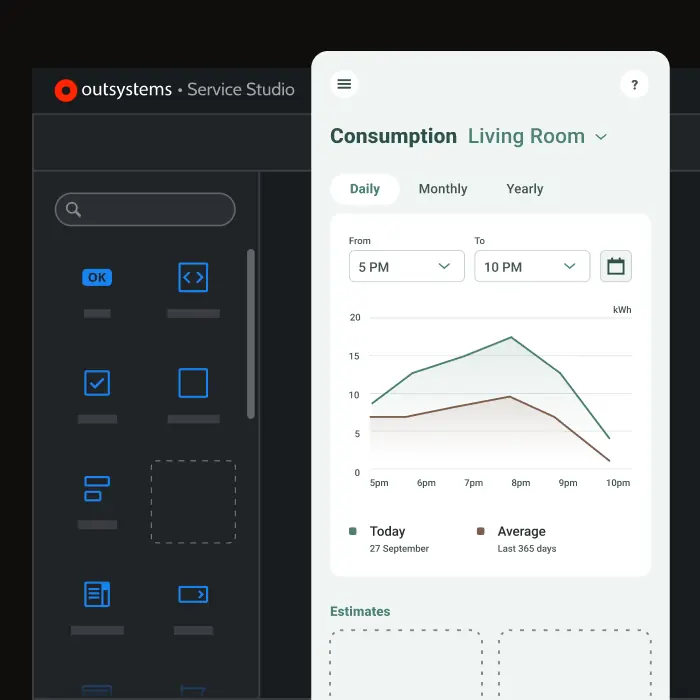
OutSystems is a software development solution designed to help teams build serious, mission-critical applications quickly and efficiently. With a visual, model-driven environment and cutting-edge AI assistance, it can reduce delivery times from months to just days or weeks. OutSystems’ platform services, also driven by AI. automate testing, security, CI/CD, and runtime management—allowing apps to be deployed with a single click and managed effortlessly. Curious to see the platform in action? Schedule a demo and see for yourself.

Learn the fundamentals of modern development


Software development frequently asked questions
The phase of the Software Development Life Cycle (SDLC) that is primarily responsible for gathering business requirements is the "Requirements Gathering and Analysis" phase.
The most common types of environments in software development are: development, testing, staging, production, quality assurance (QA), CI/CD, demo or showcase, backup and disaster recovery, and training.
Common types include cloud-native, low-code, front-end, back-end, full-stack, and mobile (often alongside embedded in device-centric work). Teams frequently blend these based on requirements and stack.
End-to-end software development refers to the entire process of creating a software product, from the initial concept and planning stages to the deployment and maintenance of the final application.
Adaptive Software Development (ASD) is an iterative and incremental approach to software development that focuses on flexibility, collaboration, and rapid delivery. It’s designed to handle changing requirements and unpredictable project environments by emphasizing continuous learning, customer feedback, and adaptability throughout the development process.
Not exactly. Coding is one part of software development. The full discipline also includes planning, analysis, design, testing, deployment, operations, and ongoing maintenance.
AI speeds repetitive work (scaffolding code, writing tests, refactoring, reviews) and keeps pipelines healthy, so developers spend more time on problem framing, architecture, integration, security, and governance. As agentic patterns emerge, developers also design prompts, tools, and guardrails—and validate AI outputs with human-in-the-loop oversight.

