
From dev to deploy in no time
Always say yes to requests for apps without worrying about lead times. With one-click deployment, built-in governance, application lifecycle management, and DevOps, the OutSystems agentic systems platform accelerates the steps from dev to deployment to change.








One-click deployment
No specialized skills are needed to move apps into production. A single click delivers automated scriptless deployment. The OutSystems platform also manages dependencies across entire app portfolios so you don’t have to, accelerating delivery and minimizing risks.

Change apps rapidly and error-free with automated governance
Evolve applications as quickly as business imperatives shift. When devs make a change, automated governance built into the OutSystems platform analyzes the impact, checks for bugs, and monitors performance in real-time. Rolling back or merging development is easy.

Once-in-a-lifetime lifecycle management
OutSystems LifeTime simplifies and accelerates application lifecycle management (ALM) with AI-powered automation. Runtime configurations—such as batch job scheduling, web-service endpoints, business properties, and versions—are all done in one place.
Unbreakable deployments with DevOps
The OutSystems platform bakes DevOps into deployment from day one. Dependency analysis, infrastructure, and application monitoring ensure nothing breaks. Or, use your own DevOps tools.
Hear what Union Bank of the Philippines thinks about DevOps with OutSystems.
Pipelines for continuous integration and continuous delivery
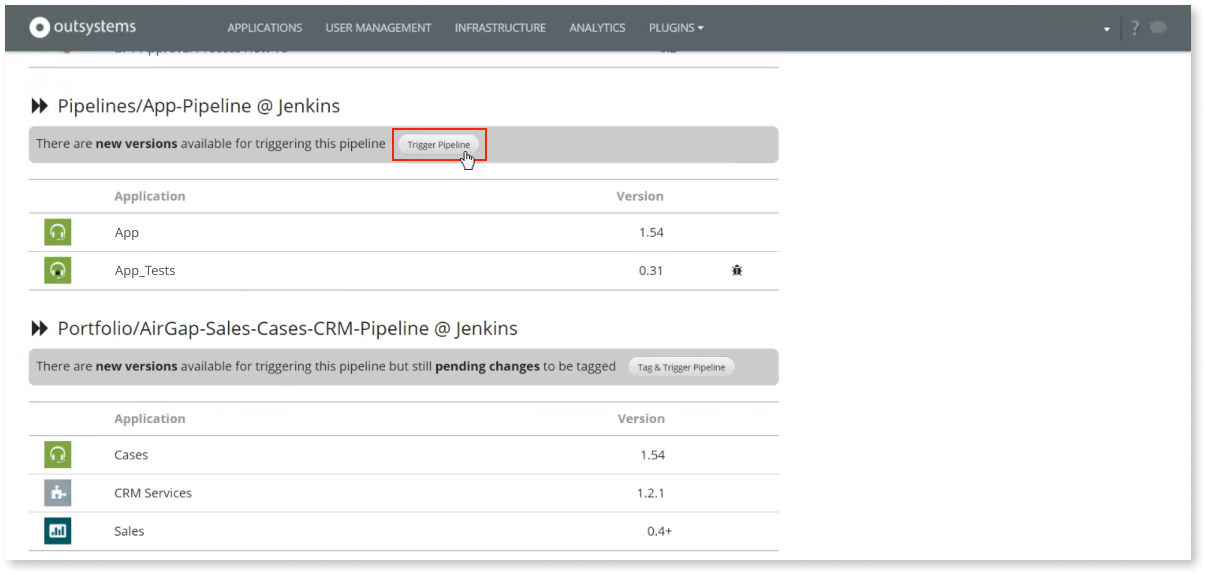
OutSystems supports CI/CD. A pipeline enables devs to simplify and correctly deploy complex app portfolios across environments. Role-based approval at each pipeline stage and app layer is also available.
Development to deployment FAQ
One-click deployment in OutSystems automates app deployment by compiling the application, validating dependencies, updating database schemas, and publishing changes to the selected environment. Automated deployment also handles generated database scripts behind the scenes, reducing manual work while helping teams deploy faster and with less risk.
Yes. OutSystems supports DevOps integration through APIs that connect with CI/CD tools and DevOps tools such as Azure DevOps, Jenkins, and other enterprise services. Teams can trigger deployment processes, align with existing governance workflows, and manage OutSystems as part of their broader delivery pipeline.
OutSystems supports role-based governance for deployment, including custom roles that control who can publish, promote, or deploy applications across environments. Teams can separate developer, QA, and deployment manager responsibilities, define environment-level permissions, and ensure only approved users move applications into production.
During the deployment process, OutSystems performs validation and impact analysis before promoting changes. If dependency conflicts, errors, or breaking changes are detected, deployment is blocked before reaching production. Teams receive notifications and guidance so they can fix issues in a non-production environment first.
OutSystems maintains version history and uses a metadata-driven approach to reduce rollback risk. Instead of immediately hard-deleting database elements, the platform can mark them inactive, helping preserve data if a rollback is needed. This supports faster recovery and reduces the risk of data loss after deployment.
Yes. OutSystems supports automated testing through behavior-driven development frameworks, Forge components, and integration with third-party testing tools. Teams can automate testing as part of the deployment pipeline, including unit, regression, load, security, UI tests, and agent evaluations, so quality gates are enforced before applications reach production.
OutSystems supports a multi-stage deployment pipeline across development, test, and production environments, with additional environments available when needed. Developers publish first to development, then teams can promote changes manually or automate movement through QA and production using CI/CD integrations and governance controls.
OutSystems provides multiple tools to continuously analyze applications for security, performance, maintainability, architecture, and best-practice violations. Teams can receive remediation guidance before release and also integrate third-party scanning tools such as Veracode or Fortify to support security, compliance, and quality requirements before deployment.
Yes. OutSystems supports deployment models for organizations with strict security, compliance, sovereignty, or data residency needs, including on-premises and private cloud options depending on the plan and architecture. These options allow organizations to retain full control over sensitive systems while still using OutSystems for governed application delivery.


Build what’s in your backlog
The broadest range of use cases, templates, and powerful partner solutions help you tackle everything in your application backlog.

See how OutSystems stacks up
Get the latest research on low-code platforms from global industry analysts and see why OutSystems is known as the #1 low-code platform.

Go deeper into the platform
Get more details about how your team can build mission-critical applications fast. Browse our evaluation guide.