Revision Messages in ODC Workflows
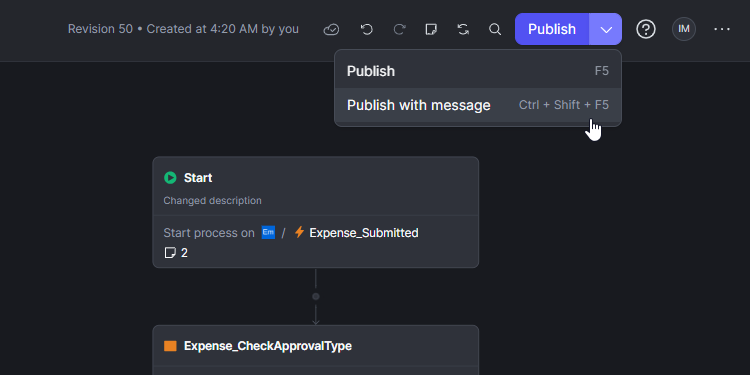
We are pleased to announce that the ability to add descriptive context to publications is now available within ODC Workflows. This update ensures that every workflow revision includes the necessary reasoning and detail to streamline team collaboration and governance.
By documenting the "why" behind every change, teams can transform their workflow history into a clear audit trail. These messages provide critical context during development and are especially valuable when resolving publishing conflicts or reviewing historical modifications.
Key Platform Details:
- Integrated Workflow Experience: The Publish button in the Workflow Editor now includes a "Publish with message" option for adding immediate context.
- Keyboard Efficiency: Developers can trigger the message dialog directly using Ctrl+Shift+F5 (Windows/Linux) or Cmd+Shift+F5 (Mac).
- Contextual Visibility: Messages are visible within the Revision History panel and are surfaced automatically in Publish Conflict dialogs to help developers make informed decisions when merging changes.
- ODC
- Developing with OutSystems