

Product Releases
and Updates
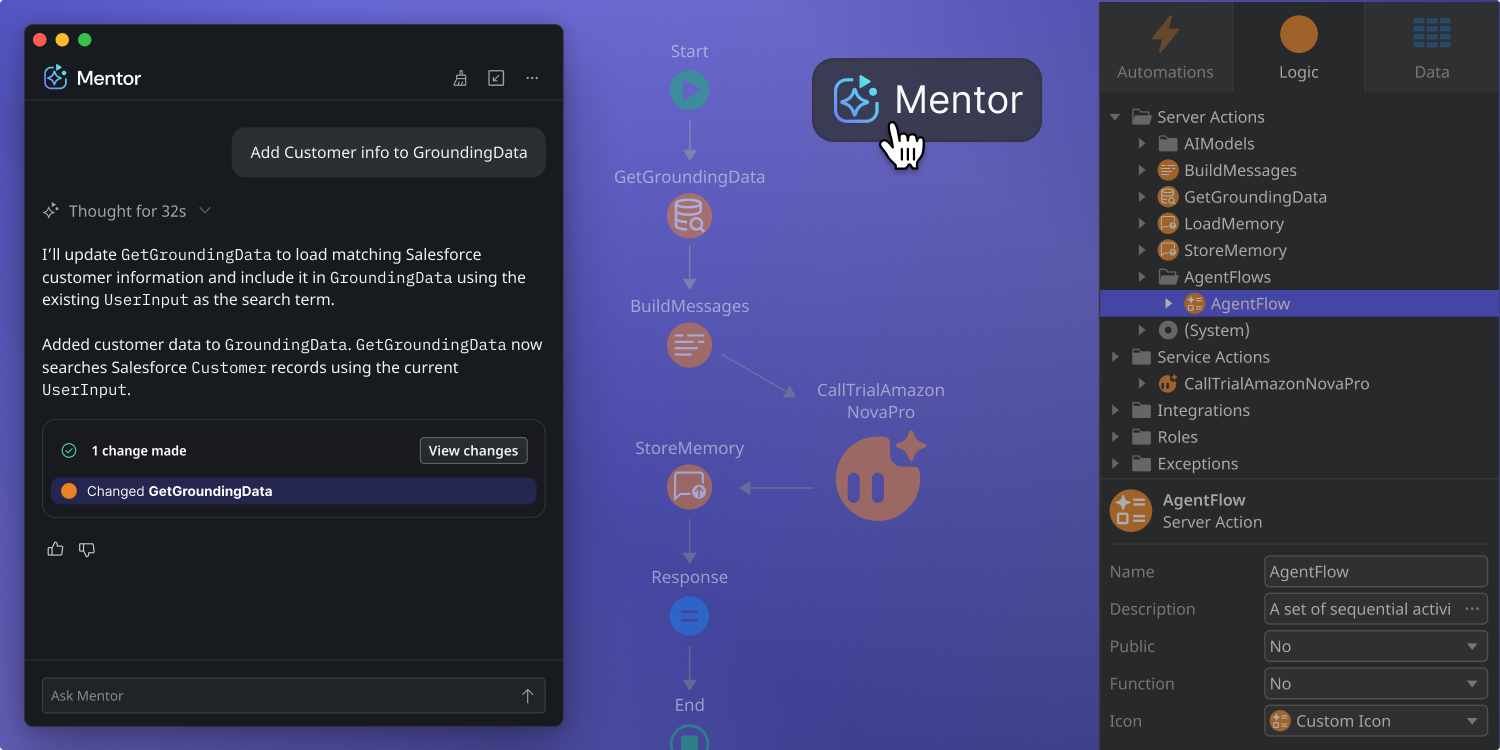
Mentor in ODC Studio can now generate and refine agent configurations in ODC from natural language descriptions as part of a new beta experience.
Simply describe what you want your agent to do, and Mentor helps produce a complete configuration that includes prompts, tools, and model settings, all grounded in the context of your application. This reduces manual setup and helps developers move from idea to working agent faster.
Currently in beta, this capability brings agent creation closer to where teams already build apps in ODC, with general availability coming soon.
- Natural language agent creation - Describe what you want your agent to do in plain language, and Mentor helps turn that intent into an agent configuration in ODC.
- Conversational refinement - Refine your agent through natural conversation. Ask Mentor to adjust the tone, update the instructions, or add new behavior, and it updates the configuration accordingly.
- Tool configuration - Add, remove, or update the Actions your agent can use as tools, directly through Mentor, without manually navigating through Agent Workbench.
- Guided parameter tuning - Fine-tune model settings like temperature, max tokens, and call conditions using simple natural language instructions.
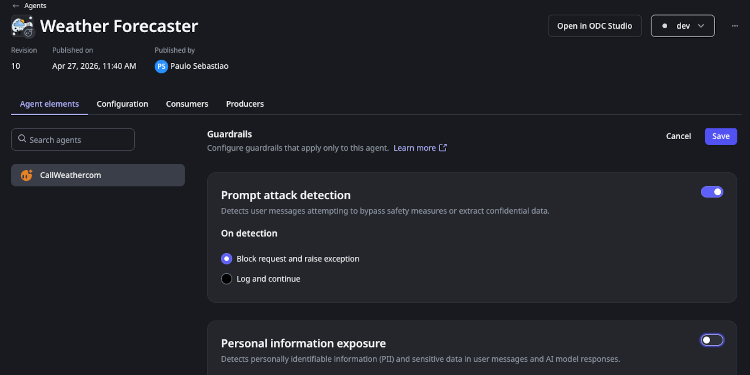
AI Guardrails launched as an opt-in feature, a great starting point for exploration. But as organizations move toward full-scale production, the need for consistent, company-wide standards has grown. We’re now making it easier for administrators to set a universal safety foundation, ensuring that every agent aligns with your compliance goals.
Mandatory AI Guardrails
System Administrators can now define a Mandatory AI Guardrails configuration for each deployment stage: DEV, TEST, and PROD. Once defined, the configuration applies automatically to every agent execution in that stage. Developers cannot disable or bypass it.
Developers retain control at the agent level, but only in one direction. The system enforces a security ratchet: a developer can tighten an enabled category (changing PII Filtering from Log to Mask or Block, for example) but cannot reduce enforcement below the organizational baseline. This lets teams increase safety for sensitive use cases without ever undermining the floor the administrator set. Execution diagnostics reflect the effective merged configuration, making it straightforward to test and troubleshoot guardrail behavior across both layers. AI Guardrails is now generally available and you can configure them by going to your agents directly to set them up.
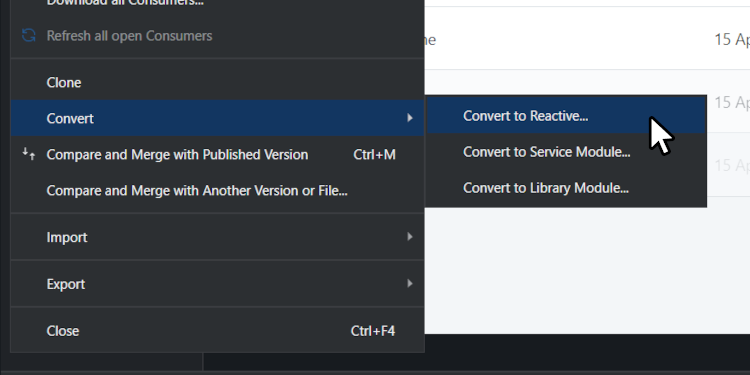
Modernizing your legacy application portfolio just got a lot faster. We are excited to announce the General Availability of the Traditional to Reactive Conversion accelerators in Service Studio.
To bridge the "Modernization Gap" of maintaining separate front-end architectures we’ve introduced a new "Convert to Reactive" menu option that automates the mechanical "heavy lifting" of app migration.
Key Benefits:
- Reduce Effort: Automate the recreation of UI, logic, and data structures, cutting manual conversion work by 30% to 60%.
- Consolidate Operations: Standardize your portfolio on a single, modern stack to simplify resource allocation and training.
- Modernize UX: Unlock high-performance features like parallel data fetching and instant page transitions.
Get Started:
Update to the latest Service Studio and select Module > Convert to Reactive to clone and transform your modules. For best results, follow a producer-to-consumer conversion order.
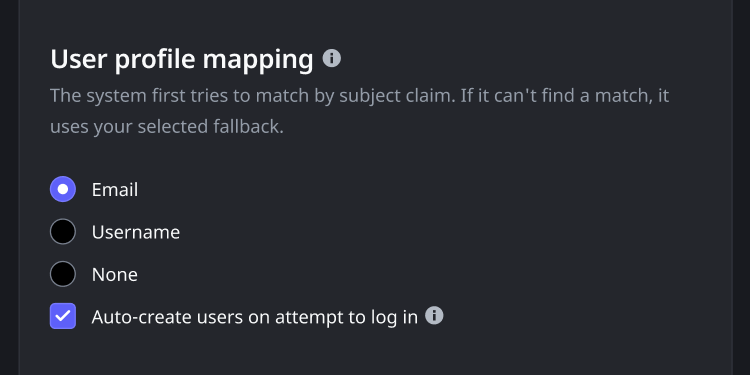
Managing user access and security is now more flexible. When configuring external Identity Providers (IdPs), you have new expanded options for how ODC matches external users to ODC user profiles.
ODC first attempts to match based on the subject claim. If no match is found, you can now configure a fallback strategy: match by email, username, or disable fallback matching entirely.
Additionally, the new “Auto-create users on login” toggle streamlines provisioning. You can disable this to prevent the automatic creation of new users, ensuring that only users you have explicitly pre-authorized can access your tenant. This update is essential for supporting complex migration scenarios, such as moving from O11 to ODC, and for maintaining stricter security governance.
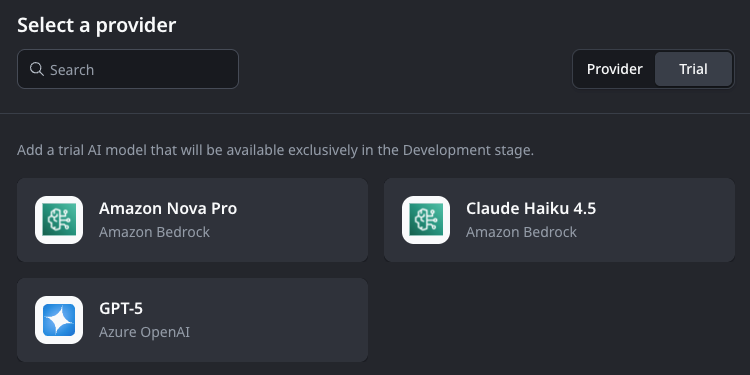
The AI model landscape moves fast. Models that represented the state of the art a year ago are being superseded by faster, more capable alternatives and we want your Trial experience to reflect that reality. Starting a trial on an outdated model doesn't give you an accurate picture of what AI can do for your applications today.
To keep the Trial lineup up to date, we've refreshed the models available in ODC.
Introducing Claude Haiku 4.5 and GPT-5 as Trial Models
Two new models are now available for Trial: Claude Haiku 4.5 (Anthropic) and GPT-5 (OpenAI). These replace claude-sonnet-3-7 and gpt-4o respectively, which are now deprecated — you can no longer start new trials on those models.
If you already have an active trial on a deprecated model, it will continue to work. When you're ready to explore the updated lineup, you'll find Claude Haiku 4.5 and GPT-5 available to trial directly in the ODC Portal.
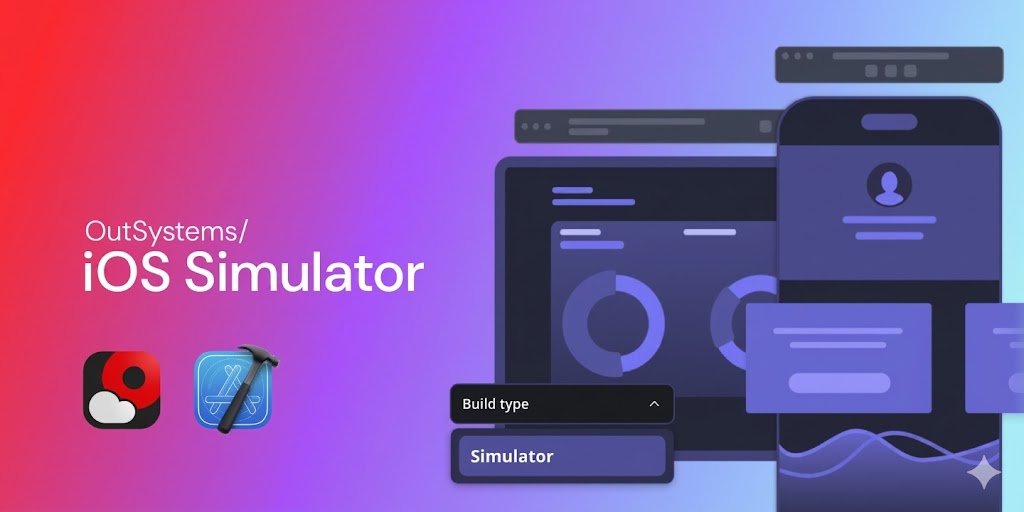
We’re pleased to introduce a new Simulator mobile build type in the ODC Portal. You can now generate a .app bundle directly without iOS certificates or provisioning profiles required, so you can move from implementation to validation instantly.
This update removes early-stage friction, simplifies workflows by eliminating Apple Developer setup, speeds up iteration with builds ready in minutes, and enables quick validation of UI and logic in the Xcode Simulator before committing to a full production build or App Store submission.
By removing administrative overhead, this build type keeps your team focused on building features rather than managing setup and configuration.
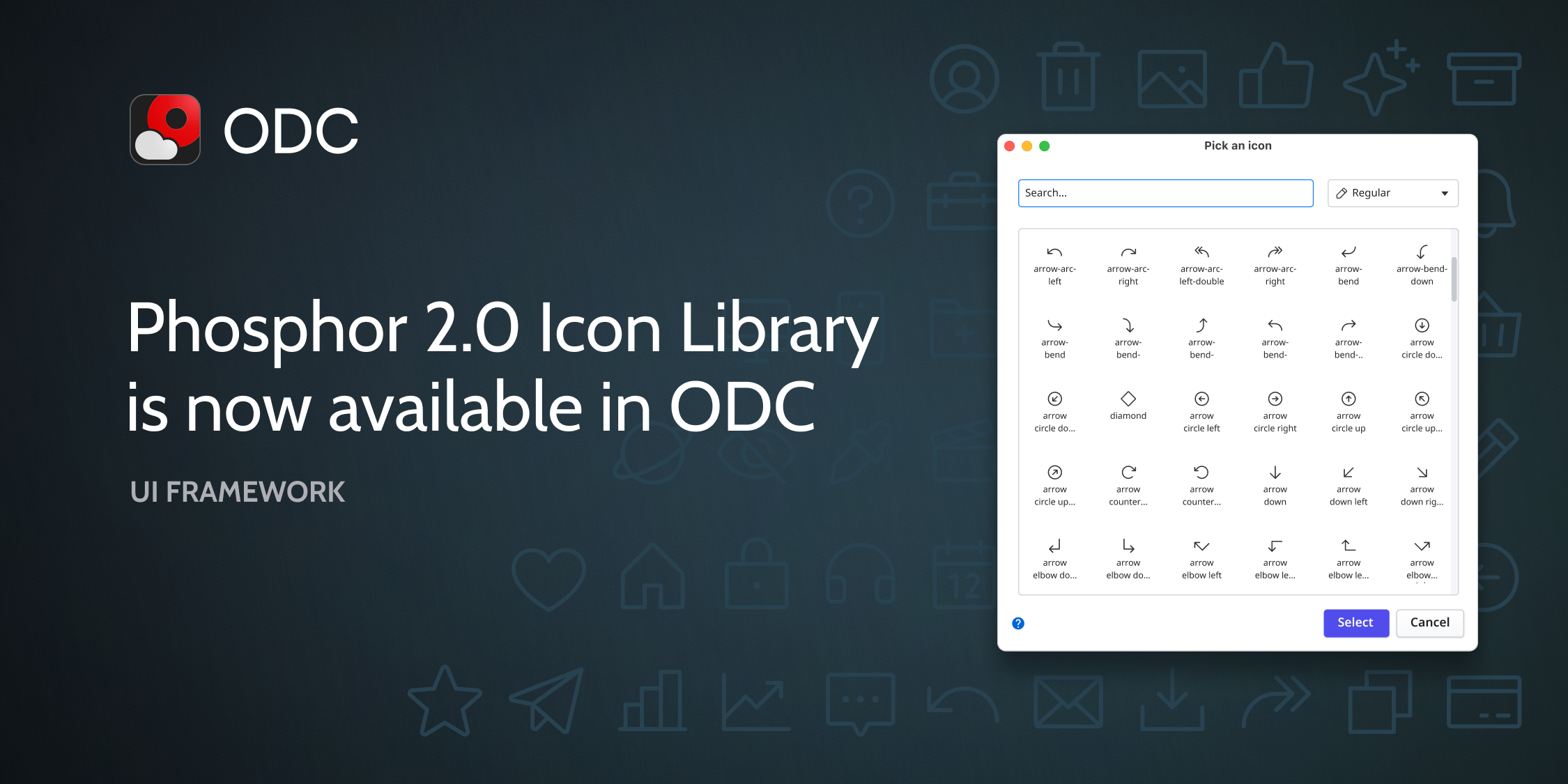
We are excited to announce the expansion of our icon ecosystem, offering more modern design choices and reducing the need for manual workarounds. OutSystems now natively supports Phosphor 2.0, providing a fresh, versatile visual language that aligns with enterprise design standards and elevates the user experience.
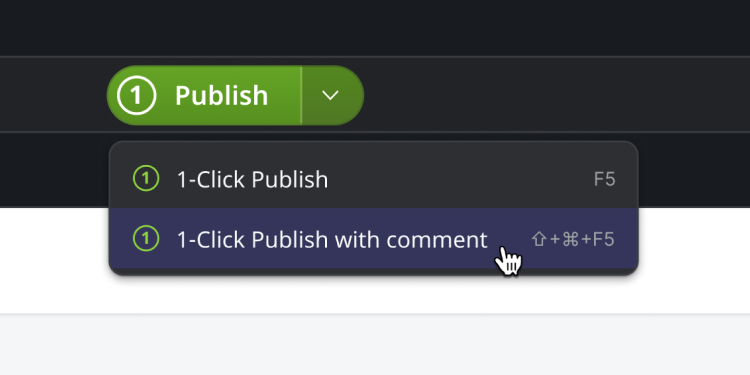
We are pleased to announce a significant enhancement to the 1-Click Publish experience in ODC and O11 Studio. Developers and Tech Leads can now provide essential context for every app or module version by adding descriptive comments directly at the time of publishing.
With this update, your version history transforms into a comprehensive narrative of your application's evolution. These comments eliminate the guesswork typically associated with tracking modifications, fostering better team collaboration and providing a clear audit trail for every change.
Key platform details:
- In OutSystems Developer Cloud (ODC): Comments are accessible via Studio > App > View Revisions, allowing for immediate review of the development timeline.
- Coming Soon to ODC Portal: We are working to bring this historical narrative to the ODC Portal, ensuring that platform administrators have the same high-level visibility into revision comments as developers.
- In OutSystems 11 (O11): The historical record remains available for review at any time in both Service Center and Service Studio, ensuring consistent governance across your infrastructure.
By detailing the "why" behind every publish, you ensure that your team remains aligned and that troubleshooting or rollbacks are supported by a complete historical record.
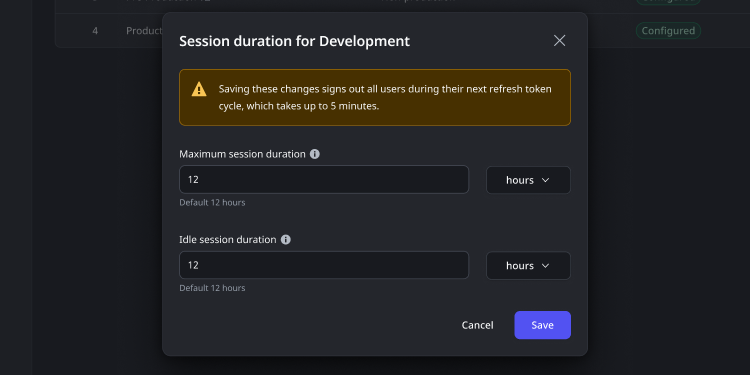
You can now independently customize user session durations and idle timeouts at the environment level within ODC, making it easier to align access policies with internal security standards and industry compliance requirements.
This added flexibility helps teams reduce security risks, simplify policy enforcement, and avoid manual support dependencies when configuring user sessions across environments.
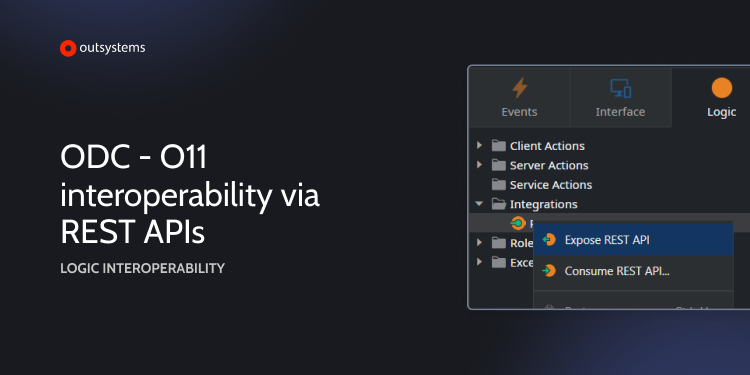
We reached yet another Interoperability milestone with the release of Logic Interoperability. You can now call your existing OutSystems 11 business logic—such as business rules and workflows—directly from ODC apps. No code rewrite. No duplication. No impact on your ODC Application Object (AO) count.
This update removes technical and commercial barriers, allowing you to use your trusted O11 logic in new ODC apps or call ODC AI agents from O11.
- Zero AO Impact: Reusing your O11 logic in ODC, or vice-versa, is AO-neutral by design. These actions do not count toward your ODC Application Object (AO) limits, protecting your current investment.
- Simplified Configuration: Define your "Interoperability intent" directly in Service Studio and ODC Studio. A simple toggle in the REST API properties enables the connection.
- Accelerated Development: Eliminate the need to rewrite complex, audited logic in a new environment, significantly reducing your time-to-market for cloud-native apps.
This capability ensures your O11 foundation remains the core of your business while you leverage ODC for new, AI-driven innovation.