

Product Releases
and Updates

Thank you! Your submission has been received!
Oops! Something went wrong while submitting the form.
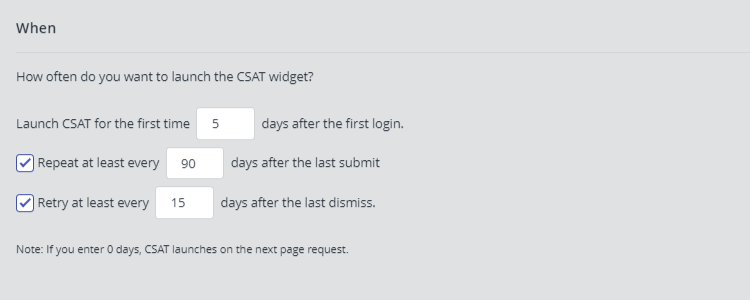
Configurations of your CSAT widget have changed a little. The widget is now available in Dutch and French, and besides being able to choose when to “Repeat” the trigger after a user submission, you can also choose to “Retry” after a different period of time if your user dismissed it.
31 October 2018
Getting Started With OutSystems: A Guided Overview for Developers
New to OutSystems? Just exploring? Check out our Getting Started page, because it’s got you covered! Discover how to create your first web or mobile apps in Service Studio and where to reach our awesome community and great documentation. If you’re a seasoned OutSystems pro, this is a page you want to save for its useful links or maybe share with newbies.
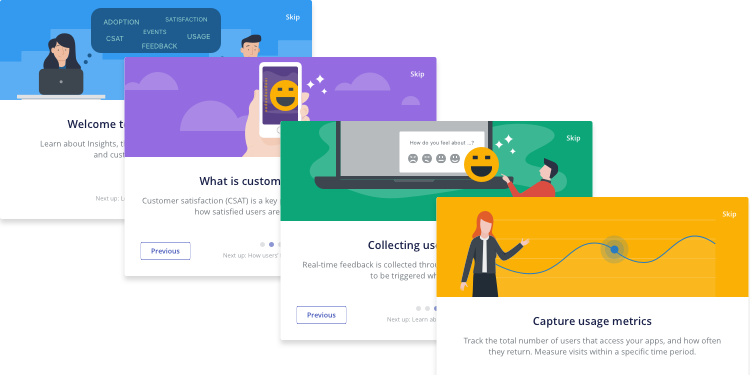
First time using OutSystems Insights? Want to learn more about its full capabilities? There is now an onboarding that explains you Insight's main features. You can also find a new setup guide in the application that will help you to register and/or upgrade environments.
22 October 2018
More SOAP Options With an Easy-to-Use Development Environment
What can you do when you drop attributes onto a table record? We’ve made sure the answers to that question are super clear. For example, we improved the tooltip text displayed when you drag Entity Attributes over widgets. We have also added support for SOAP arrays, and you can consume the "any" element in SOAP.
22 October 2018
New Version of OutSystems UI Web
This update of OutSystems UI Web has four new patterns: Lightbox, ChatMessage, DisplayOnDevice, and MoveOnDevice. You will also find improvements to the Service Studio preview, and several UI pattern issues have been addressed.
19 October 2018
Platform Server Versions Managed by LifeTime
As you know, from version OutSystems 11 onwards, LifeTime is distributed separately from the Platform Server, which enables both components to have different upgrading paces. This topic describes the Platform Server versions installed in the OutSystems environments that LifeTime can manage up to OutSystems 10 and from OutSystems 11 onwards. It also includes upgrade scenarios.
11 October 2018
LifeTime Plugins Best Practices
LifeTime plugins allow you to extend built-in capabilities to your specific needs. Check the best practices you should follow during the lifecycle process of a LifeTime plugin, from the setup phase to the plugin deployment all the way through production.
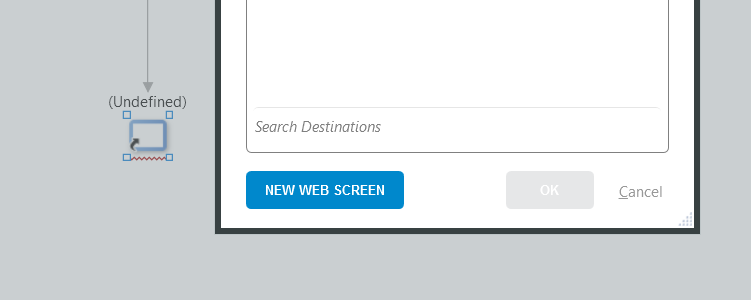
When dragging a destination node over an end node, did you ever look for a button to create a new screen and see it as the destination? Well, then you’ll be happy to hear that button now exists!
02 October 2018
Guess My Attribute or Variable Data Type
Speed up your entity and structure creation by helping Service Studio automatically set the correct data type of each attribute for you. How? By naming your attributes and variables according to a set of easy-to-remember rules.

OutSystems 11 delivers advanced capabilities specifically designed to address the challenges of replacing massive systems and large application portfolios. Delivering apps with a coordinated, modern look-and-feel that people can't wait to use is faster than ever. OutSystems 11 delivers what teams need to create and change code safely, even when their work spans multiple projects, groups, and organizations.