

Product Releases
and Updates
Thank you! Your submission has been received!
Oops! Something went wrong while submitting the form.
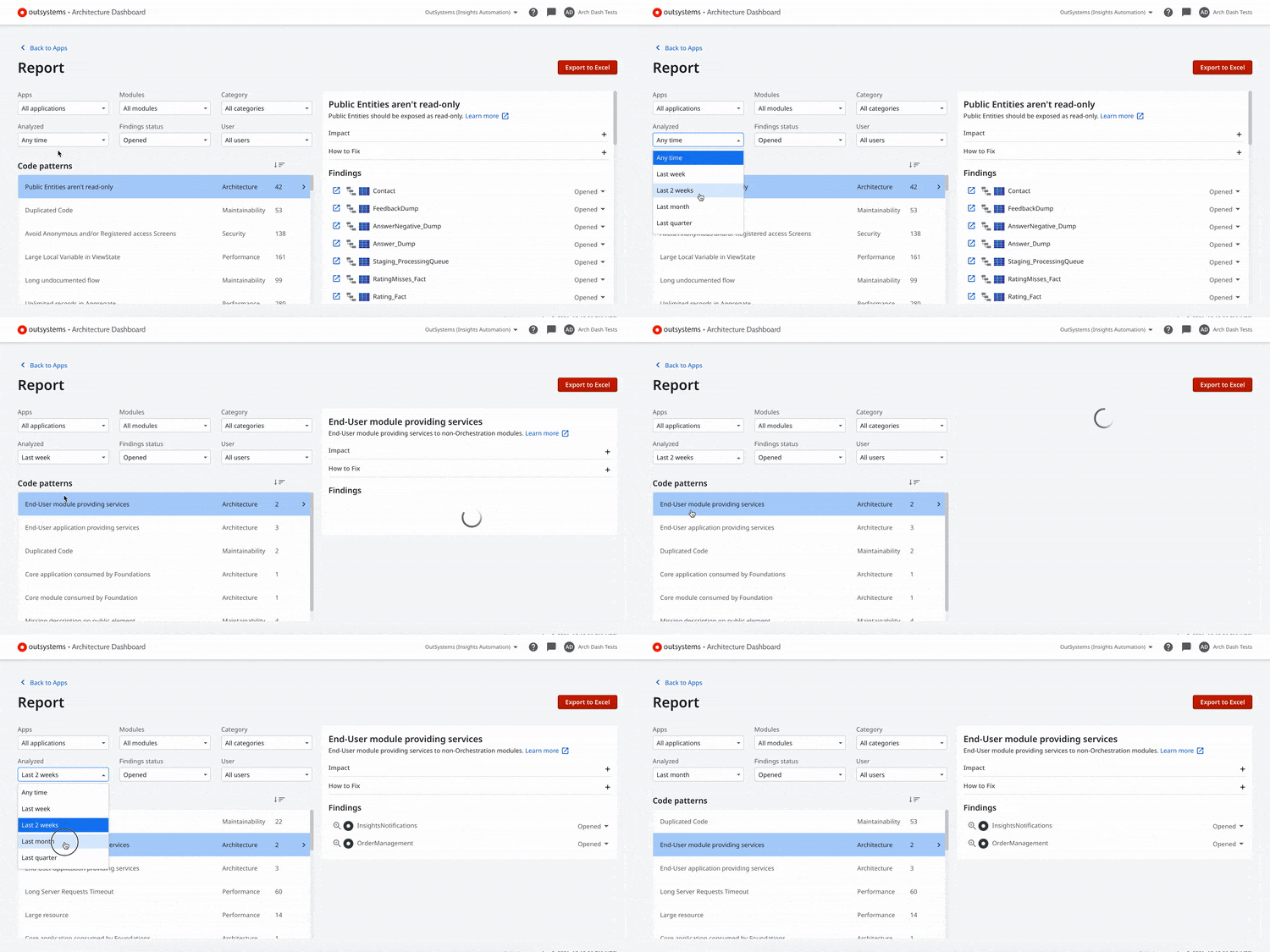
Staying on top of technical debt is super important, and the first step is to prevent it from going up. Now you'll be able to filter your report area by creation and reopen date. No more guessing work to track your recent findings, simply filter them by past weeks, sprints, or quarters, and waste no more time tackling your technical debt. Check out our documentation for more information on how to find, filter, and understand the causes of technical debt.
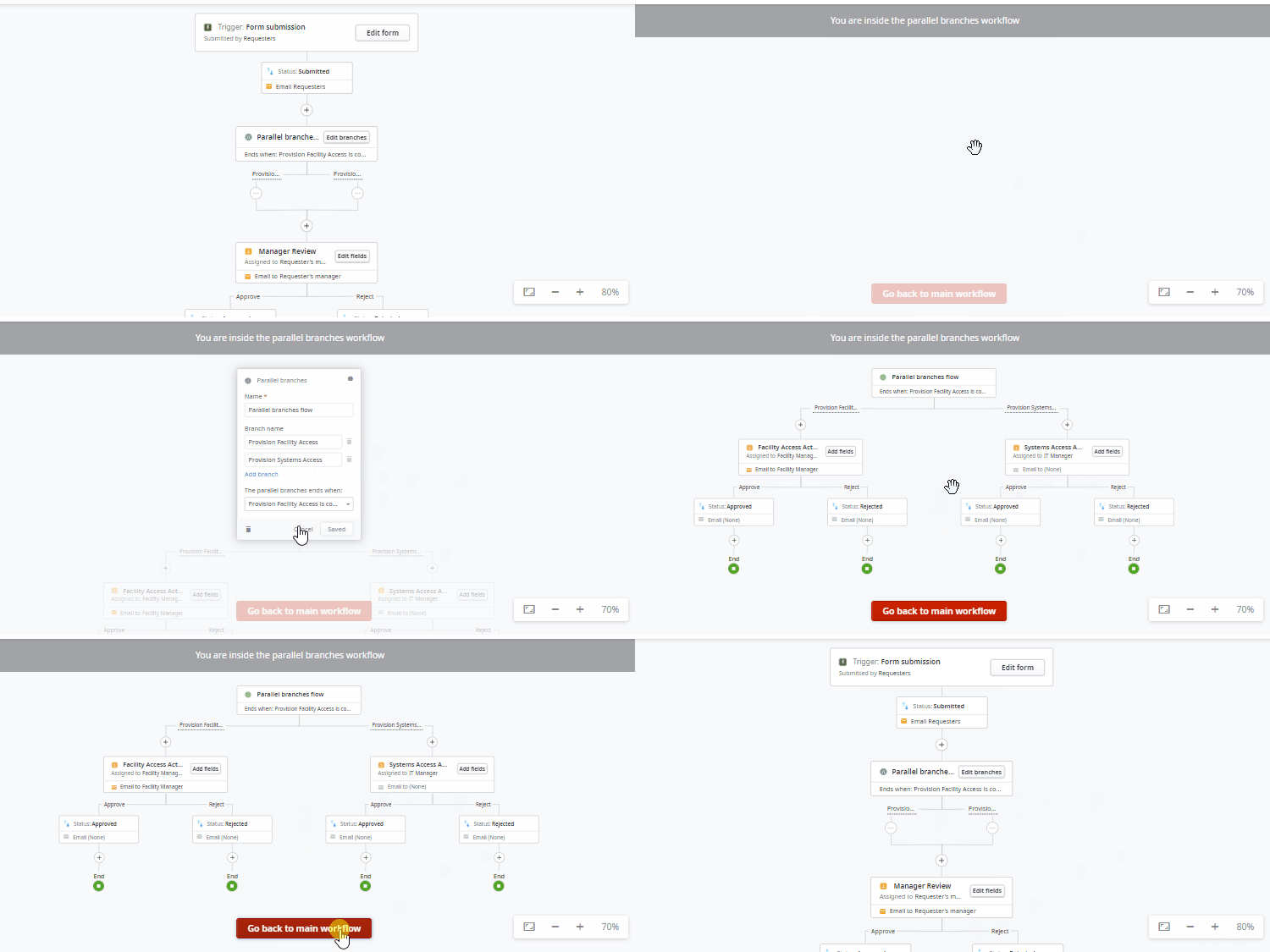
Sometimes, to get something accomplished, you need people from different teams to take different actions before you can move on to the next step. Rather than one having to wait for the other in a sequential order when completing a business process, Workflow Builder now allows people to act on these tasks in unison with parallel flows. This update provides the perfect way to design processes with multiple paths executed in parallel but within the same instance.
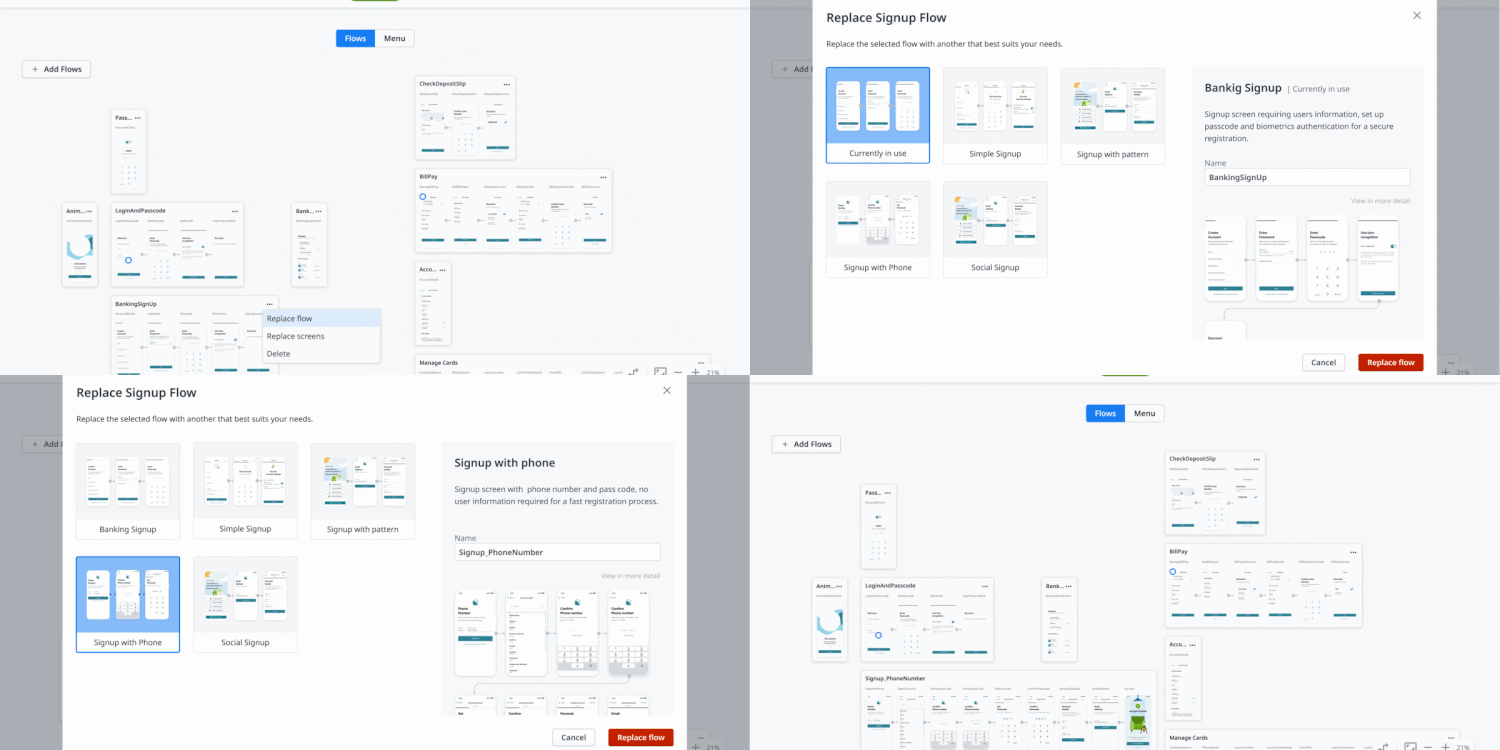
First impressions can make a huge difference, and the mobile app sign-up process is often the first time you interact with an end user. Creating an effortless onboarding experience is vital in setting the tone for the rest of their interactions. In Experience Builder, you can now make this process painless with alternatives beyond the standard “What’s your email?” login. Try out other options to help people sign in with a phone number, one-time password, or drawing pattern. Familiarity and speed are the best approaches for getting people to dive into your apps!
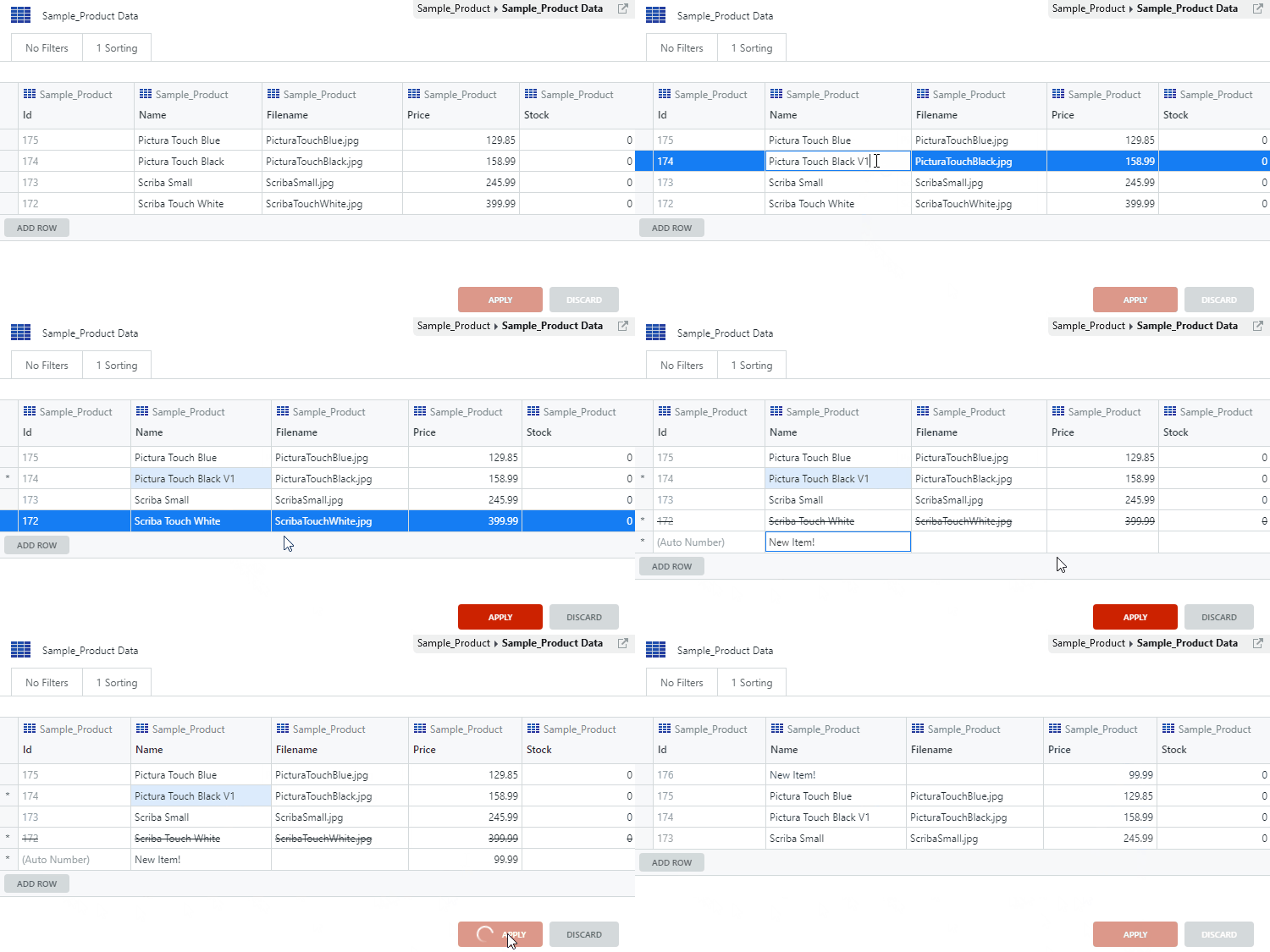
Quickly add, edit, and delete entities directly in non-production environments. Simply double-click the attributes you want to change and make any necessary adjustments. You'll boost your productivity by editing data at least 10X faster, opening up priceless time in your day. Full back offices, advanced SQL queries, or advanced knowledge is no longer necessary when preparing your data for tests or demos! This feature will be available for everyone with Platform Server version 11.11.1 or above.
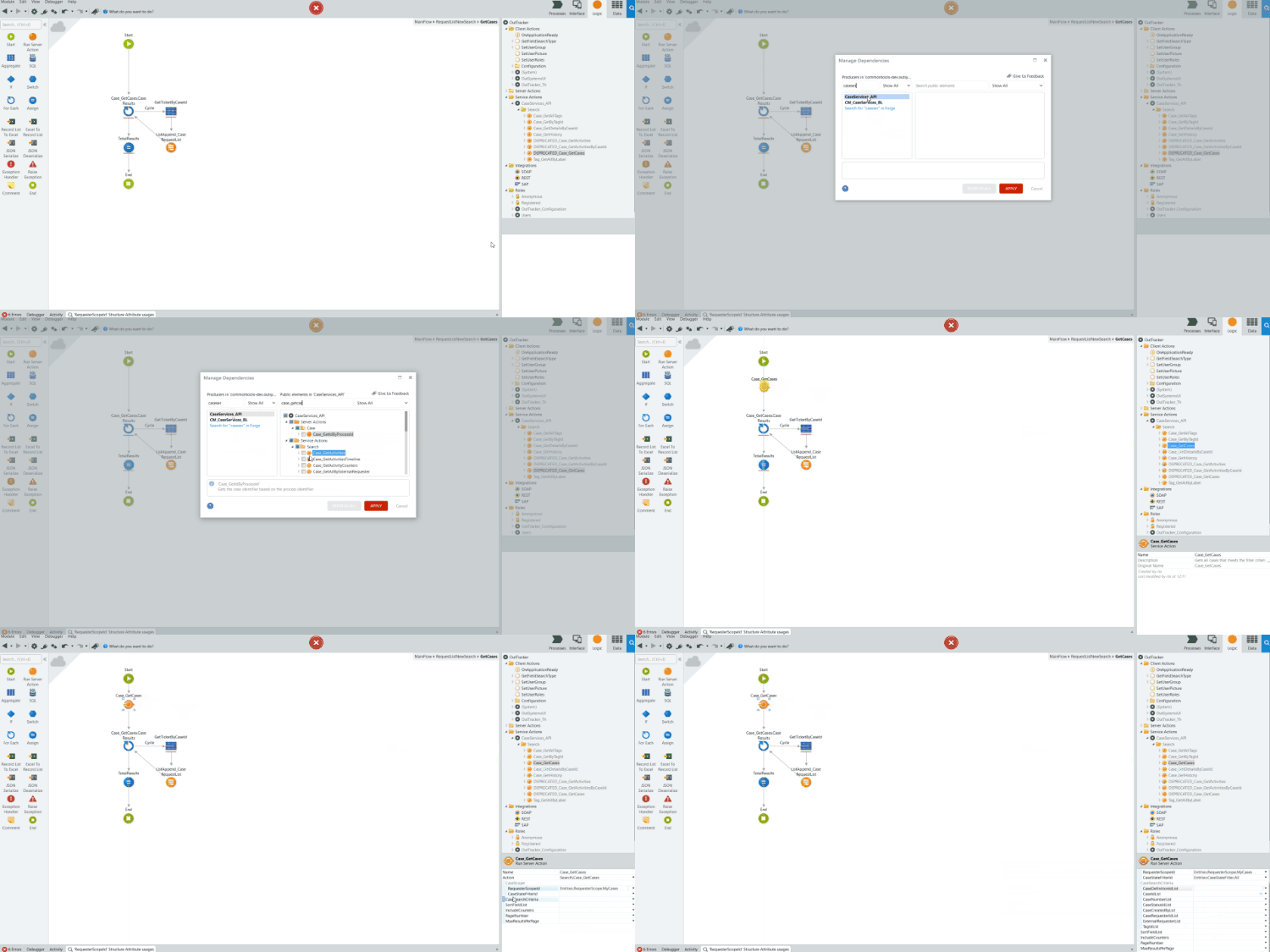
The latest version of the Case Management framework (CMf) is now available with several new features! Use the search APIs to easily find and retrieve use cases and activities, along with other useful filter and sorting options. A new action is also available, allowing you to discard the current activity and stop the BPT process flow. If Access Control is active, fetch and search APIs will now automatically filter cases based on access permissions and deny access accordingly.
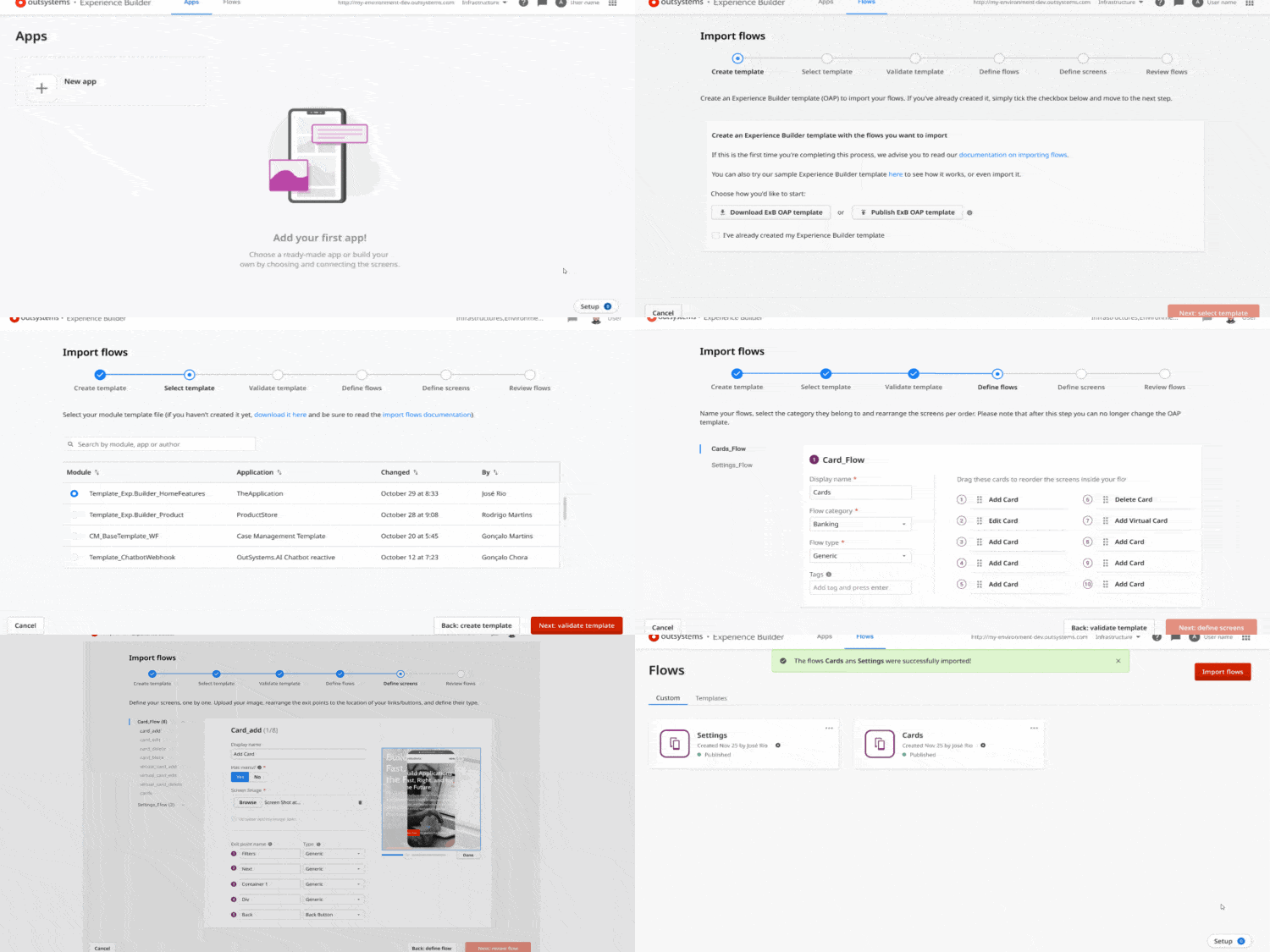
As a developer, when you start building a mobile app, do you ever get that feeling of déjà vu? Like remembering that team X developed that amazing flow for onboarding journeys in product Y and how useful it would be to take advantage of it? In Experience Builder, you can now create your own assets by importing your flows (with your own UX/UI, data, integrations and embedded best practices), so they can be shared and reused by all other Experience Builder users, provided they’re on the same infrastructure.
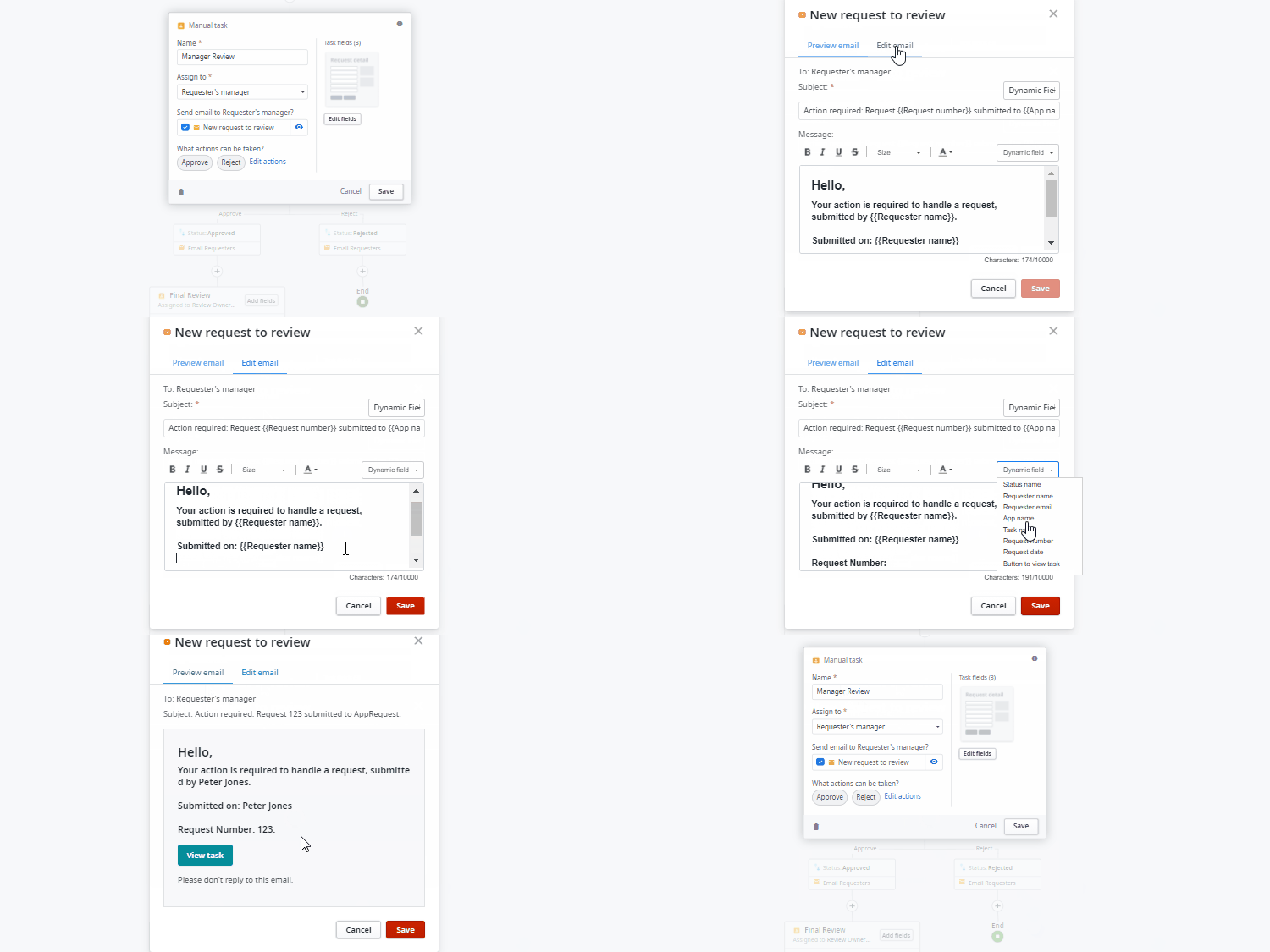
What’s new in Workflow Builder? Exactly that: an in-app ‘What’s new’ section where you can check the latest Workflow Builder features as they’re released! But there’s more: you can also now customize the email notifications you send to requesters and operators. And finally, you can add two more field types to your forms: multiple checkbox and email address.

The latest version of the Case Management framework (CMf) is now available! New features include the ability to easily manage access permissions at different case levels. The system now automatically verifies if the user has the necessary write access permissions and automatically denies access if they are missing. Install the OutTracker showcase app, built with the CMf, by choosing the "Start from an App" option when creating your application in Service Studio. If need be, it will automatically install the CMf, as well as the updated OutTracker app.
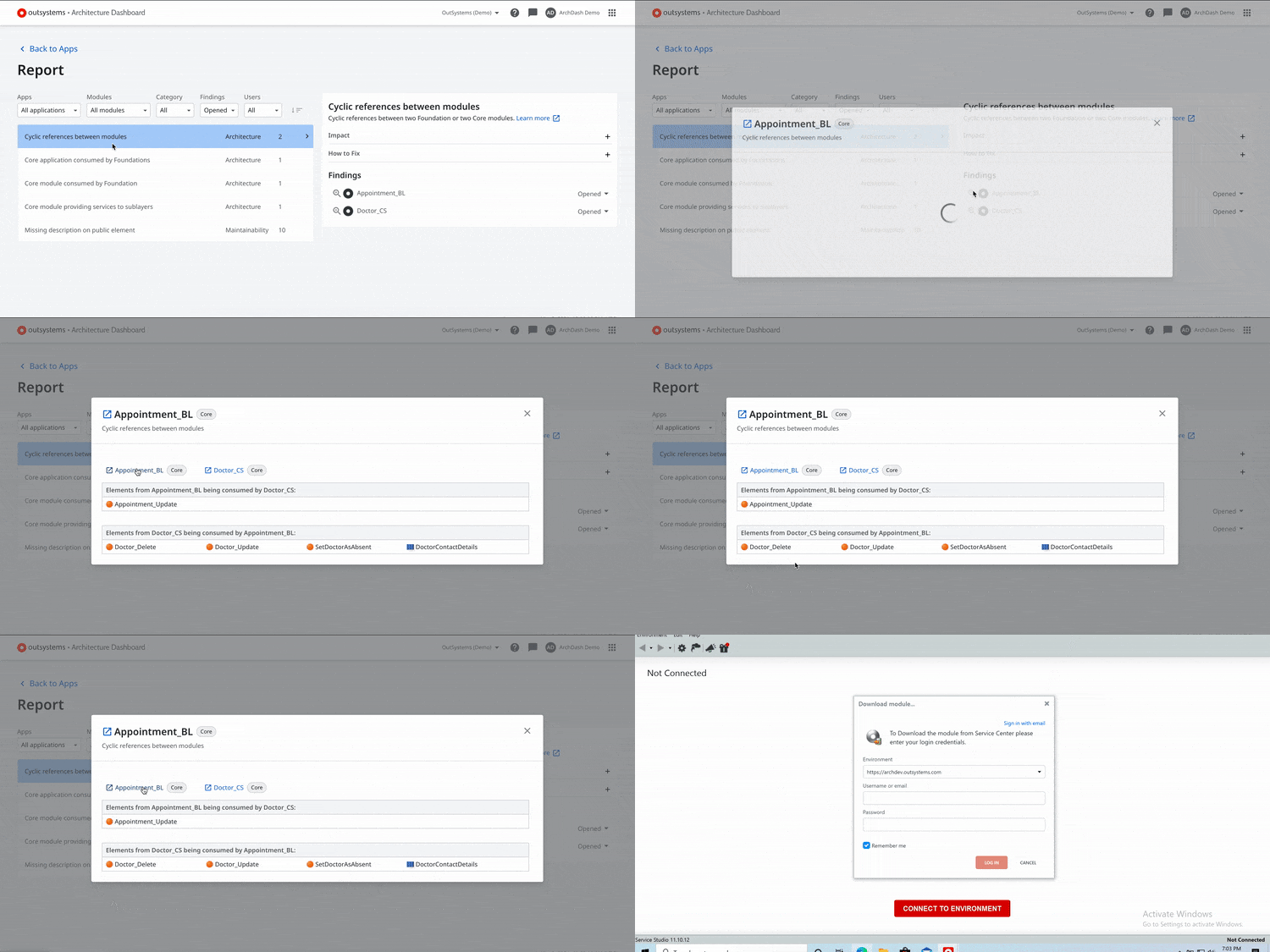
No more jumps! In the quest to evolve the Architecture Dashboard into a more autonomous tool, users are now able to have a complete experience through solving findings. There’s no need to navigate away to search for consumed elements information. We added the required information on dependencies and the list of elements consumed with each architecture finding.
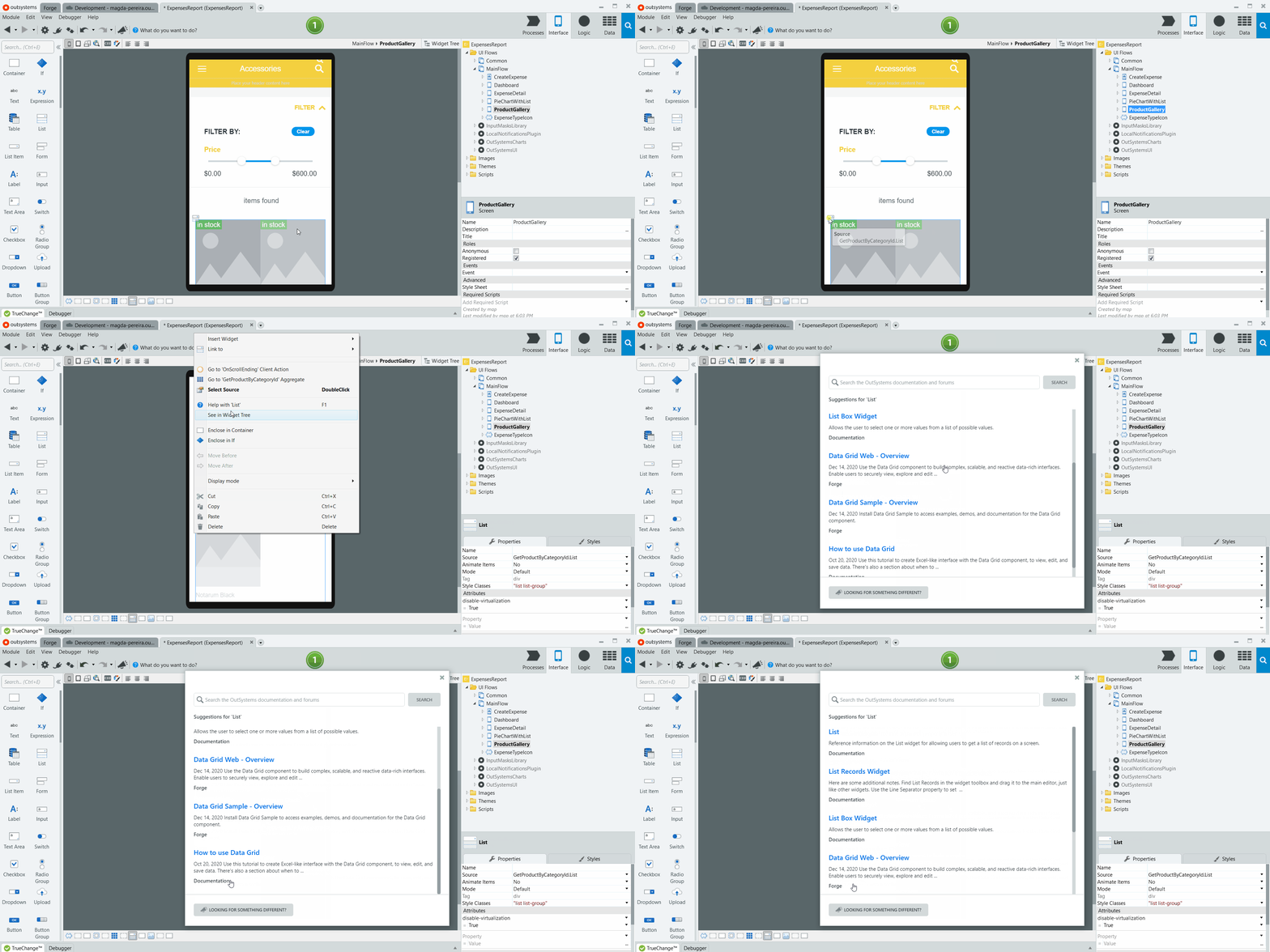
Meet a powerful new help experience within Service Studio, available right when you need it. Right-click any component for contextual help from OutSystems sources such as documentation, community, and blog posts. If you want to search all available resources, click on the new “What do you want to do?” button to find what you need without leaving your development environment.