Product Releases
and Updates

Thank you! Your submission has been received!
Oops! Something went wrong while submitting the form.
22 November 2018
OutSystems Cache Invalidation with High-Availability
In OutSystems 11, cache invalidation needs are a little different. This means that the invalidation process is now done through RabbitMQ, which is a distributed message queue service. But there’s nothing to worry about, we're here for you. Follow this guide to learn how to configure a RabbitMQ cluster, together with a load balancer, to make this service fault-tolerant.
19 November 2018
OutSystems on Microsoft Azure Updated
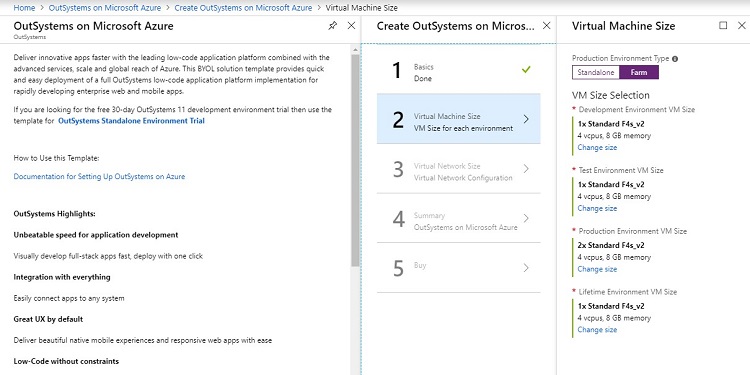
The trial and full infrastructure templates are now updated with OutSystems 11 on Microsoft Azure, and networking management has been simplified. Also, the infrastructure deployed time has been reduced from 1 hour and 50 minutes to 45 minutes.
When it comes to customer satisfaction, everyone matters. So Insights now measures the number of non-authenticated visitors and allows them to leave their feedback through the CSAT widget.
12 November 2018
Easy-to-Follow LifeTime Deployment API Examples
If you ever wanted to use the LifeTime Deployment API but didn't really know where to start, we're here for you! OutSystems provides you with step-by-step instructions on how to perform two common tasks with this API: how to create an application version and how to deploy an application. These instructions will help you go through all the necessary API calls and their necessary parameters to successfully deploy an OutSystems application from one environment to another.
It’s so easy to get carried away when you’re developing apps with OutSystems. So to be on the safe side, a new window now asks you to confirm if you really want to publish a module to a production environment.
Speed is essential. You know that, we know that, everyone knows that. So here's what you can do now: select a static record, a parameter or a variable, press Ctrl+N or right-click to create a new element that's the same as the selected type. Then all you have to do is setup the element.
Flows are absolutely essential when you're building apps in OutSystems. And, you really don’t want to waste any time if you don’t have to. So, to speed things up for you, now when you disable a node in a flow, the flow is automatically reconnected whenever possible.
To enable you to avoid repetitive actions, you can now simultaneously export several resources to the disk.
Configurations of your CSAT widget have changed a little. The widget is now available in Dutch and French, and besides being able to choose when to “Repeat” the trigger after a user submission, you can also choose to “Retry” after a different period of time if your user dismissed it.
31 October 2018
Getting Started With OutSystems: A Guided Overview for Developers
New to OutSystems? Just exploring? Check out our Getting Started page, because it’s got you covered! Discover how to create your first web or mobile apps in Service Studio and where to reach our awesome community and great documentation. If you’re a seasoned OutSystems pro, this is a page you want to save for its useful links or maybe share with newbies.