You can connect your applications with external APIs, databases, cloud services, and you can also authenticate your end-users thru external authentication methods as well.
For several of the most popular authentication providers, OutSystems offers out-of-the-box integrations, allowing you to set them up in just a few clicks, such as Azure AD (or ADB2C), Okta, SAML 2.0, and Active Directory, to name a few.
This way, organizations can configure OutSystems authentication mechanisms to work with their preferred enterprise authentication platform.
Recently, we’ve been asked quite often about AWS Cognito. So, I decided to make our users' lives easier and show them how to implement this external authentication in OutSystems applications. You'll be able to do it in just about five minutes of reading plus fifteen minutes of implementation.
That’s what we call “speed” around here.
A few important notes before we get started
In this article, I’ll show you how to integrate Cognito and OutSystems. You’ll need an OutSystems and a Cognito account. Note that there are some steps, mainly from Cognito side, that are quite important because once saved, you cannot change them.
I’ll also use Forge components that were developed by our developer community to speed up development.
Once the configuration from both sides is done, I’ll show a quick customization you need to implement on your application to close the loop.
Setting up Amazon Cognito
Amazon Cognito, or AWS Cognito, is the Amazon IdP (Identity Provider) solution.
It provides user authentication, authorization, user management, access control, synchronization, and analytics capabilities for web and mobile applications, all in a centralized tool.
You can try it for free, but you need an AWS account.
Assuming you already have an AWS account in the management console, search for Cognito and navigate to the Cognito landing page.
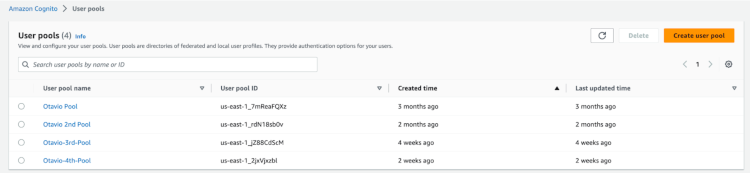
On this page, you’ll see the list of pools you have (if any) and where you can create new ones.
Creating a pool
Creating a pool is a six-step process.
It’s quite straightforward, but there’s some information that you need to configure correctly because, once the pool is created, you cannot change it. Fear not; AWS will pop a message letting you know the fields that cannot be changed afterward.
Here, I’ll summarize the most important and trickier steps to help you out:
Use the Cognito Hosted UI: click check (this will provide a user interface for users to log in).
Define a domain: it needs to be unique.
Client Secret: don’t generate a client secret.
Allowed CallBack URLs: Go to <<[enter your environment].outsystemscloud.com/AWSCognitoUserPoolsConnectorReactiv/CognitoCallBackReactive>>. Once the user is validated in AWS Cognito, you must define what you want Cognito to do next. For this article, I will work with a Forge component that provides some functionalities, including a way to treat the return from AWS.
Step 6: Review your configuration and hit the “Create user pool” button.
Setting up AWS Cognito in OutSystems
Once we have everything ready from Cognito’s side, it is time to start implementing it from our side.
To help with this task, our community has contributed two components that are available in the Forge:
AWS Cognito Core core functionalities (used by AWS Cognito Reactive).
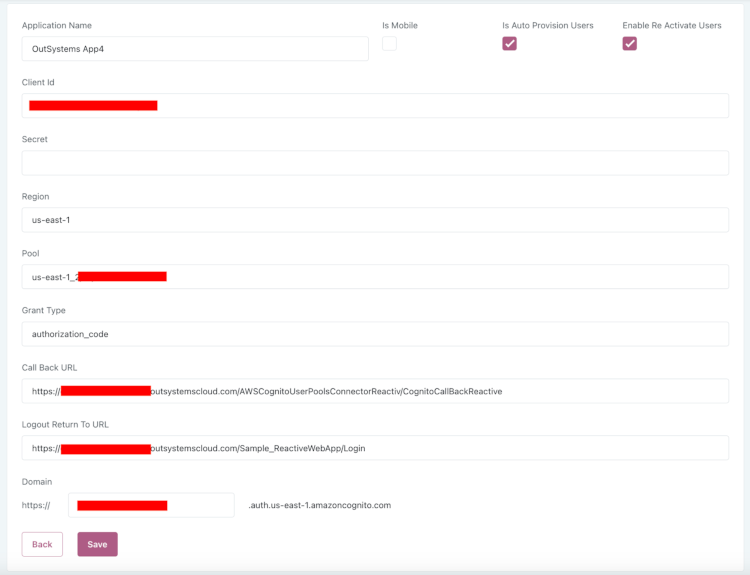
Install and publish both components on your infrastructure, open the Applications screen from AWS Cognito User Pools Connector Reactive app (<<[enter your environment].outsystemscloud.com/AWSCognitoUserPoolsConnectorReactiv/Applications>>) and click on Add application button.
You will need to fill it in with information about the pool you have just created on AWS. It will look something like this:
Save it.
Implementing Cognito Authenticator in your OutSystems app
Once everything is set in the AWS Cognito components, it is time to make a few changes to the app you want the users to log in using Cognito.
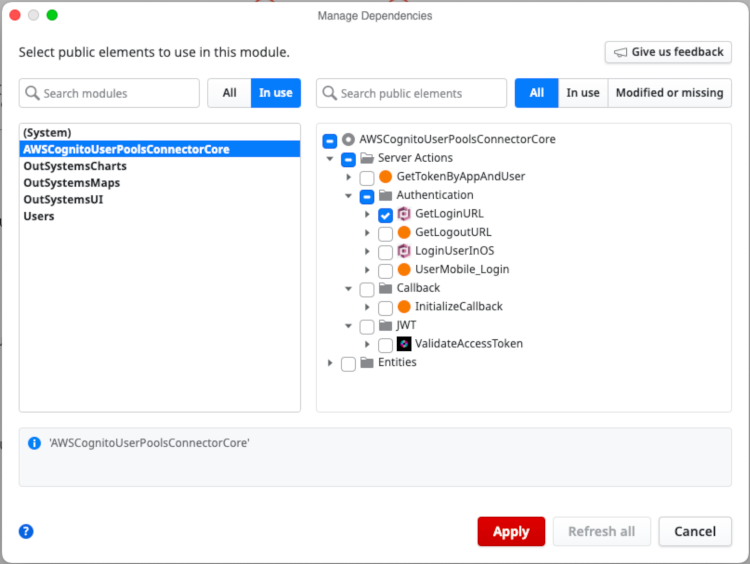
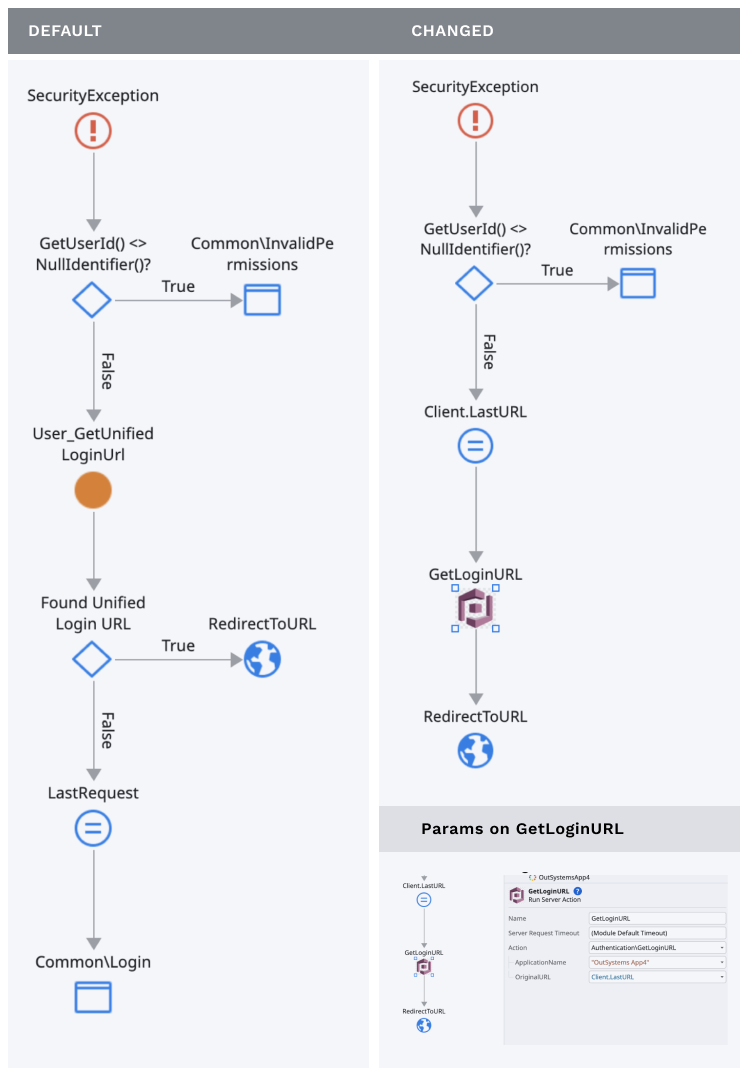
In your app, go to AWS Cognito User Pools Connector Core app >> Server Action >> GetLoginURL.
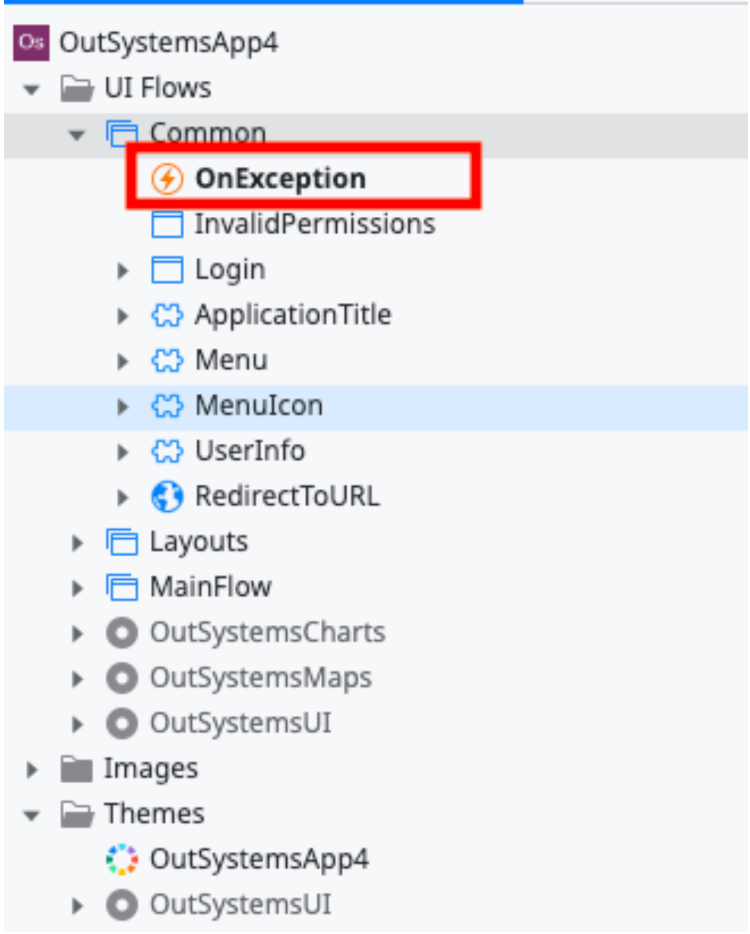
Then, change your Common >> OnException Action.
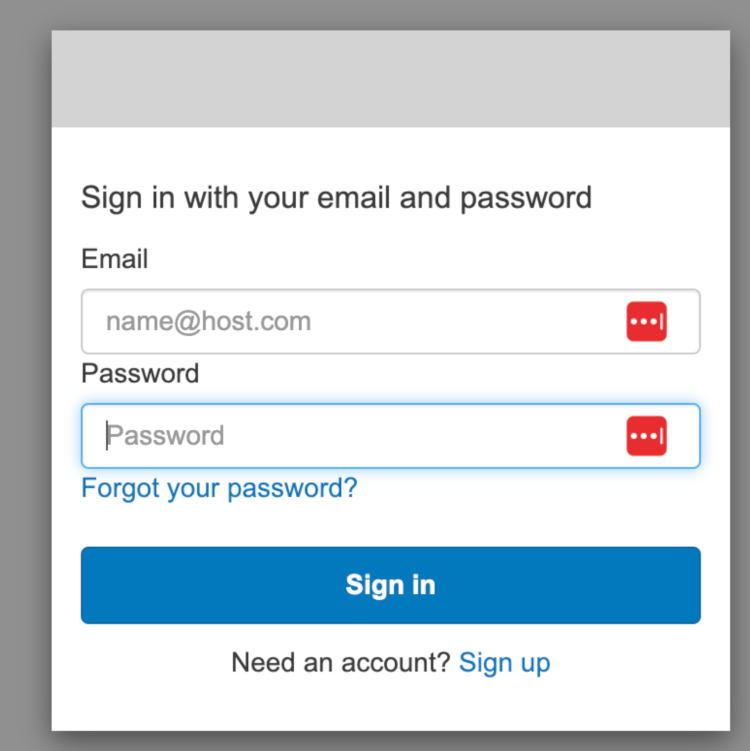
With this change, whenever an unauthenticated user tries to access your app, they will be directed to Amazon Cognito UI.
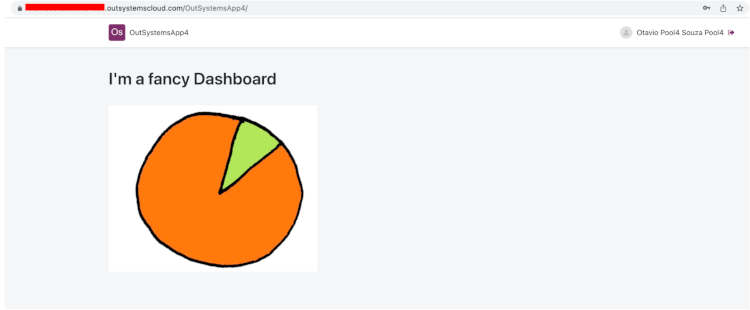
And after a successful login, they’ll be redirected to your application.
Ready to integrate AWS Cognito in OutSystems?
As you can see, a few steps are involved in this configuration, but you can complete it in minutes.
A special thanks to Marcelo Ferreira — OutSystems MVP — for dedicating time and effort to create those two components and making our lives much easier.
If you have any additional questions, hit us via chat or forum. Our whole community will be glad to help.
Over the course of my 15-year career, I’ve worked for companies such as HCL, Dell Technologies, and BNP Paribas. In 2019, I took on the Solutions Engineer role at OutSystems to help our team to improve the experience people and companies have evaluating our platform. Since joining OutSystems, the most rewarding part has been being challenged every day, both technically and from a career perspective. There’s no comfort zone here, and that's super exciting! My approach to our activities is largely inspired by our culture. As stated in “The small book of the Few Big Rules”: Ask why, be helpful, and Excel. Those characteristics were presented to me since day one, and I try to keep that in mind on every task I'm challenged with. I enjoy going to the gym, walking my dog, and spending time with friends in my free time. I’m also learning how to play the guitar. If you’re looking for someone to talk to about our platform or just tech stuff in general, reach out on LinkedIn or via email: otavio.souza@outsystems.com.