

Product Releases
and Updates
Thank you! Your submission has been received!
Oops! Something went wrong while submitting the form.
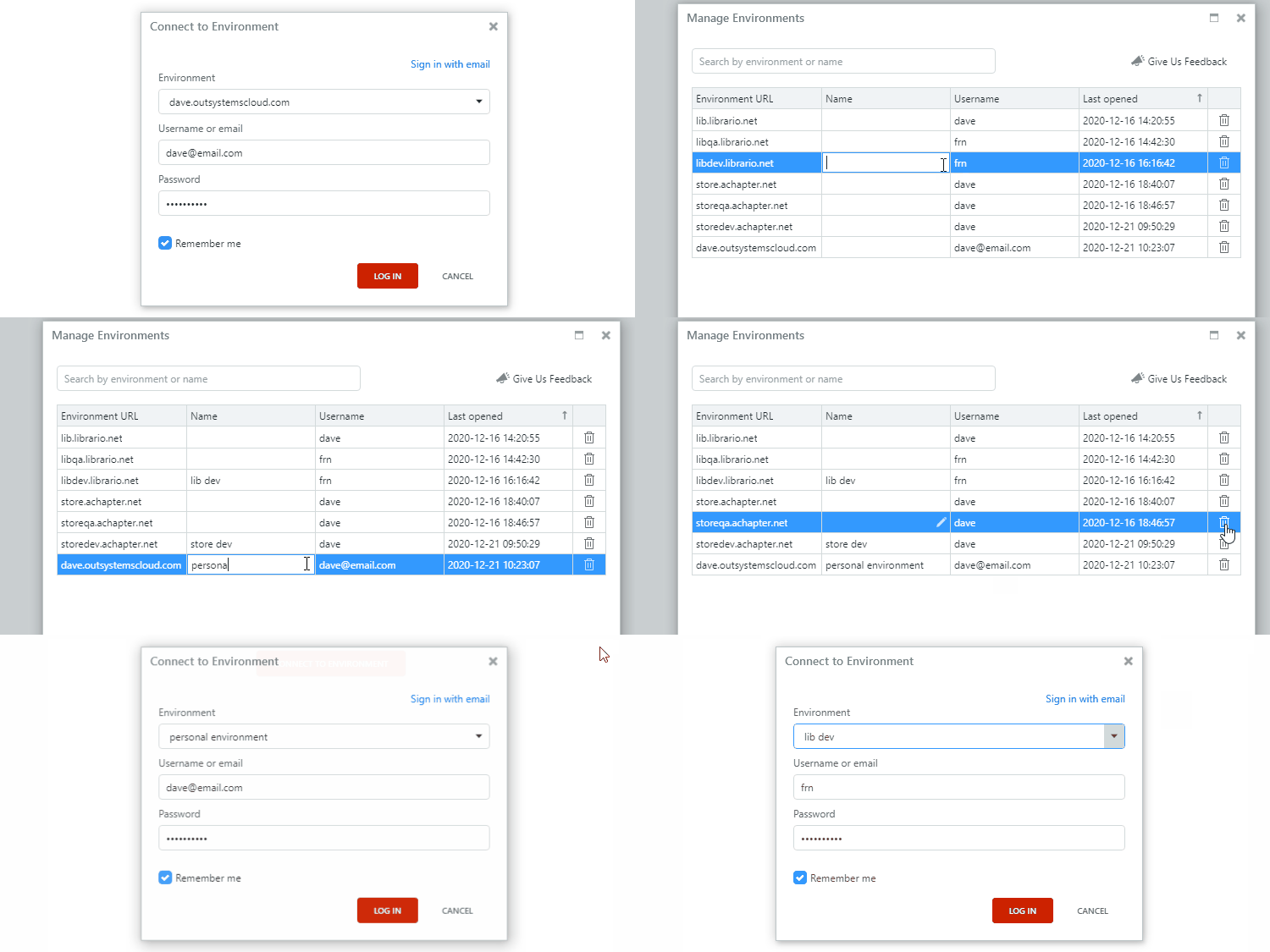
You can now manage your multiple environments in Service Studio. When logging in, or switching environments, you can quickly search through your environment list, remove those that are no longer in use, or assign a recognizable name to each environment (which really comes in handy when you have dozens of them). These are some of the new features that make it easier for you to maintain your ever-growing environment list.
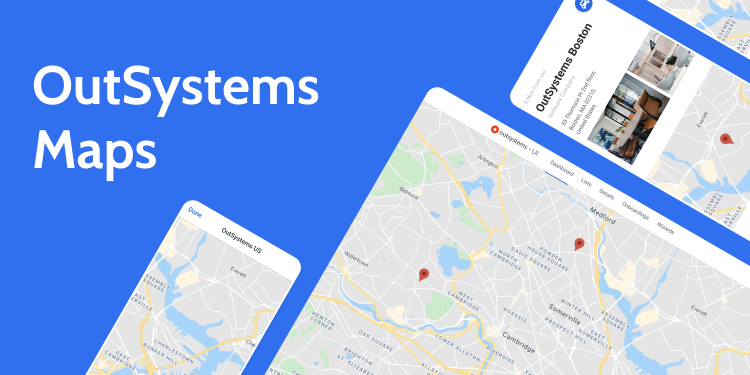
Accelerate screen composition to show single or multiple locations on a map with OutSystems Maps, a component that supports map-based interfaces. Based on the Google Maps API component, it’s fully customizable and adaptable, allowing you to change map behaviors, change the visual aspects of the map, add markers, and customize them according to brand guidelines. You can also speed up the application development time with new screen templates that show multiple markers on a map and a detail for each location, combining the component usage with beautiful UI.
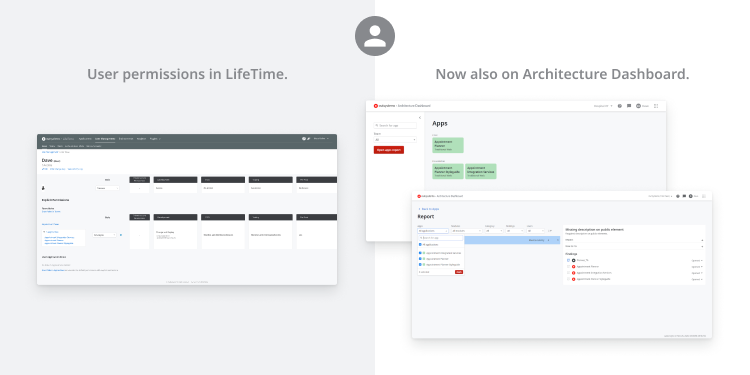
You can now receive your LifeTime permissions in Architecture Dashboard with a new probe version that improves customization and security. Individual contributors and teams can now tackle their technical debt, isolating it from the other teams' information. Better yet, there's no need to reconfigure or create your IT user again. All your data will be there from the start. Check our documentation for more information on how to best use the new probe in your environment.
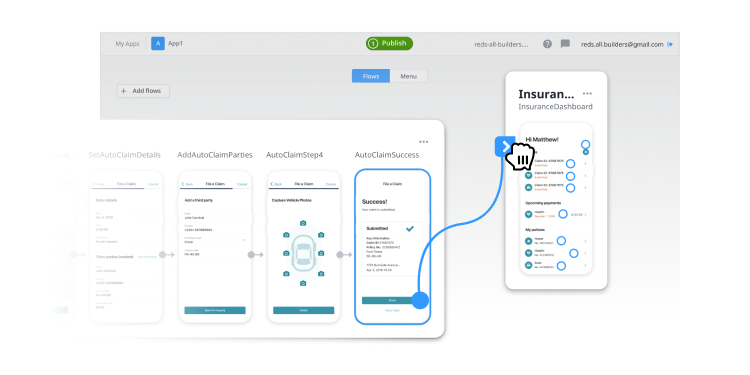
Building fully functional apps is now even easier, with further features available to you in Experience Builder. Watch demo videos of pre-built templates to choose the most fitting prototype for your needs. Add multiple exit points to empty screens, incorporate right-to-left text, and benefit from the new zip code mask in the apps’ Checkout flows. On the surface you’ll find more consistent and accessible UI patterns and an improved canvas experience that prevents flow overlaying. Underneath, automatic component installation makes app generation faster and more seamless, providing you with a fully functional prototype that can be extended in Service Studio.
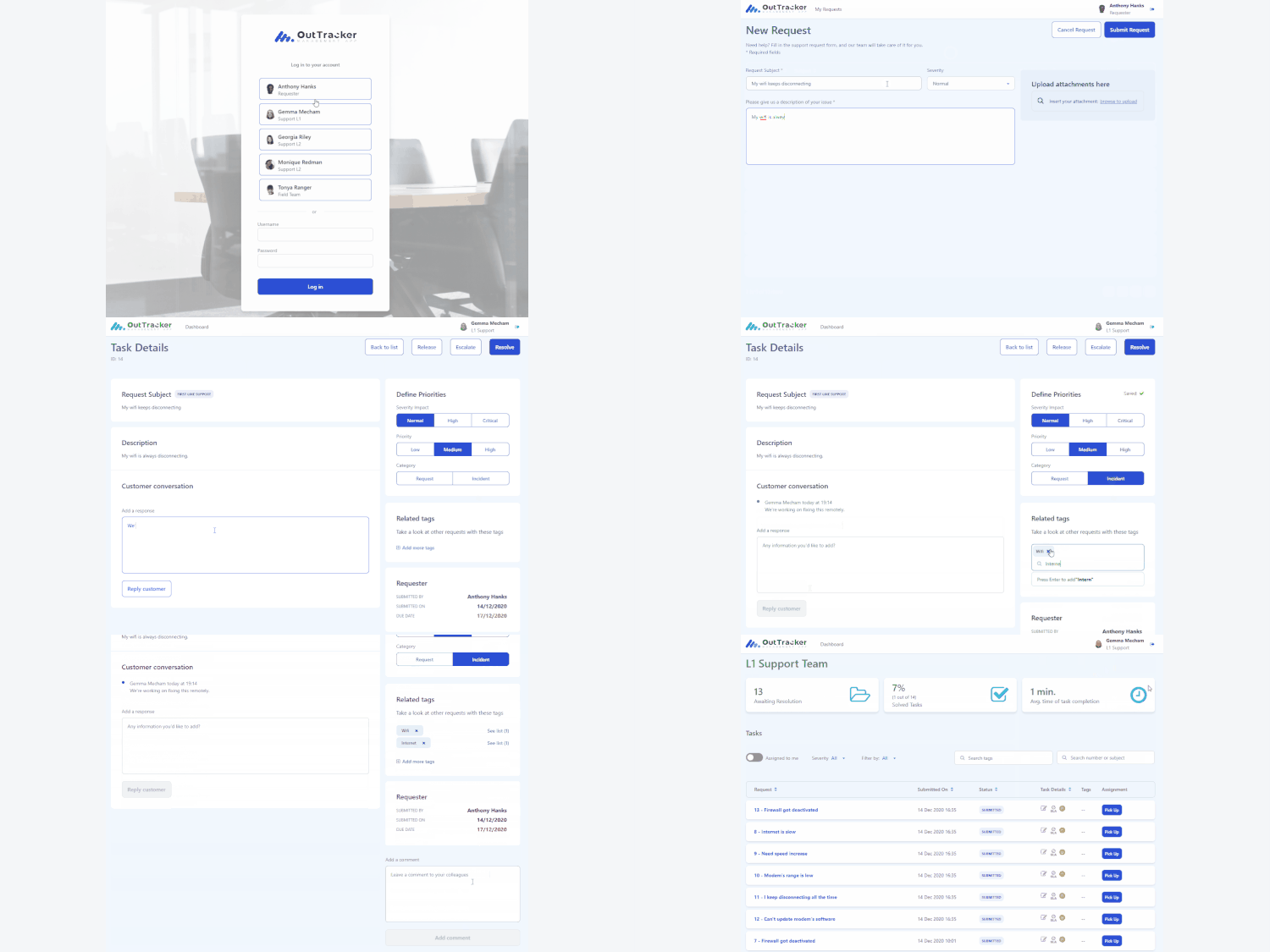
With the launch of the updated Case Management framework (CMf) comes OutTracker, where you can create, assign, link and release cases, as well as add comments, define SLAs, and gain full visibility of the case journey through a timeline display. You can also set up OutTracker, an app modelled on a typical Customer Service workflow and which utilizes the CMf to implement common functionalities, with your own data, so that your cases are automatically created for you.
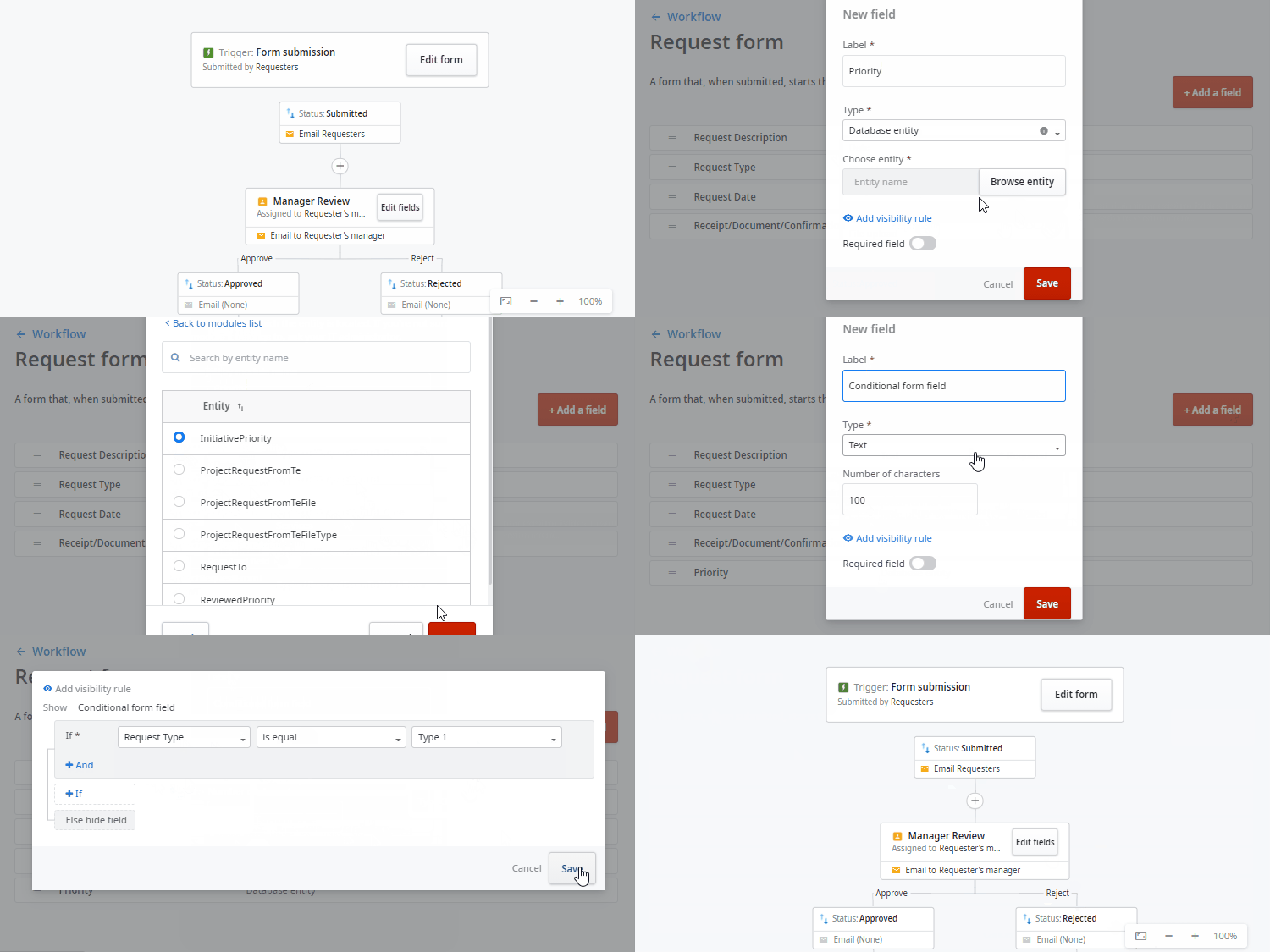
Access OutSystems entities in Workflow Builder using the new Data entity field type, enabling you to import and reuse data that already exists in your infrastructure (this feature is in progressive rollout and for now it is only available by request. You can check the requirements here). You can also now add visibility rules, which allow you to create conditions to make a specific form field visible.
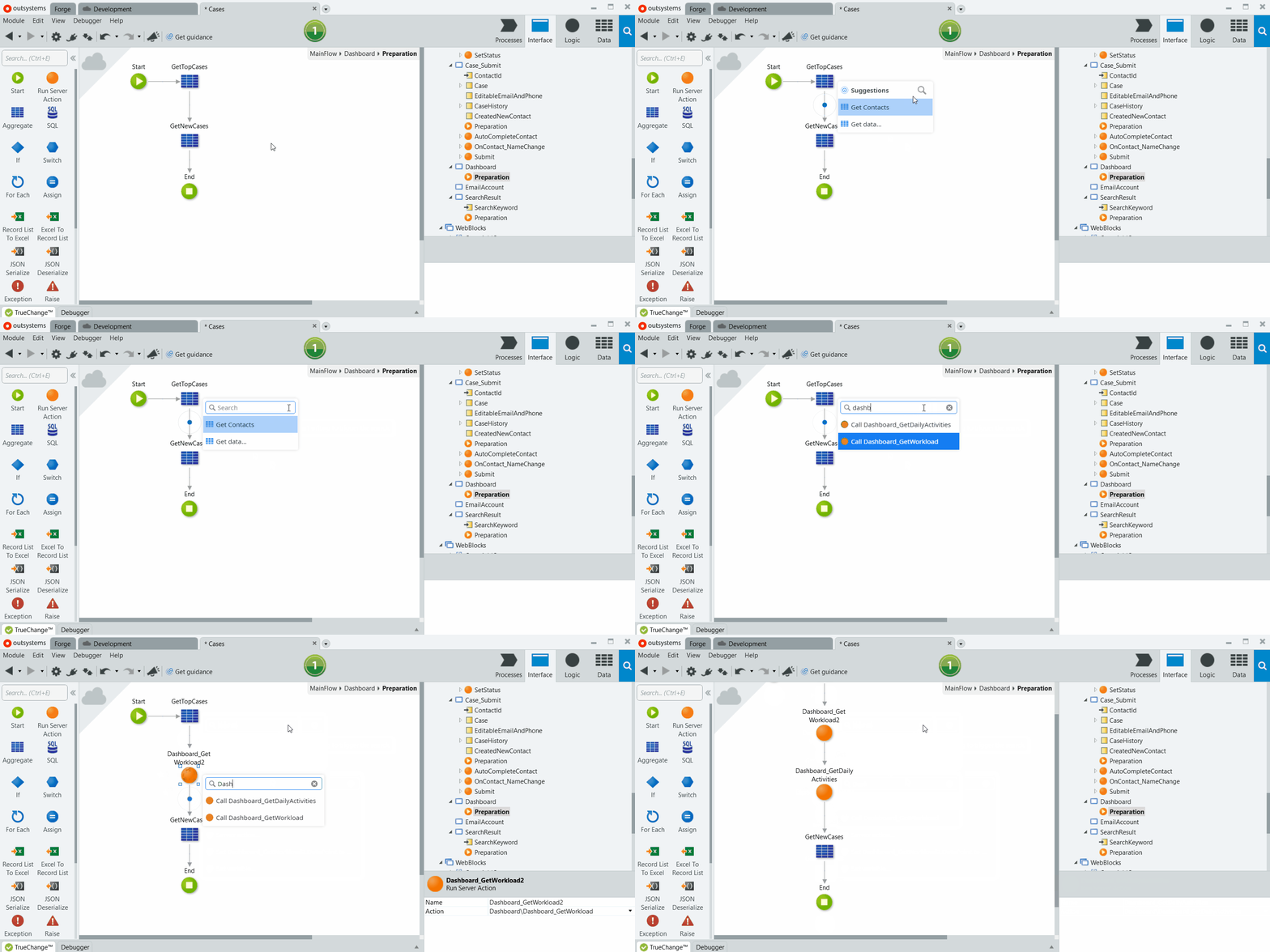
Get precisely what you need in your flow with the new AI-Assisted Development quick search. Now when you receive inline suggestions in Service Studio and don’t see what you’re looking for, simply type what you’d like to add to the flow and the results will show up immediately in that same tab.
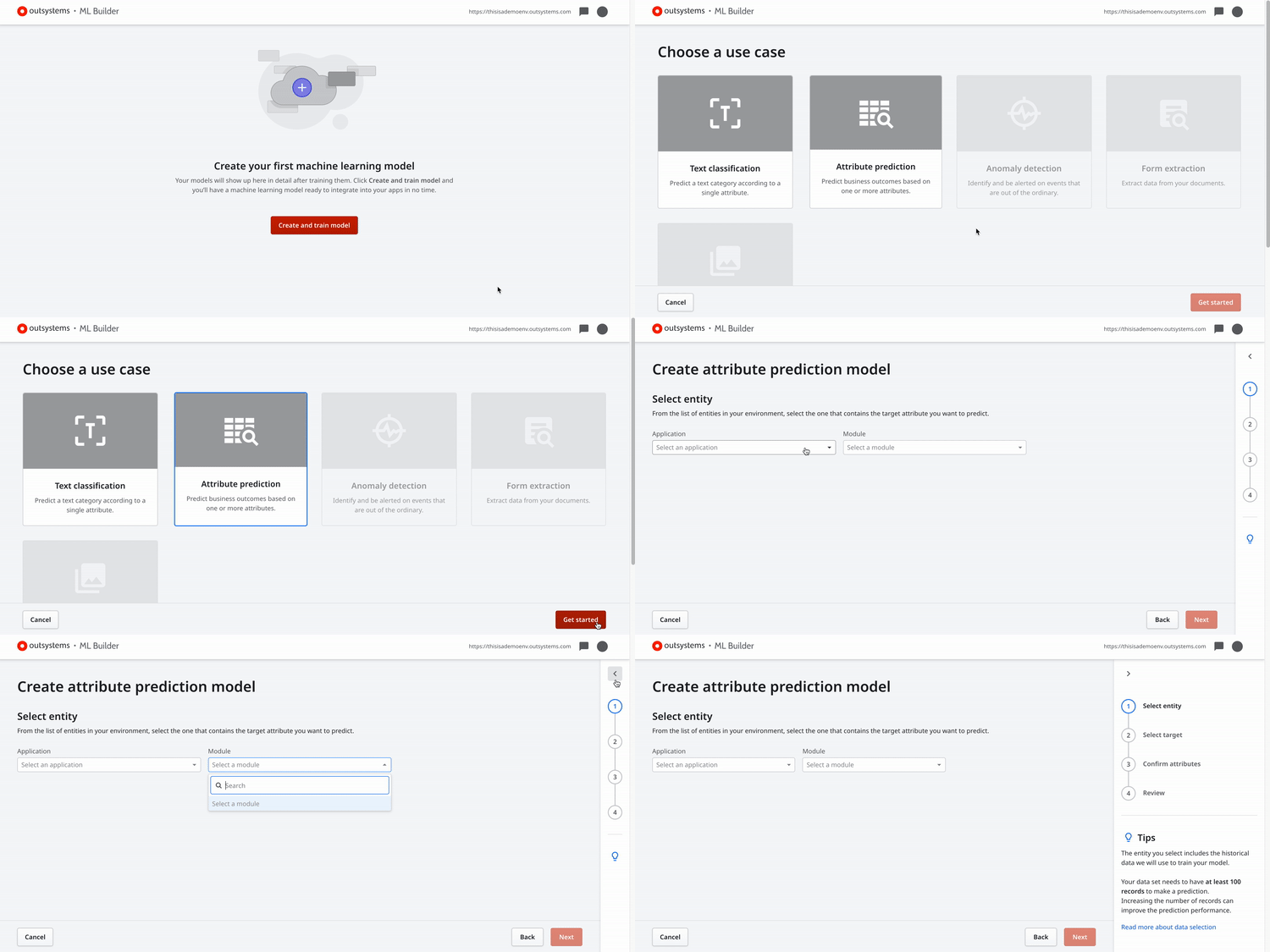
Training machine learning models doesn't require data science skills anymore. With ML Builder, you can create and evolve predictive analytics to power customer experience transformation and personalization on your business. Reliably implement valuable AI use cases, crushing the skill set required to add machine learning to your apps. Find out more about ML Builder and check the answers to the most commonly asked questions about it.
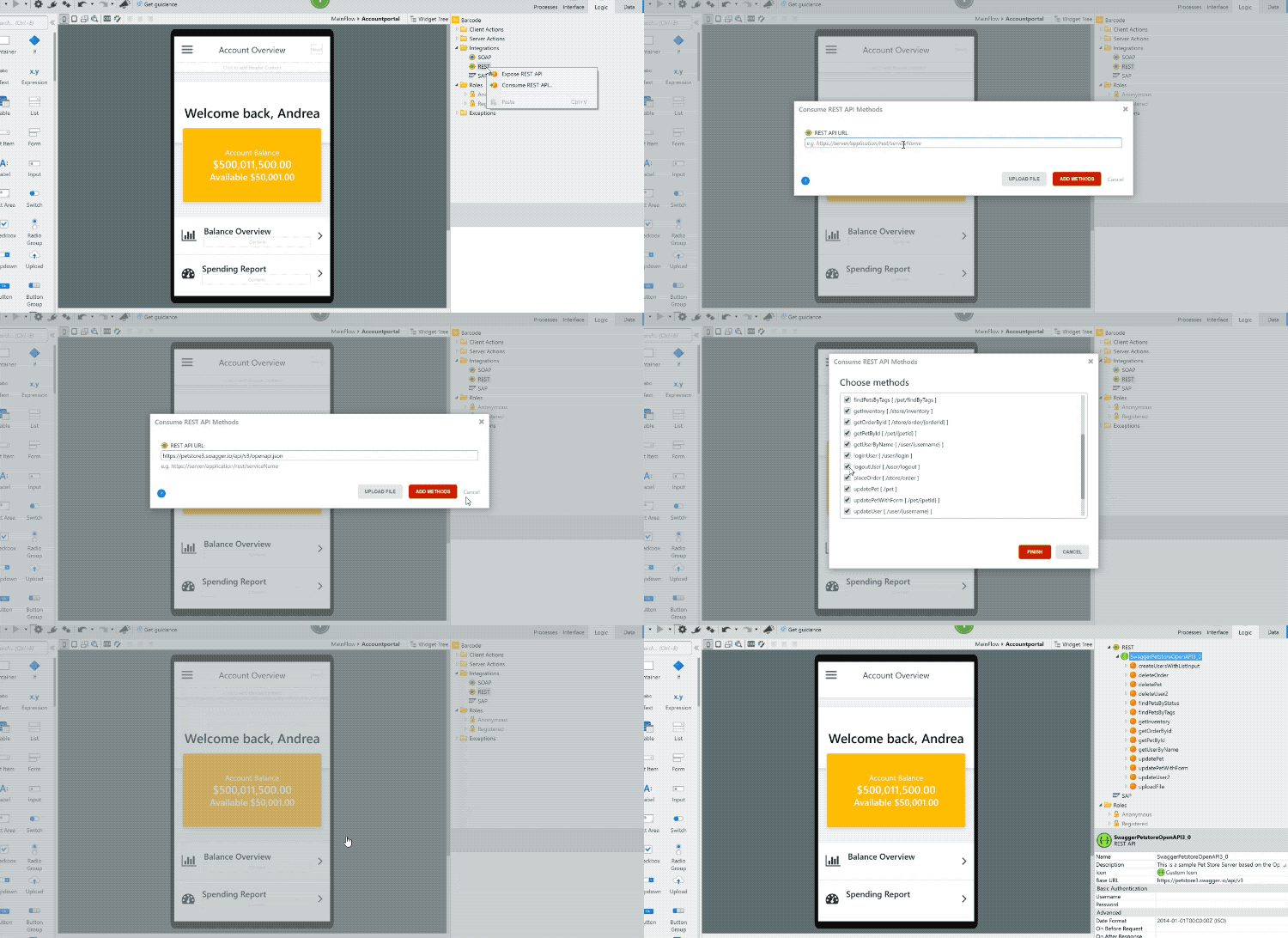
Many REST specifications bring hundreds of methods that you may not use in your OutSystems applications. You can now easily review and select only the ones that you will use. So, instead of ending up with a module with multiple REST methods that won’t be used, increasing maintenance effort and handover tasks, you’ll end up with a module with only the necessary methods to fulfill your business needs. This will also reduce the maintenance and learning curve for new developers in your environment.
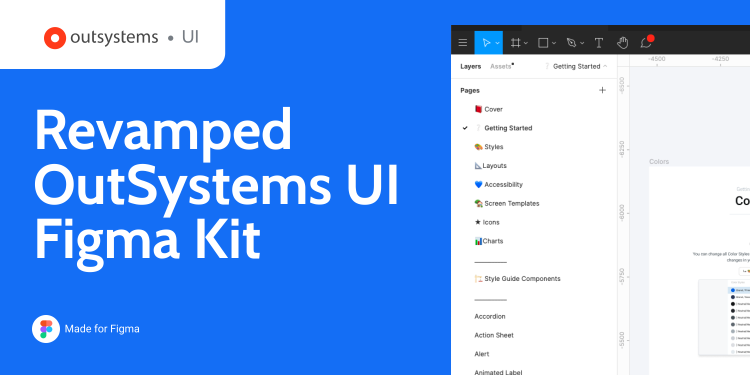
Find the right elements more easily with the revamped OutSystems UI Figma Kit, now with simplified organization, improved layout and better navigation. The Components now each have their own pages and take full advantage of the recent Variants feature. Struggling to get started? The new dedicated Getting Started section will help get things rolling, or start from added screen templates and reuse them in your project.