

Product Releases
and Updates

Thank you! Your submission has been received!
Oops! Something went wrong while submitting the form.
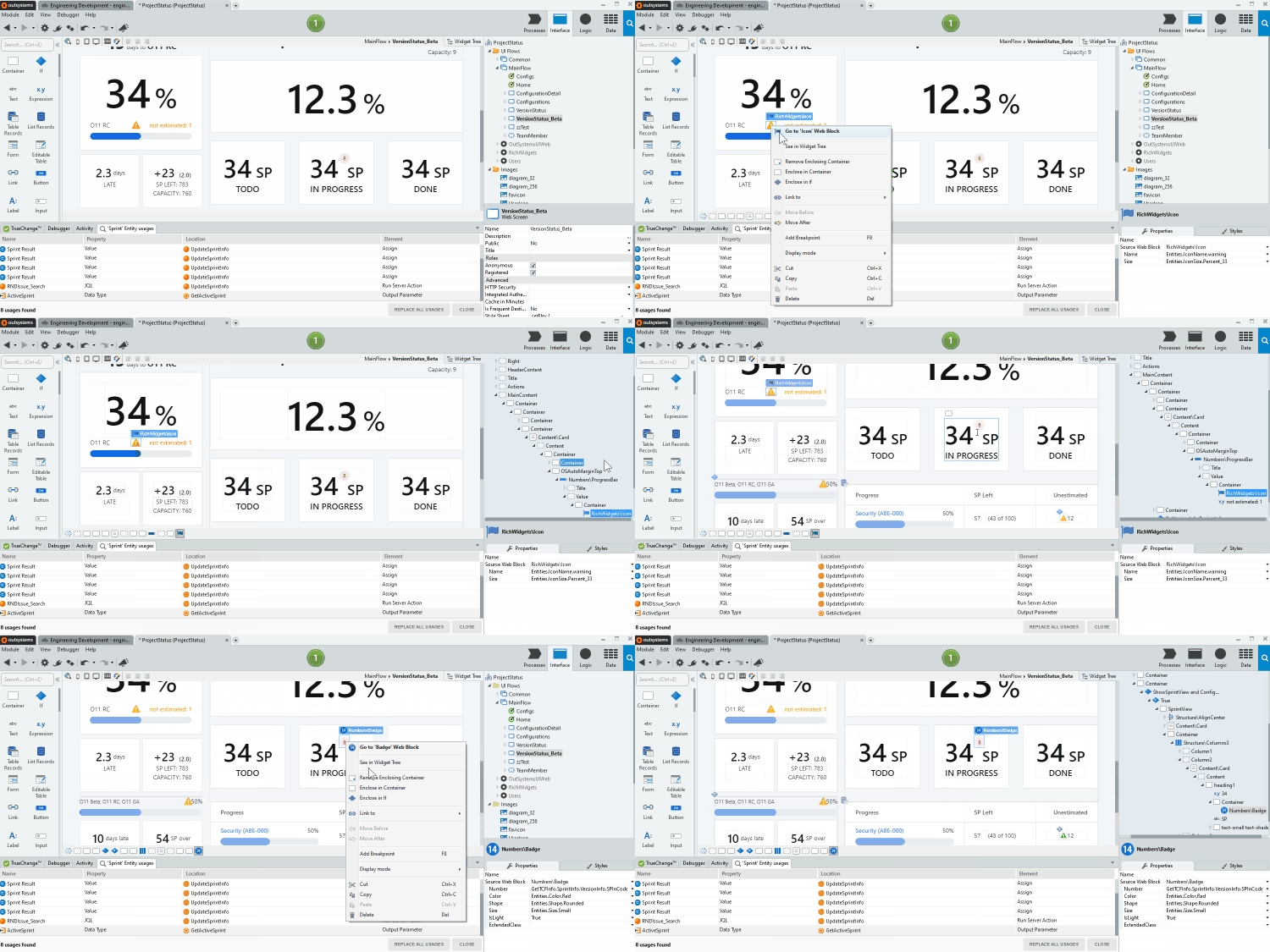
Finding a widget in the Widget Tree inside Service Studio is now easier! Just click on a widget and select See in Widget Tree to automatically point to its location in the tree.
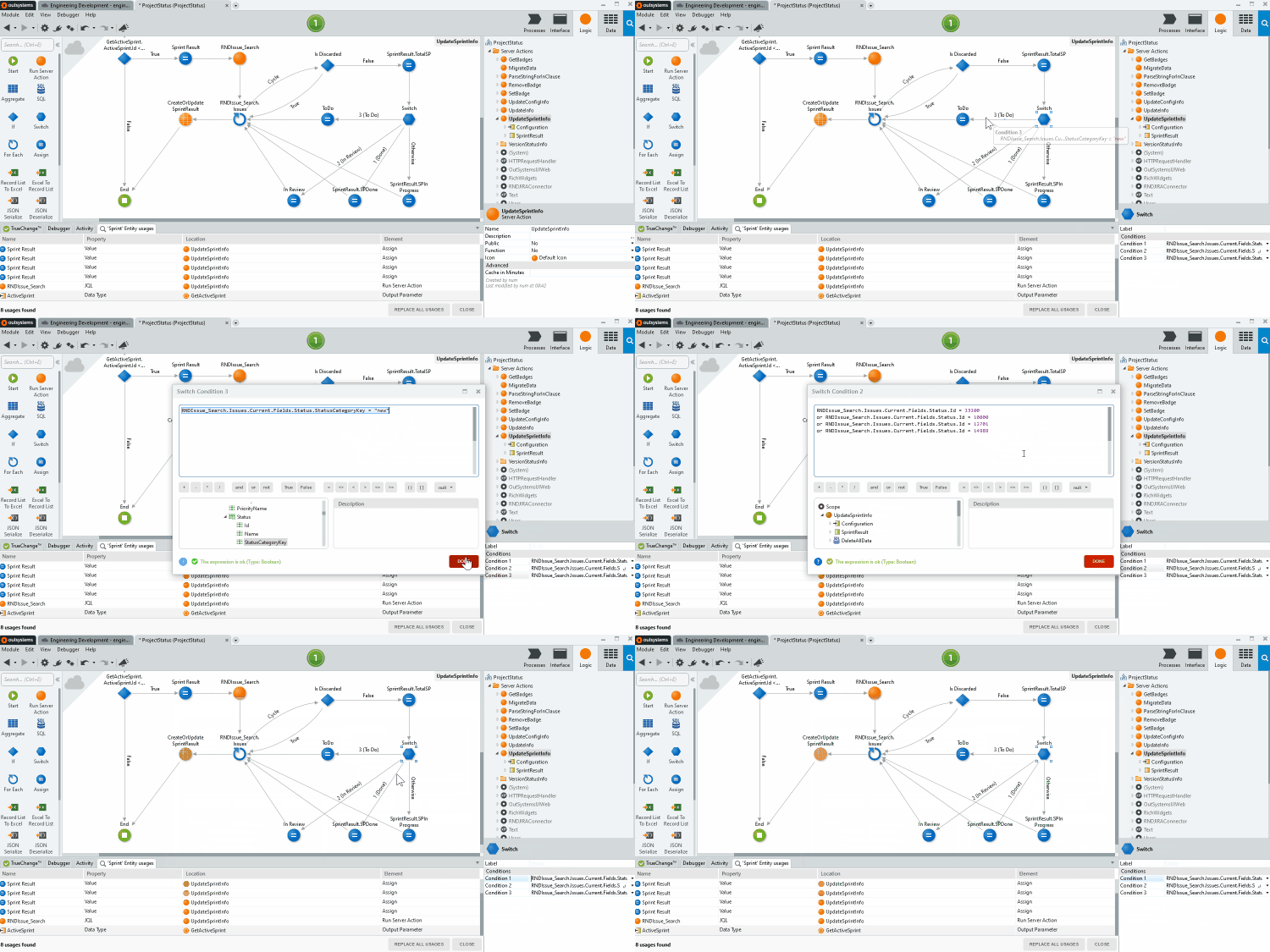
You can now access the conditions of a Switch node in Service Studio without having to select it. With a simple double-click in the condition arrow, you'll access them right away!
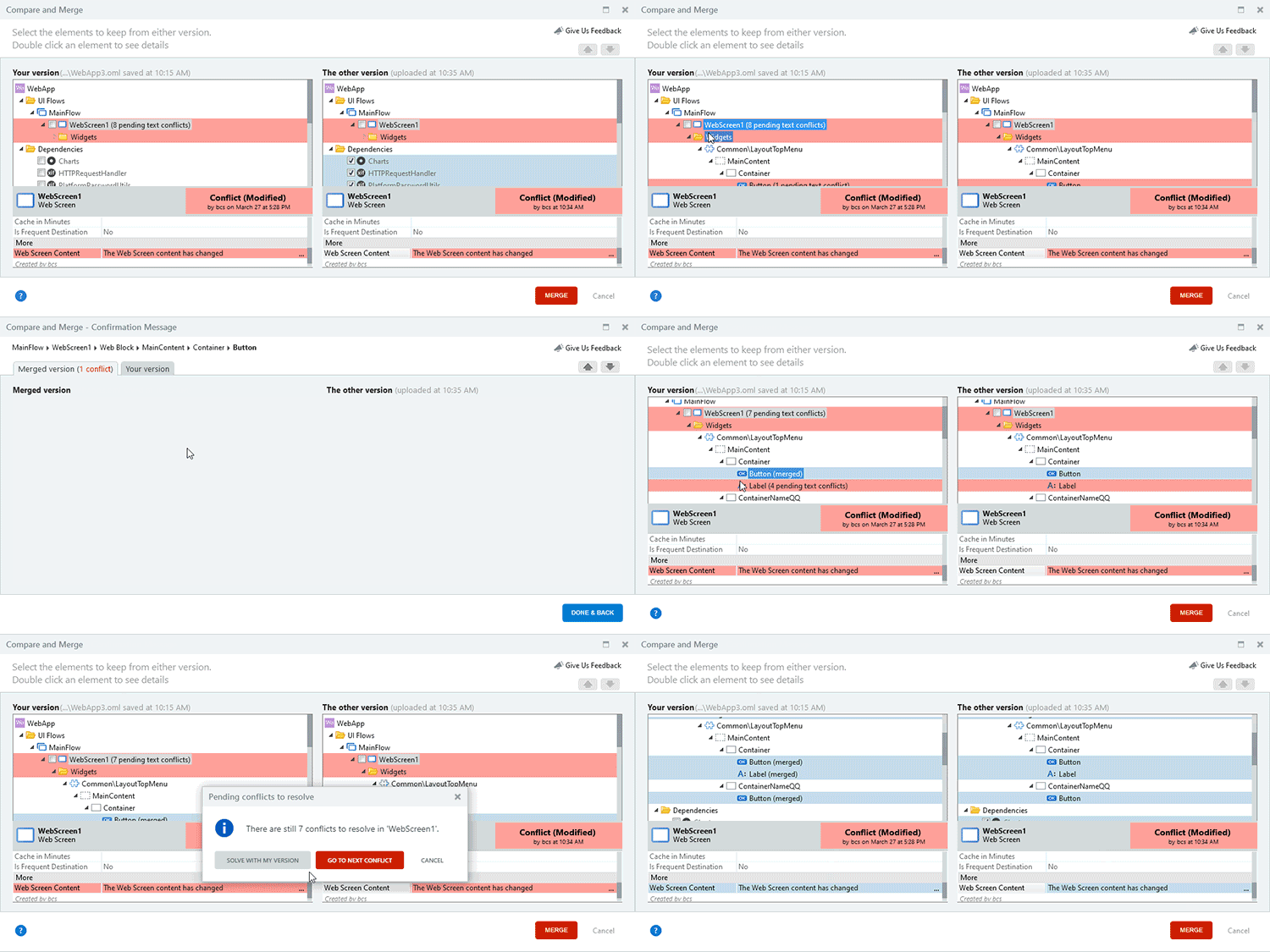
Track the number of conflicts that are left to solve when facing conflicting module versions in the Service Studio publish process! Additionally, we’ve increased the merge feature’s overall experience, giving you the option to ignore all conflicts and accept the local version right away.
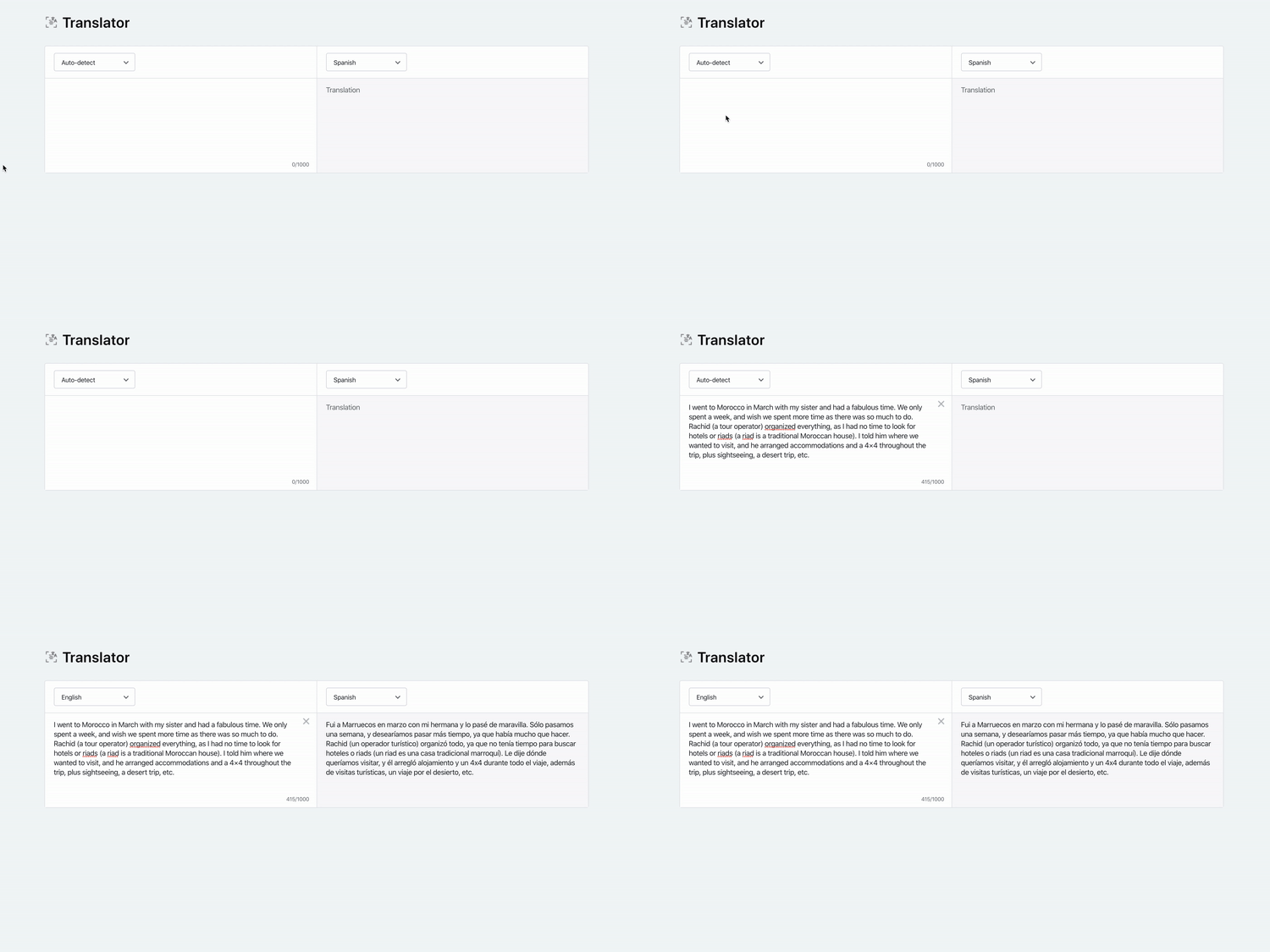
Quickly translate your texts to any target language and get alternatives to each word with the new Language Analysis features. Just select the source and target languages, and the component takes care of everything else!
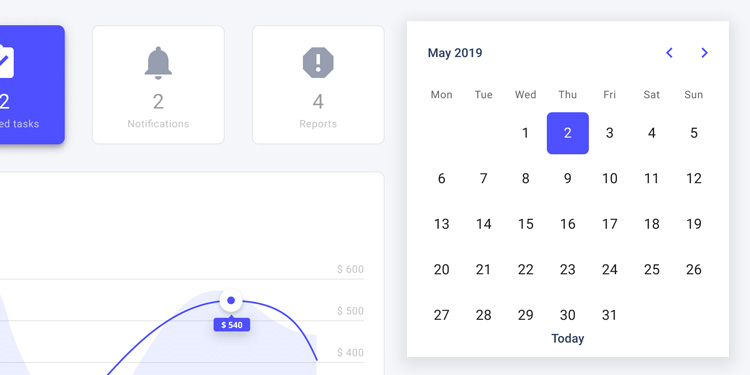
The latest update for OutSystems UI Web fixes the DatePicker OnChange Event behavior and solves a few issues with the DropdownSelect pattern.
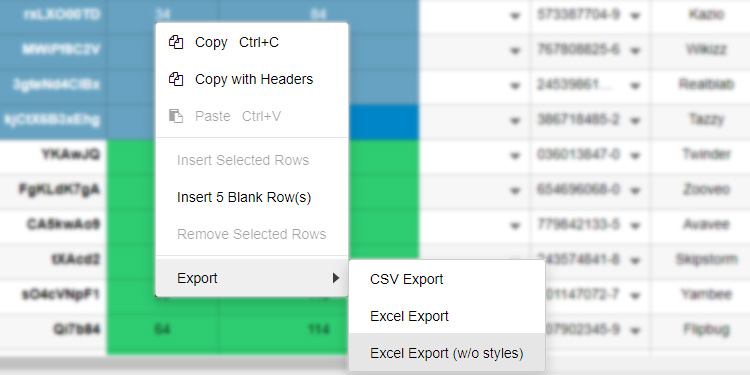
OutSystems Data Grid now has an option to export cells to Excel without applied styles, drastically speeding up your export times. Additionally, this version includes several improvements to the copy methods and fixes to many other features and elements.

The latest release of Architecture Dashboard gives you two powerful features to help you manage technical debt. Now, you can suppress findings that are fixed, false positives, or findings that you don’t want to address right now. Additionally, infrastructure admins can also ignore modules that shouldn’t affect technical debt, such as modules downloaded from the Forge and that you won’t customize. Haven’t signed up for the early access yet?
12 March 2020
Improve Your Governance Processes With the New LifeTime APIs
We’ve added a new set of methods to the LifeTime API (formerly known as LifeTime Deployment API), designed to fit your governance processes! Now you’ll be able to manage users, roles, and teams, as well as automate app creation.
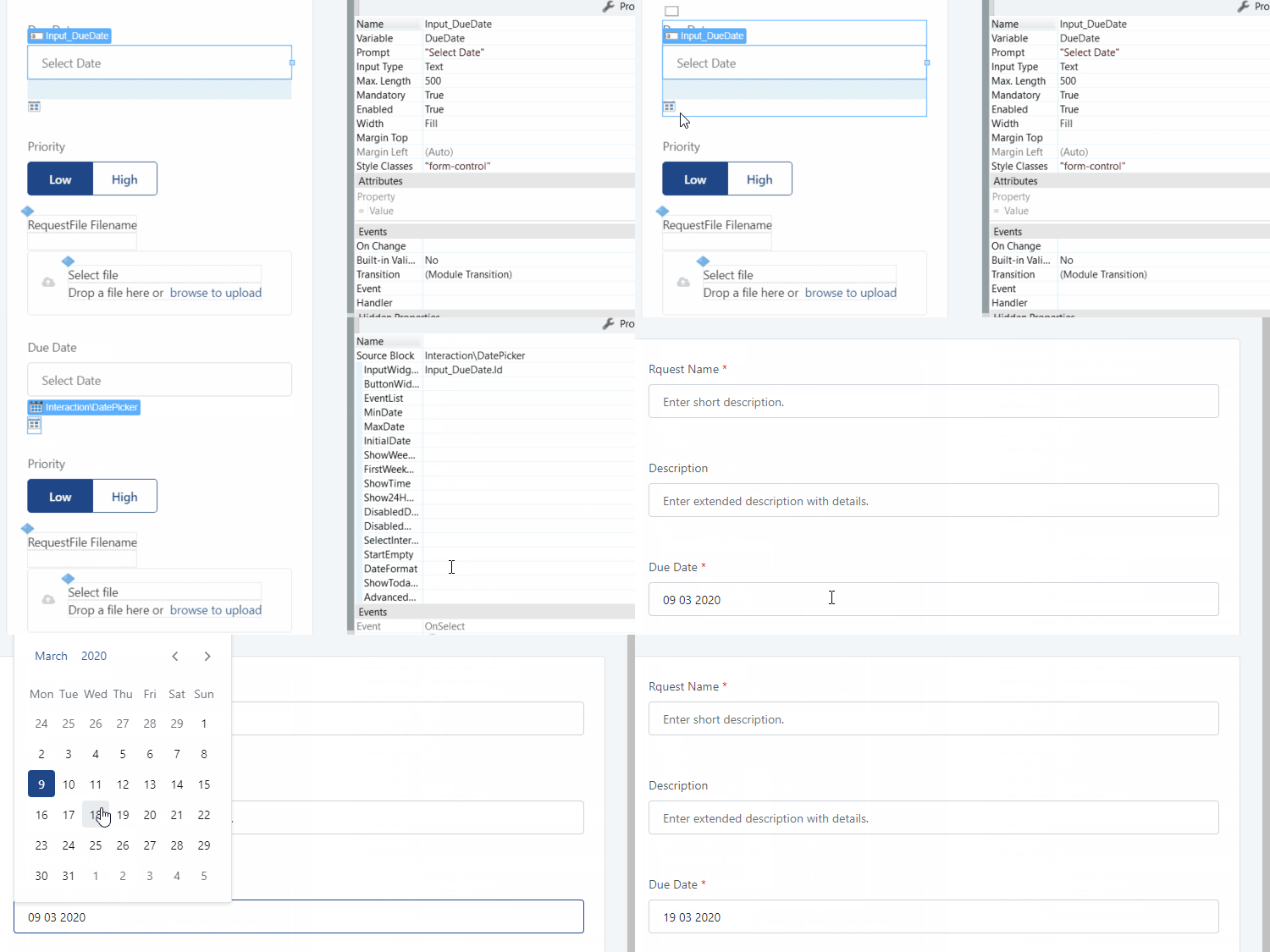
The latest OutSystems UI version updates the DatePicker pattern, changing its associated input in the browser to be of the text type, and ensuring better compatibility with the Pikaday library.
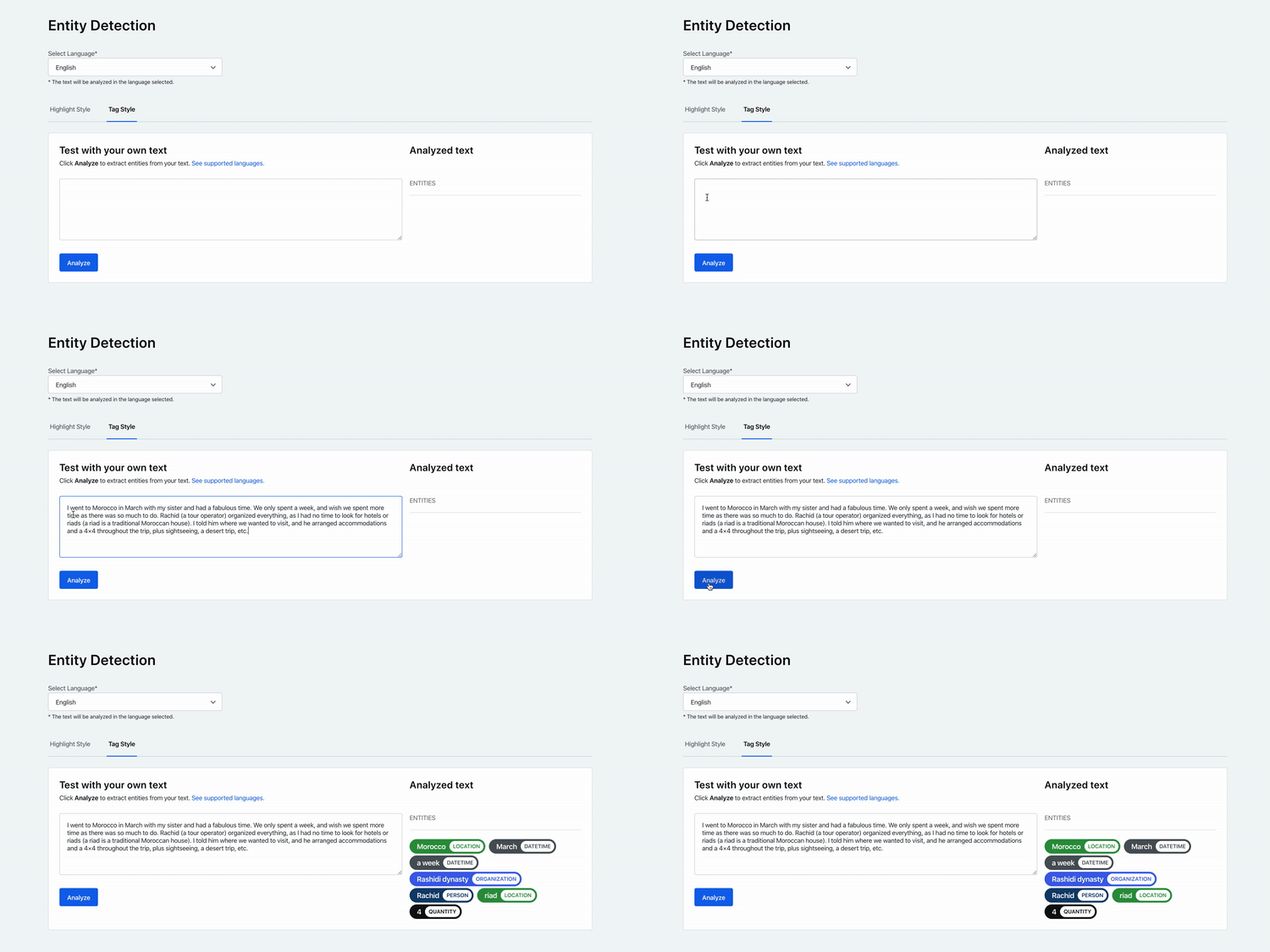
With the new Entity Detection feature, the Language Analysis component becomes even more powerful. Just paste a text and the type of each recognized entity will be extracted and highlighted with different colors according to it.