

Product Releases
and Updates
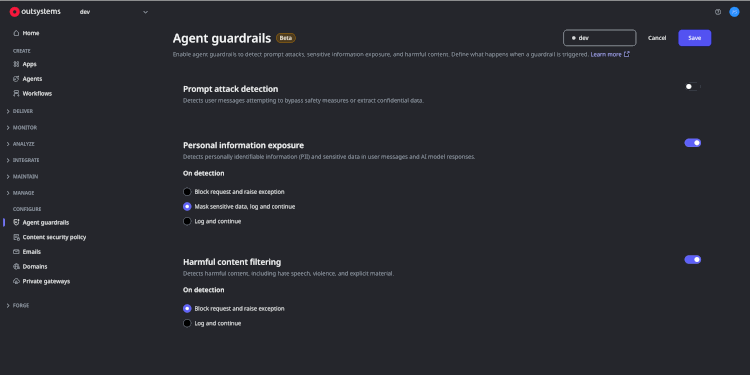
When you only have a few agents, running them without built-in safety checks might be fine. But as teams ship more agentic apps with Agent Workbench, it becomes hard to answer basic questions at scale: How do we block profanity or filter personally identifiable information? How do we prevent prompt injection and ensure our AI usage adheres to internal policies?
With this release, Agent Workbench now provides a built-in way to validate what goes into and comes out of an Agent’s LLM calls—so guardrails can be applied directly in the platform, not bolted on later.
To support governance and compliance at scale, we built a foundation that lets organizations enable predefined safety rules and lets developers apply them to specific Agents. This provides an initial layer of control and trust today—and sets the stage for more advanced, mandatory governance over time.
Introducing Agent Guardrails
Agent Guardrails are shared safety and compliance controls that validate what an AI Agent can receive (inputs) and produce (outputs), so teams can scale agent usage without increasing risk. System Administrator can configure the following predefined Guardrail Rules:
- Content Safety: Detects and blocks harmful, unsafe, or policy-violating content in prompts or responses.
- PII Filtering: Identifies sensitive data (e.g., personal identifiers) and masks or blocks it to prevent leakage.
- Prompt Injection Prevention: Detects attempts to override instructions, exfiltrate data, or manipulate the agent’s behavior.
When an Agent runs, Guardrails automatically validate its inputs and outputs against the active rules. If a rule is violated, the system can:
- Block the response,
- Mask sensitive content, or
- Log the event (based on configuration).
You also get diagnostics that show which rules ran, what happened, and whether each check passed or failed—making it faster to troubleshoot and validate agent behavior against your policies.
Agent Guardrails is available in Beta—we’re excited for you to try it and share feedback. More improvements are already underway and coming soon
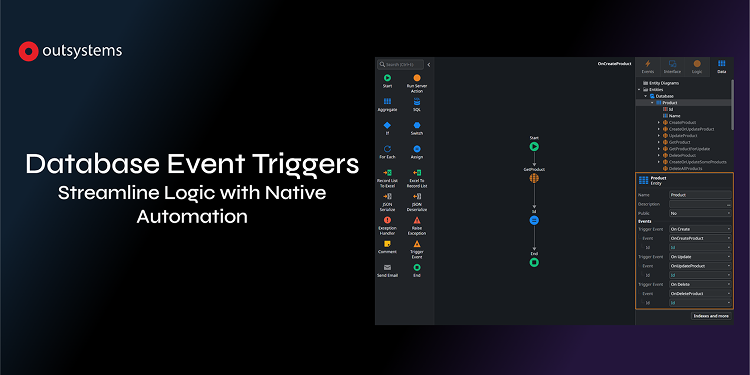
Following the success of our Event-Driven Architecture (EDA), we are excited to expand your toolkit with Database Events, a new capability exclusive to OutSystems Developer Cloud (ODC). While EDA allows for high-level application orchestration, this update specifically enables developers to build highly decoupled, reactive applications by triggering logic directly from database state changes, eliminating the need for manual wrappers or complex process modeling.
With this release, you can now trigger events based on native entity events—OnCreate, OnUpdate, and OnDelete—turning your database into an active participant in your application's architecture.
Key Features
- Native Entity Triggers: Directly subscribe to data changes at the source. Logic is automatically invoked whenever a record is created, modified, or removed.
- Asynchronous Execution: All database-triggered logic runs in the background. This ensures that your main user transactions remain fast and responsive, as the system doesn't wait for side-effect logic to complete.
- Access via Record ID: Each event provides access to the unique Identifier of the affected record. This allows you to easily retrieve the latest state to perform audits, handle cache invalidation, or stream data to external systems in real-time.
- Enhanced Reliability: Ensure that critical side effects—like audit logging or external data synchronization—happen every single time a record changes, regardless of where that change originated in your app.
- Seamless Studio Integration & Availability: Configure these triggers directly within ODC Studio under the Entity properties. This feature is currently rolling out to all ODC tenants; look for the new Events section under the properties of any Database Entity.
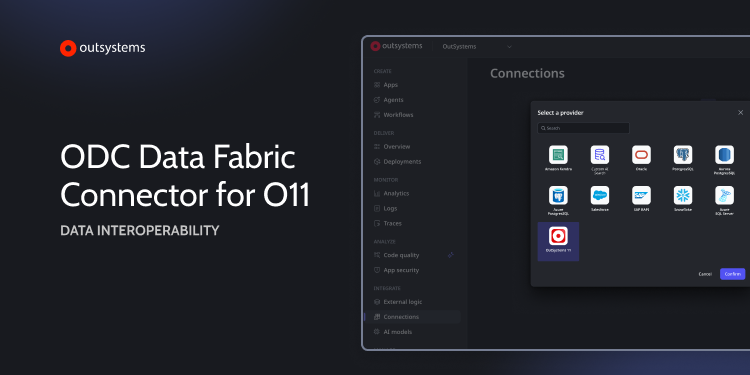
We have enhanced the recently released ODC Data Fabric Connector for O11 to support O11 multi-pipeline infrastructures (multiple production environments in the same infrastructure). This update is specifically for enterprise customers who manage development and delivery across segregated business lines or regional pipelines.
What has changed:
- Pipeline Interoperability: You can now expose entities from different O11 pipelines into an ODC tenant.
- Architectural Consistency: Maintain your existing O11 deployment and segregation rules while bridging data to ODC.
This update enables organizations with complex delivery architectures to use the connector to ground ODC-based AI agents and applications in their core business data residing in O11.
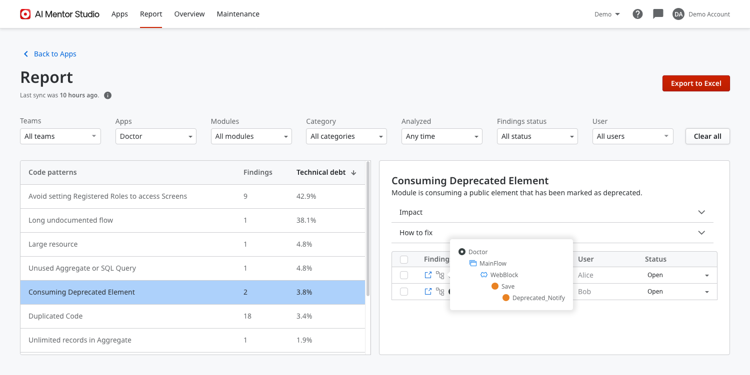
Identify outdated components automatically to reduce technical debt and security risks.
Manually auditing applications for deprecated elements is a tedious process that often leads to overlooked technical debt. AI Mentor Studio now proactively flags when your modules consume elements that are no longer recommended, so these can be replaced with more secure or efficient alternatives.
By identifying these risks early, teams can improve application health, minimize vulnerabilities, and simplify future upgrades.
OutSystems is now FedRAMP compliant, providing U.S. federal agencies and federal contractors with an authorized, full-stack custom application development platform for deploying and managing mission-critical applications that meet the government’s data security requirements.
This milestone allows government organizations to incrementally modernize legacy systems and deploy cloud-native applications while meeting FedRAMP Moderate federal security requirements.
A rigorous and exclusive U.S. government program, FedRAMP is designed to standardize security assessment and authorization for cloud service offerings, accelerating the adoption of government-grade cloud solutions by federal agencies. OutSystems has partnered with Knox, the largest and longest-running managed federal cloud provider, to achieve FedRAMP Authorization.
OutSystems is now compliant with the Italian National Cybersecurity Agency (ACN) standards, meeting the stringent security requirements for the Italian Public Administration. This qualification ensures the OutSystems platform aligns with the Italian Cloud Strategy, providing a secure, trusted environment for handling critical national data.
This milestone enables developers to build mission-critical applications for regulated industries without the typical administrative delays of security vetting. By removing these barriers, organizations can accelerate digital transformation and improve citizen services while maintaining full compliance with Italian cybersecurity law and operational resilience standards.
ACN compliance requires an add-on subscription. Please contact your OutSystems account team for more information.
OutSystems Developer Cloud (ODC) is now fully compliant with the Dubai Electronic Security Center (DESC) Information Security Regulation (ISR). This milestone provides UAE-based organizations with a secure, cloud-native platform that meets strict regional data residency and security standards, enabling government and private enterprises to innovate at scale with confidence in their data sovereignty.
This achievement eliminates significant regulatory hurdles, allowing development teams to move from idea to production faster than ever. By leveraging a DESC-compliant environment, IT leaders can reduce the overhead of security audits and focus resources on building mission-critical applications that drive superior business outcomes and citizen experiences.
DESC requires an add-on subscription. Please contact your OutSystems account team for more information.
We are excited to announce the new ODC Data Fabric Connector for O11, a native solution designed to extend your trusted O11 data into ODC. This new feature enables ODC applications to access your existing O11 data seamlessly and securely, empowering you to build modern apps and AI agents faster without disrupting your core business operations.
The ODC Data Fabric Connector for O11 enables your team to:
- Build Faster: Developers can use O11 entities directly from the ODC Data Fabric catalog, making them available for use in aggregates or SQL nodes just like any other entity.
- Read and Write: Data Fabric O11 Connector supports direct read-write operations for SQL Server databases.
- Security: Your data remains secure in transit. The connection is established via a dedicated Private Gateway, creating a secure, encrypted tunnel between your ODC tenant and your O11 environment.
- Governance: Select which O11 entities to expose, ensuring that only intended data is accessible to ODC developers.
Accelerate Your AI Journey
This capability is a critical enabler for your AI strategy. By connecting ODC’s advanced AI Agent Workbench to years of high-quality business data in O11, you can immediately start building AI agents that are grounded in your unique business context, dramatically accelerating time-to-value.
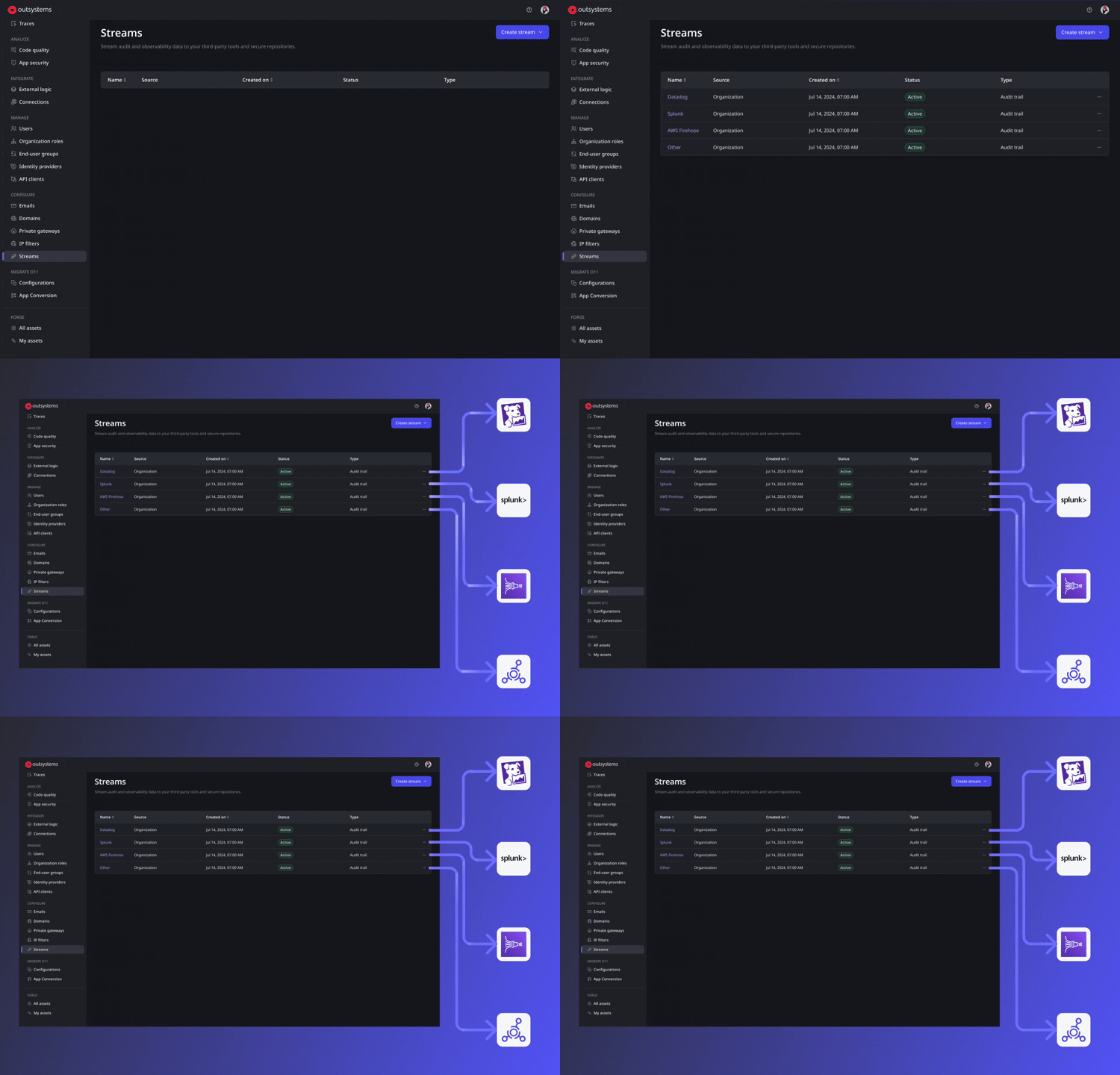
We are thrilled to announce Audit Trail Streaming, an enhancement that helps ODC users retain logs and set up security alerting. Securely stream platform audit logs directly to your preferred Security Information and Event Management (SIEM) solutions or other security monitoring repositories. Executing continuous threat detection and anomaly analysis is now faster and easier as ODC integrates with your existing monitoring tools.
Audit Trail Streaming requires an add-on subscription. Please contact your OutSystems account team for more information.