
Intelligentere Apps und Agenten durch verbundene Daten
OutSystems Data Fabric vereinheitlicht strukturierte und unstrukturierte Daten in Ihrem Unternehmen zu einer einzigen virtuellen Schicht. Indem KI-Agenten und Applikationen nahtlosen Zugriff auf vollständige Echtzeit-Kontexte erhalten, werden schnellere und fundiertere Entscheidungen ermöglicht – über alle Workflows und Anwendungsfälle hinweg.







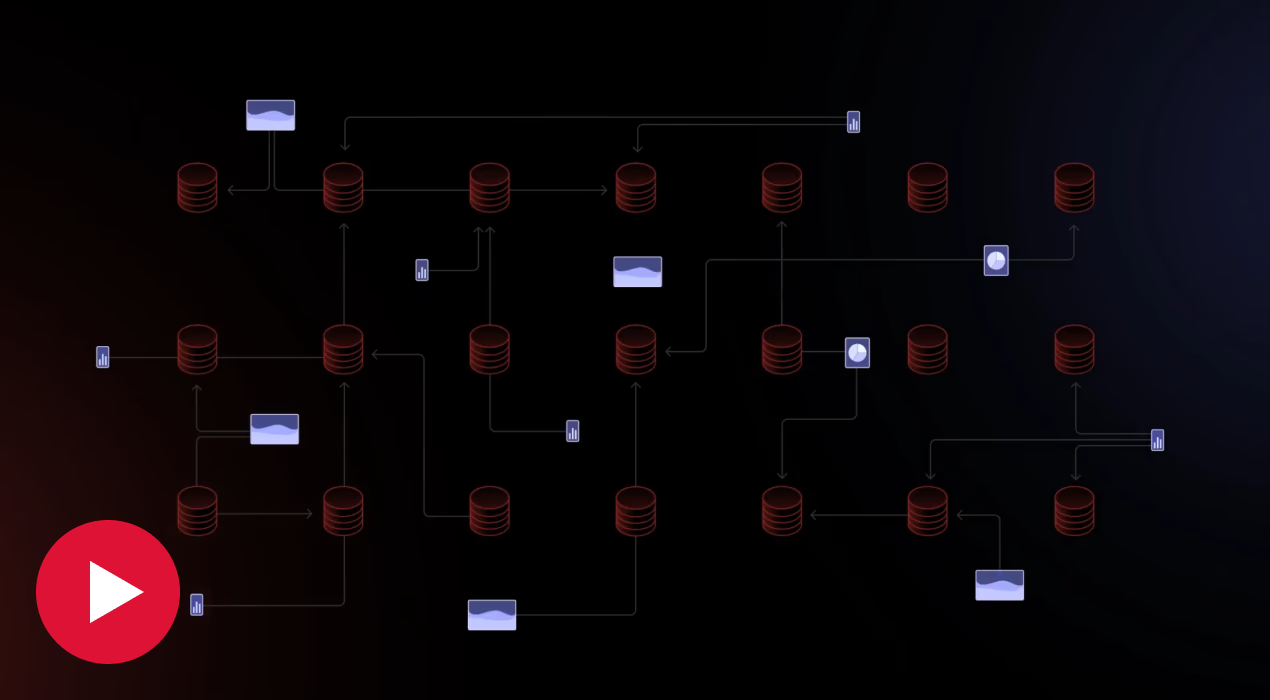
Centralize access to all your data
Pre-built connectors make it easy to link external databases or systems—while enabling reusability for future app dev needs.

Fuel smarter agents, your way
Give AI agents full context—structured or unstructured, from any source—with OutSystems Data Fabric. Empower them to reason, respond, and deliver impact across your business.


„OutSystems verschafft uns mehr Geschwindigkeit und Agilität sowie die Flexibilität, mobile Apps zu erstellen, schnelle Änderungen vorzunehmen und jedes benötigte System zu integrieren.“

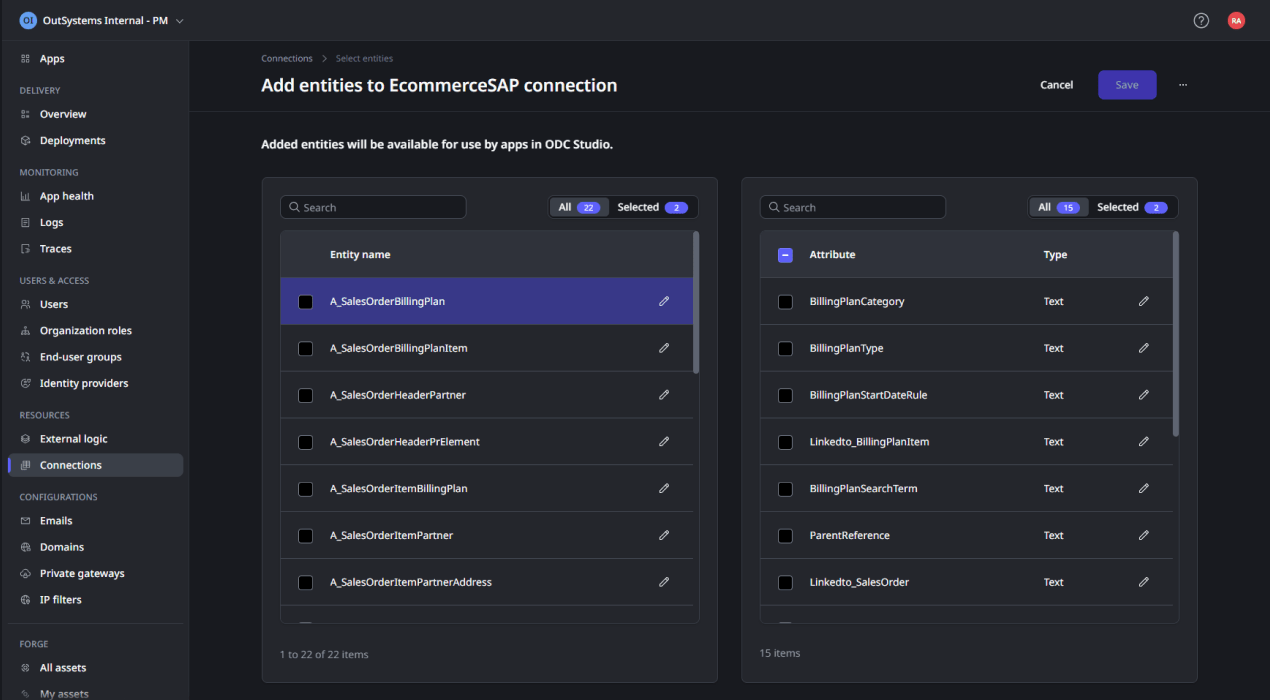
Say goodbye to data complexity
Data, data everywhere? No more. With the effortless data discovery and retrieval enabled by OutSystems Data Fabric, any data is ready for any app, anytime.
Scale your apps with ease
No data volume fears here. Built-in caching guarantees a great experience for all your data-based apps—regardless of data storage location.
Own your data exposure
Get full control over data exposure thanks to granular access controls that give you robust security, privacy, and governance—and peace of mind.
Data Fabric
FAQ
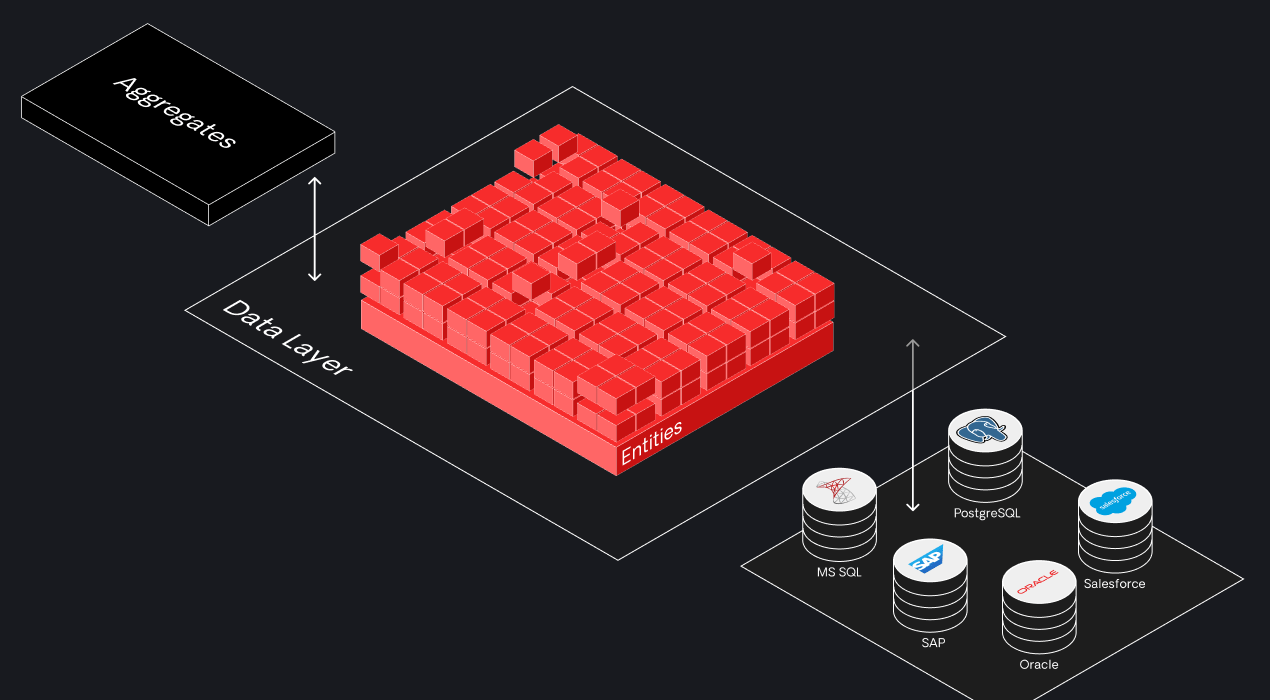
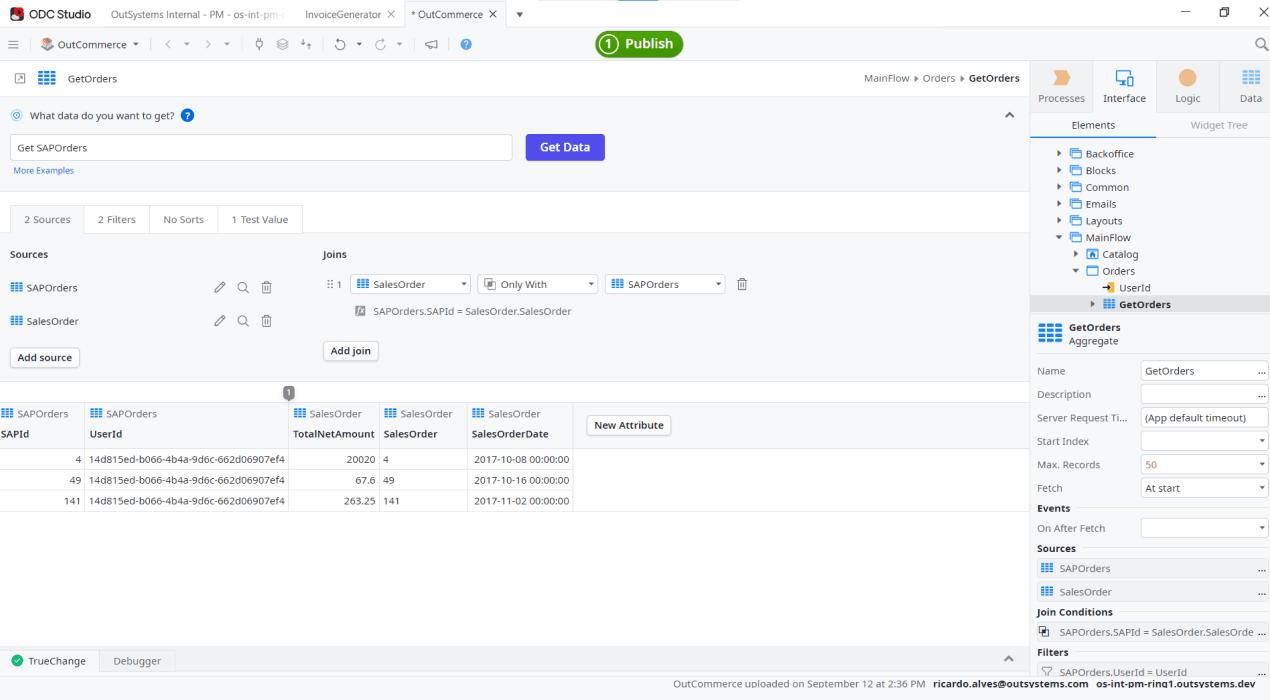
Die Virtualisierungsschicht sorgt für eine einheitliche Datendarstellung und vereinfacht die Handhabung. Unabhängig vom Quellformat werden Daten in Entitäten und Attribute gemappt, um eine konsistente Nutzung zu gewährleisten. Dies optimiert die Datenmanipulation und ermöglicht die Verwendung standardisierter Konstrukte wie Aggregate und Listen über alle Quellen hinweg.
Die Zentralisierung von Daten in einem Repository optimiert die Entdeckung und Abfrage. Die Plattform fördert die Wiederverwendbarkeit durch benutzerdefinierte Datensätze, die auf Teams mit unterschiedlichen Berechtigungen zugeschnitten sind. Sie bietet eine einheitliche Ansicht, die zugängliche Datenquellen basierend auf Rollen anzeigt, und erleichtert so den Datenzugriff für verschiedene Teams und IT-Manager.
Solange keine wesentlichen Änderungen im externen System erfolgen, wie das Löschen von Entitäten oder das Ändern von Anmeldeinformationen, bleibt unser System ohne Probleme verbunden. Wir speichern alle relevanten Verbindungsdetails sicher, um einen nahtlosen Zugriff über einen längeren Zeitraum zu gewährleisten.\
Es ist die Möglichkeit, Datensätze für spezifische Geschäftsanforderungen anzupassen und Daten aus verschiedenen Quellen zu integrieren. Zum Beispiel eine maßgeschneiderte 360-Grad-App für ein Vertriebsteam. Mit benutzerdefinierten Datensätzen können Daten aus Salesforce, SAP oder anderen Quellen einfach kombiniert und für die Wiederverwendung in einer bestimmten Vertriebs-App bereitgestellt werden.
Data Fabric fungiert als Datengateway, das Daten aus verschiedenen Quellen standardisiert und den Zugriff auf die Anwendungsebene während der Entwicklung ermöglicht. Wenn Daten angefordert werden, durchlaufen sie die Plattform, werden transformiert und sind während der Entwicklung und Laufzeit für die Applikation zugänglich.
OutSystems Data Fabric gives teams a practical answer to why data integration matters in enterprise development. It creates an advanced virtual data layer that unifies data from disparate sources like SAP, Salesforce, external databases, legacy systems, and SaaS applications, so you can reduce data silos, avoid manual data mapping, and build data-driven applications faster with built-in security, governance, and strong performance.
To understand what is Data Fabric, think of it as a data layer that sits above multiple systems and sources to unify data from disparate environments while abstracting the complexity underneath. It creates a single, consistent view of data across silos, making it easier to access, incorporate into applications, and adapt as business needs and technologies change.
Knowing when to use OutSystems Data Fabric comes down to complexity. OutSystems Data Fabric is a strong fit when an application needs data from multiple systems and you want to avoid heavy API orchestration, manual joins, or ongoing synchronization work. It is especially useful for building a 360-degree customer view, supporting legacy modernization, establishing master data management, and powering sales or e-commerce applications with unified, reusable, and governed data.
OutSystems Data Fabric connects to common enterprise data sources, including databases, APIs, cloud platforms, and business systems such as SQL Server, Oracle, PostgreSQL, SAP, Salesforce, Snowflake, and others. It helps teams access existing data without rebuilding custom integration for every source, supporting faster app development across complex technology environments.
With OutSystems Data Fabric, your data stays in its original source system. Data Fabric leverages a virtualization layer that maps to your existing database, application, or enterprise system instead of relocating the data. This helps support data residency, sovereignty, compliance, and cost-control requirements.
No. OutSystems Data Fabric does not copy or move your data by default. It creates a live map to the original data source, so applications can access current information without duplicating records into OutSystems. This reduces storage overhead and helps regulated organizations maintain control over sensitive data.
Data Fabric helps connect O11 and ODC through secure connectivity, allowing customers to expose O11 data to ODC. This supports a phased modernization path, so teams can use ODC capabilities, including AI agents, without immediately migrating or rebuilding existing O11 applications.
OutSystems Data Fabric can support real-time or near real-time data access depending on the use case. Operational applications may require live access to source systems, while other scenarios may use an ETL layer or near real-time synchronization. This flexibility helps teams balance performance, control, and business requirements.
OutSystems Data Fabric respects the permissions configured in the source system and connection string. If a user or application has read, create, update, or delete access, Data Fabric follows those controls. This helps teams govern sensitive data without bypassing existing security models or creating unmanaged access paths.
OutSystems Data Fabric supports both read and write access when the connected source system and permissions allow it. This means teams can build operational applications—not just dashboards—that retrieve, update, and manage data across enterprise systems while still respecting source-level access controls.
OutSystems Data Fabric is designed to provide efficient access to connected data sources while reducing custom integration work. Like any data access layer, performance depends on query design, source system speed, network latency, and workload volume. Teams should test high-volume use cases to validate performance requirements.
Data Fabric may help reduce the need to create separate REST API methods for every data connection, which can support more efficient architecture and licensing management. Application Object impact depends on how apps, APIs, and reusable components are designed. Teams should review AO consumption as part of solution planning.


Datenintegration in der Cloud-nativen Entwicklung vereinfachen
Wenn es um Datenintegration geht, macht OutSystems es einfach, verbundene Erlebnisse zu schaffen, die sich mit nahezu jeder Datenquelle integrieren lassen.

Warum Sie OutSystems zur Erweiterung Ihres SAP-Systems nutzen sollten
Die SAP-Integration mit OutSystems wird durch einen vorkonfigurierten Konnektor und die gut definierten Integrationsmodelle, Prozesse und Strukturen von SAP vereinfacht.
Build scalable apps and agents with data connectors
Learn how data connectors simplify integration across systems so you can build, extend, and scale applications and AI agents faster—with less complexity and full control.