
接続されたデータで、よりスマートなアプリやエージェントを実現。
OutSystems Data Fabricは、企業全体に散在する構造化データと非構造化データを単一の仮想レイヤーに統合します。AIエージェントやアプリケーションに、完全なリアルタイムのコンテキストへのシームレスなアクセスを提供することで、あらゆるワークフローやユースケースにおいて、より迅速で情報に基づいた意思決定を促進します。







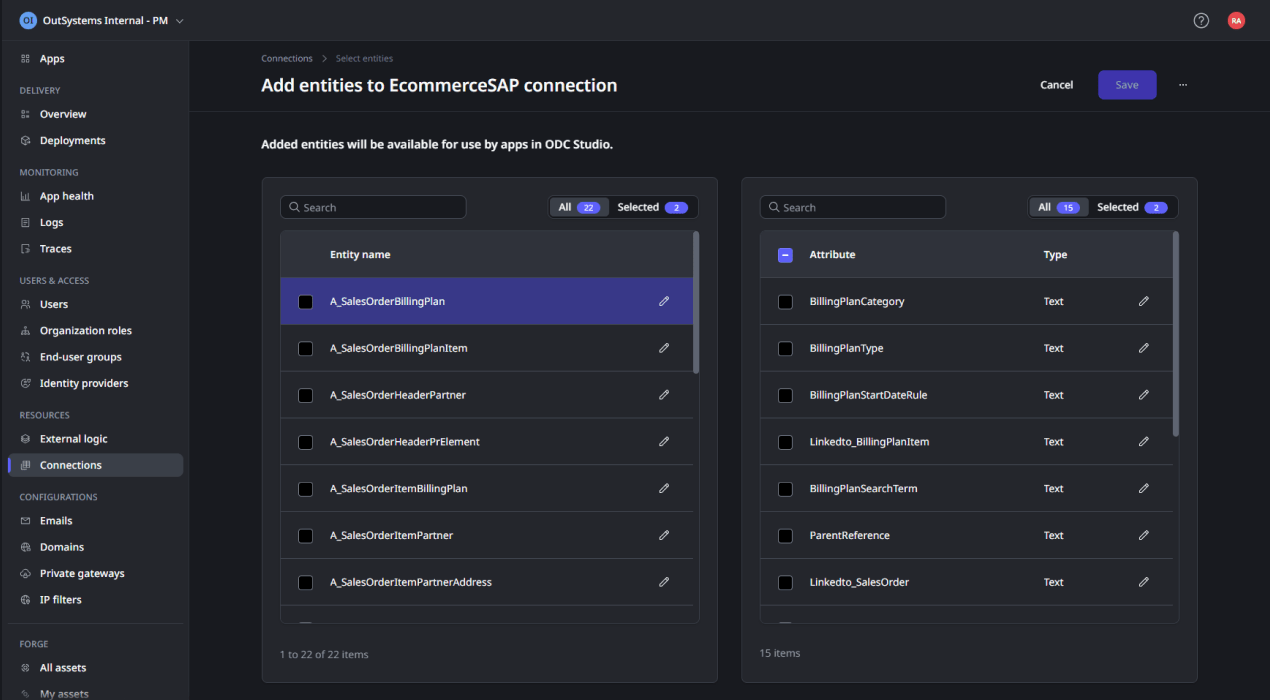
Centralize access to all your data
Pre-built connectors make it easy to link external databases or systems—while enabling reusability for future app dev needs.

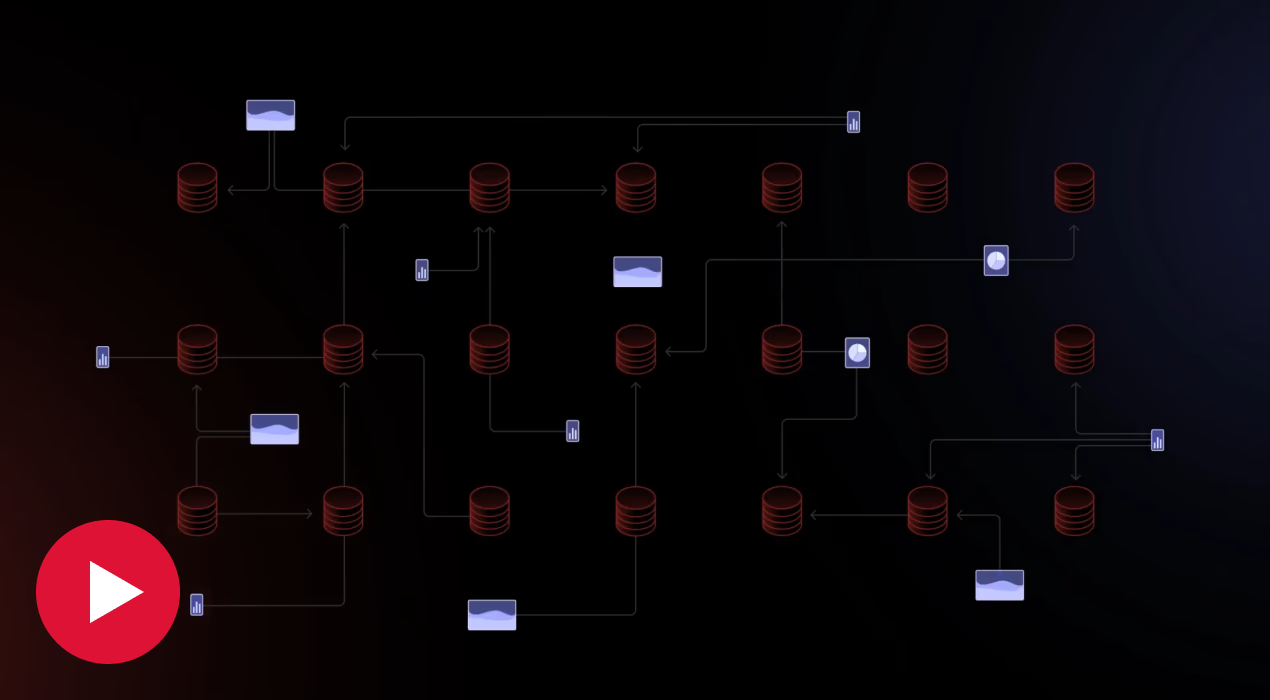
Fuel smarter agents, your way
Give AI agents full context—structured or unstructured, from any source—with OutSystems Data Fabric. Empower them to reason, respond, and deliver impact across your business.


「OutSystemsを使用することで、モバイルアプリの開発や迅速な変更、必要なシステムとの連携に欠かせないスピードとアジリティ、柔軟性を得られました」

Say goodbye to data complexity
Data, data everywhere? No more. With the effortless data discovery and retrieval enabled by OutSystems Data Fabric, any data is ready for any app, anytime.
Scale your apps with ease
No data volume fears here. Built-in caching guarantees a great experience for all your data-based apps—regardless of data storage location.
Own your data exposure
Get full control over data exposure thanks to granular access controls that give you robust security, privacy, and governance—and peace of mind.
Data Fabric
FAQ
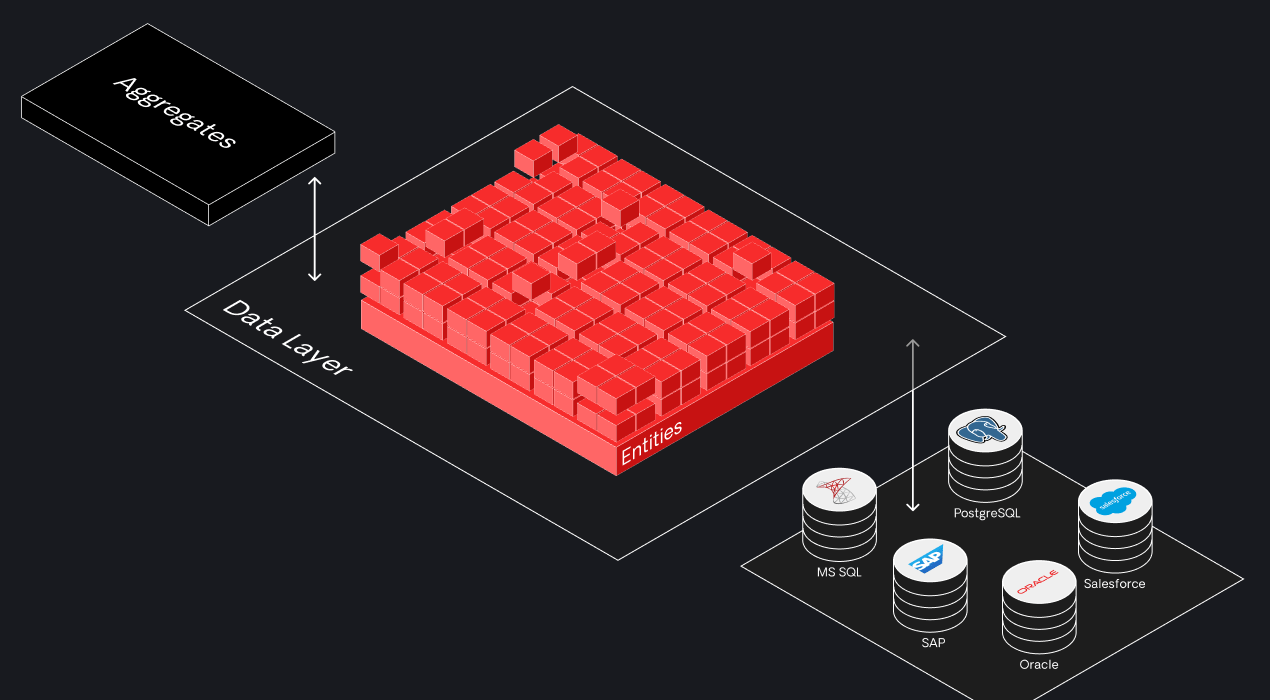
仮想レイヤーはデータの表現を統一し、処理を簡素化します。ソースの形式にかかわらず、データは一貫した形で使用できるよう、エンティティとアトリビュートにマッピングされます。このため、複数ソースからの集約や一覧表示といった標準的な構成の操作を効率よく行えます。
データを1つのリポジトリに一元化することで、検索や取得を効率化します。また、それぞれ異なる権限を持つチーム向けにデータセットをカスタマイズすることで、再利用性を向上させます。ロールに基づいてアクセス可能なデータソースが表示される一元的なビューも備えているため、多様なチームやITマネージャーが簡単にデータにアクセスできます。
外部システムでエンティティの削除やログイン資格情報の変更といった重大な変更がない限り、システムが接続を問題なく維持します。関連する接続の詳細はOutSystemsがすべて安全に保存し、長期間にわたるシームレスなアクセスを保障します。
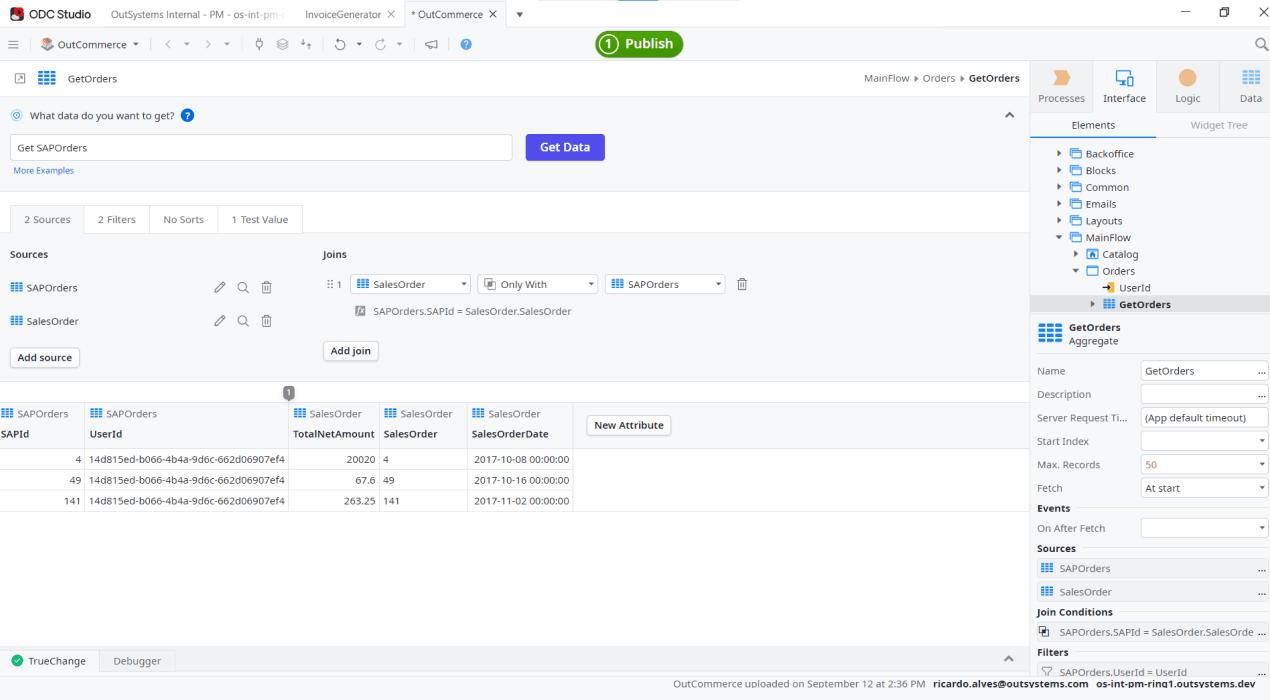
様々なソースのデータを連携し、特定の業務の要件に合うデータセットを作成できます。営業チーム用にカスタマイズされた、顧客を全方向からとらえるアプリを例に挙げましょう。カスタムデータセットを使用すると、Salesforce、SAP、その他のソースからデータを簡単に組み合わせ、営業用アプリケーションですぐに再利用できます。
様々なソースからのデータを標準化するデータゲートウェイとして機能し、開発時にはアプリケーションレイヤーへのアクセスを提供します。開発時においても実行時においても、リクエストされたデータはプラットフォームを経由する際に、アプリケーションがアクセスできる形に変換されます。
OutSystems Data Fabric gives teams a practical answer to why data integration matters in enterprise development. It creates an advanced virtual data layer that unifies data from disparate sources like SAP, Salesforce, external databases, legacy systems, and SaaS applications, so you can reduce data silos, avoid manual data mapping, and build data-driven applications faster with built-in security, governance, and strong performance.
To understand what is Data Fabric, think of it as a data layer that sits above multiple systems and sources to unify data from disparate environments while abstracting the complexity underneath. It creates a single, consistent view of data across silos, making it easier to access, incorporate into applications, and adapt as business needs and technologies change.
Knowing when to use OutSystems Data Fabric comes down to complexity. OutSystems Data Fabric is a strong fit when an application needs data from multiple systems and you want to avoid heavy API orchestration, manual joins, or ongoing synchronization work. It is especially useful for building a 360-degree customer view, supporting legacy modernization, establishing master data management, and powering sales or e-commerce applications with unified, reusable, and governed data.
OutSystems Data Fabric connects to common enterprise data sources, including databases, APIs, cloud platforms, and business systems such as SQL Server, Oracle, PostgreSQL, SAP, Salesforce, Snowflake, and others. It helps teams access existing data without rebuilding custom integration for every source, supporting faster app development across complex technology environments.
With OutSystems Data Fabric, your data stays in its original source system. Data Fabric leverages a virtualization layer that maps to your existing database, application, or enterprise system instead of relocating the data. This helps support data residency, sovereignty, compliance, and cost-control requirements.
No. OutSystems Data Fabric does not copy or move your data by default. It creates a live map to the original data source, so applications can access current information without duplicating records into OutSystems. This reduces storage overhead and helps regulated organizations maintain control over sensitive data.
Data Fabric helps connect O11 and ODC through secure connectivity, allowing customers to expose O11 data to ODC. This supports a phased modernization path, so teams can use ODC capabilities, including AI agents, without immediately migrating or rebuilding existing O11 applications.
OutSystems Data Fabric can support real-time or near real-time data access depending on the use case. Operational applications may require live access to source systems, while other scenarios may use an ETL layer or near real-time synchronization. This flexibility helps teams balance performance, control, and business requirements.
OutSystems Data Fabric respects the permissions configured in the source system and connection string. If a user or application has read, create, update, or delete access, Data Fabric follows those controls. This helps teams govern sensitive data without bypassing existing security models or creating unmanaged access paths.
OutSystems Data Fabric supports both read and write access when the connected source system and permissions allow it. This means teams can build operational applications—not just dashboards—that retrieve, update, and manage data across enterprise systems while still respecting source-level access controls.
OutSystems Data Fabric is designed to provide efficient access to connected data sources while reducing custom integration work. Like any data access layer, performance depends on query design, source system speed, network latency, and workload volume. Teams should test high-volume use cases to validate performance requirements.
Data Fabric may help reduce the need to create separate REST API methods for every data connection, which can support more efficient architecture and licensing management. Application Object impact depends on how apps, APIs, and reusable components are designed. Teams should review AO consumption as part of solution planning.


クラウドネイティブ開発でのデータ連携を簡素化
OutSystemsのデータ連携を利用すると、ほぼあらゆるデータソースと連携するコネクテッドエクスペリエンスを簡単に作成できます。

SAPシステムの拡張にOutSystemsを使用すべき理由
ビルド済みコネクタ、SAPの明確に定義された連携モデル、プロセス、ストラクチャによって、SAPとOutSystemsを簡単に連携できます。
Build scalable apps and agents with data connectors
Learn how data connectors simplify integration across systems so you can build, extend, and scale applications and AI agents faster—with less complexity and full control.