In the digital world, accessibility is often treated as something added at the end if there’s time, like a final coat of paint. But for someone who uses a screen reader and is trying to apply for a job to find they cannot select their state using a keyboard, the impact is real and immediate. A barrier is preventing them from reaching their future.
To build truly inclusive applications, we must move beyond ticking boxes and start building accessibility fluency across our entire organization.
Accessibility is both a human necessity and a legal mandate. Beyond the ethical imperative of providing equal access to digital services, the European Accessibility Act (EAA) established a firm deadline: June 28, 2025. Businesses that fail to comply face penalties, reputational damage, and limited market access.
Since the publication of WCAG 2.0 in 2008, standards have evolved to the current WCAG 3.0working drafts, reflecting an increasingly digital world that must be navigable by everyone, regardless of disability.
The pitfalls of checking the box
Even with the right tools, many teams fall into common traps in how accessibility is approached in development.
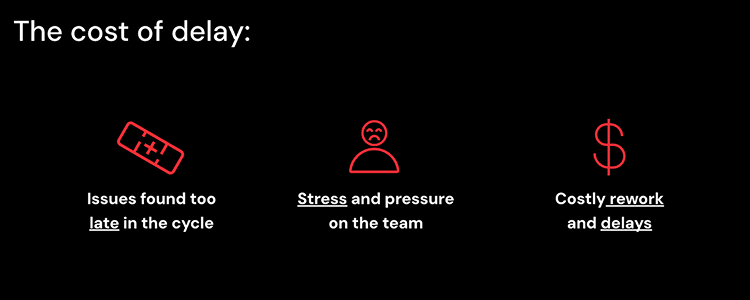
The biggest mistake is treating accessibility as an afterthought. Only thinking about accessibility once the app is in production and complaints start pouring from end users. Other teams push accessibility implementation to the very end of the development cycle, meaning issues are discovered late and they bring rework, higher costs, and often, a compromise on the user experience.
We also see accessibility being “owned” by UX or front-end teams, rather than being a collective responsibility. This moves awareness to the beginning of the process which is great, but, on the other hand, once these roles jump to a different project the actual implementation of accessibility is put at risk. And finally, we’ve got teams that view accessibility as an exercise of checking or ticking boxes, rather than a fundamental mindset integrated throughout the entire process.
Far from being solutions, these habits create technical debt and legal risk. They manifest in four specific ways:
Reactive implementation: Waiting until an app is live and complaints start flooding in is the most expensive way to handle accessibility.
The cost of delay: Thinking about accessibility late in the development cycle leads to costly rework, project delays, and immense stress on the team.
The ownership silo: When only UX or front-end teams own accessibility, the requirements often disappear once those specific roles move to other projects. Accessibility is everyone's responsibility, from the person writing user stories to the final tester.
The “spot-check” trap: Some teams audit only two or three representative pages to pass inspection, missing critical barriers that exist between them. True compliance requires validating the complete user journey, not just a few static snapshots.
OutSystems: Accessible by design
Building for accessibility shouldn't mean reinventing the wheel for every dropdown or modal. We rely on the OutSystems native accelerators to handle the heavy lifting, allowing our teams to focus on the unique logic of the application rather than the repetitive basic tasks.
OutSystems UI
OutSystems UI provides a library of patterns (like dropdowns, modals, and alerts) that are pre-configured with standard ARIA roles and keyboard behaviors compliant with WCAG 2.1 AA. While they aren't magic—you still need to provide meaningful labels and context—they eliminate the need to build accessible interactive widgets from scratch.
Live style guides (LSG)
Inaccessibility often creeps in through inconsistent custom CSS. An LSG serves as our single source of truth, enforcing accessible color contrast, focus states, and typography rules across the portfolio. By centralizing these styles, we ensure that a fix in one place propagates everywhere, preventing "compliance drift" over time.
Screen templates
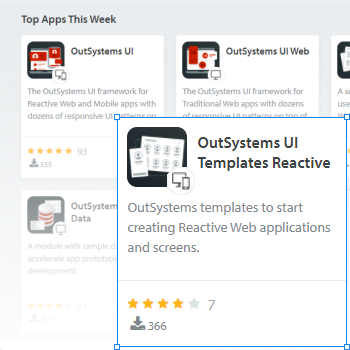
Starting with a blank canvas often leads to structural errors. Screen Templates give us a compliant skeleton out of the box ensuring the "bones" of the page are accessible before we even start adding features.
Beyond the silo: Accessibility as a shared responsibility
To achieve true accessibility fluency, we must dismantle the myth that accessibility is a task reserved for UX designers or front-end developers. When we treat accessibility as a siloed responsibility, the project becomes vulnerable; if those specific experts move to another project, the accessibility requirements often fail to reach the end user.
Real success comes from a team mindset where every role owns a piece of the inclusive journey. This shared responsibility ensures that accessibility is woven into the fabric of the application from the very first brainstorming session to the final release.
Here is how a fluent, accessibility-minded team operates:
Designers go beyond aesthetics to consider diverse user perspectives and strictly follow WCAG guidelines while testing their concepts with diverse users.
User Story Writers and Product Owners ensure that accessibility is never an afterthought by integrating specific, measurable acceptance criteria into every story from day one.
Front-End Experts act as internal advisors, building accessible UI components and implementing page templates that accelerate the rest of the development team.
Developers follow WCAG coding standards, utilize pre-built accessible UI components, and ensure that ARIA attributes are used correctly to provide context to assistive technologies.
Testers execute a robust strategy that combines automated audits with manual keyboard navigation, screen reader checks, and—wherever possible—feedback from users with disabilities.
By embracing this model, accessibility shifts from being a “final check” or a legal burden into a core part of the team’s DNA. When every member of the team understands their role in the process, the road to compliance becomes shorter, and the experience for the end user becomes significantly more inclusive.
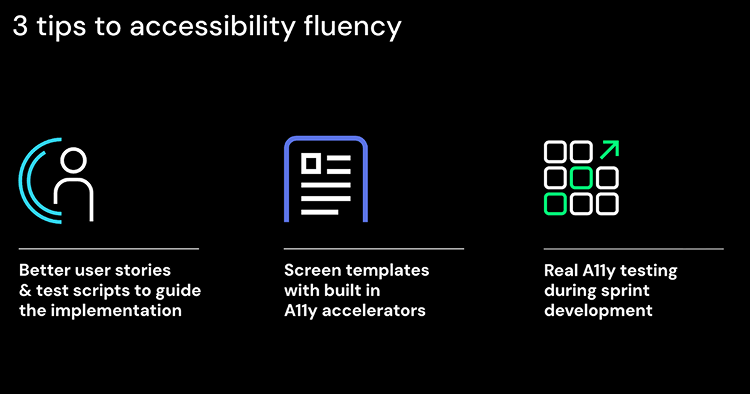
The road to accessibility fluency: 3 strategies for success
To achieve true accessibility fluency, teams must move beyond general awareness and integrate specific technical requirements into their daily workflows. Here is a deeper dive into the three pillars of the road to accessibility fluency, drawing on the best practices and tools available in the OutSystems ecosystem.
1. Better user stories and test scripts
The user story supports the development, testing and acceptance of the application, embedding accessibility into it just makes sense. It supports the journey where everyone involved owns and cares for a part of the process. The challenge for many teams these days is that despite the awareness sessions and training courses, not every business analyst and product owner has the knowledge and skills to write accessibility requirements into the user stories.
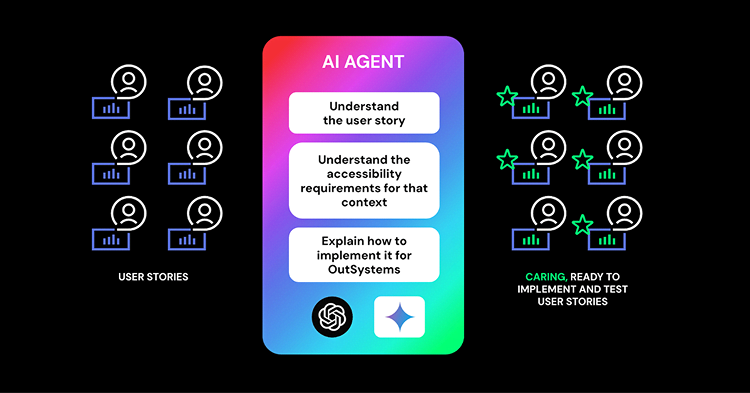
For that reason, we’ve built an agent, and you can build yours too, to help us support your teams in implementing accessibility at scale. The agent takes a set of existing user stories with its acceptance criteria and understands them, it infers the accessibility requirements for the specific user story contexts, and it provides an enriched user story that includes what to consider and how to implement it in OutSystems.
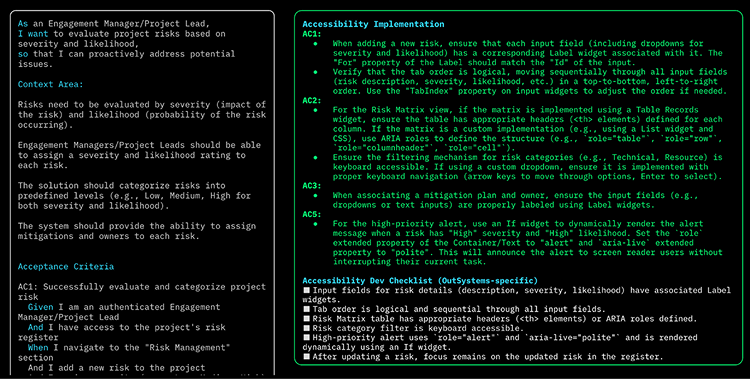
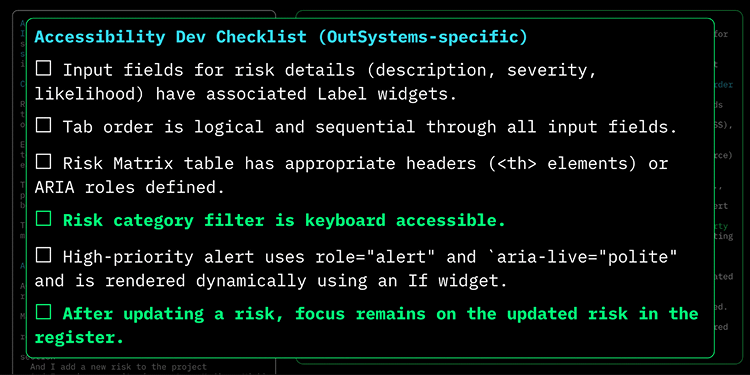
Now, let’s look at one example: In this case, we had an existing user story for a project management tool with a three-liner, context area and several acceptance criteria. The agent processes the user story and adds two sections to it: one about accessibility implementation in OutSystems and a checklist for validation.
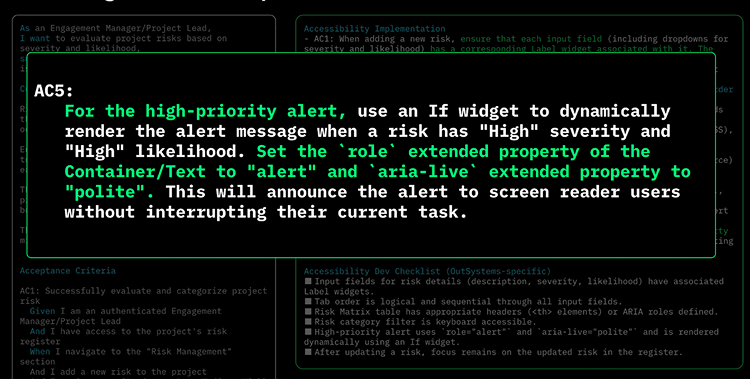
The first accessibility section helps the development team understand what needs doing in terms of implementation and how to do it correctly. One example on AC 5: For the high-priority alert, set the `role` extended property of the Container/Text to “alert” and `aria-live` extended property to “polite.”
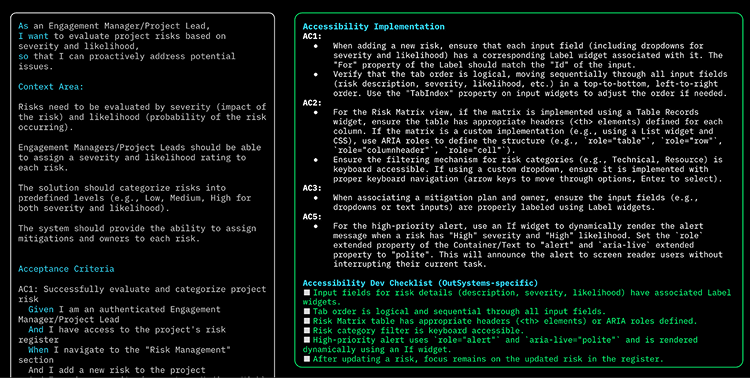
The second section that gets added to the user story works as a checklist to support the validation of the requirements.
For example, it helps the dev team remember to check if “Risk category filter is keyboard accessible” or “After updating a risk, focus remains on the updated risk in the register.”
Using AI agents accelerates the creation of strong accessibility requirements, helps teams understand these requirements for specific contexts and explain exactly how to implement them within OutSystems.
Curious how this works in practice?
We’ve stripped down our logic into a prompt document available for you to use right now.
Take the challenge
We challenge you to take a “completed” user story from your current sprint and run it through this prompt. Did the AI catch missing ARIA labels or keyboard interactions that you didn't? Open the prompt and verify your backlog against the standard. Keep experimenting and iterating. Make it work for you!
2. Screen templates with "A11y accelerators"
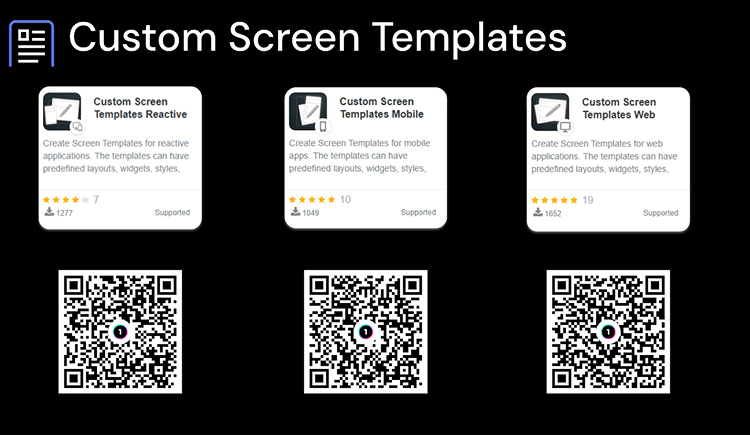
We’ve mentioned previously the importance of custom screen templates to reusability and speed. Instead of building from blank screens, use Custom Screen Templates for reactive, mobile, and web in order to reuse and accelerate development.
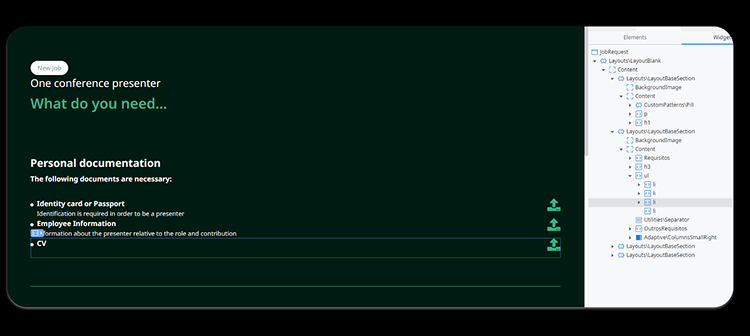
Now, we can create even better screen templates to act as accelerators by having built-in accessibility features—like HTML-accessible tags such as aria tags, alternative texts and descriptions, proper heading structures, and others—already in the widget tree. This ensures that even if a developer isn't an expert, the foundation they build on is. This not only accelerates the work, but it also supports quality and learning on the dev teams.
Even with AI requirements and solid templates, we need to verify the result.
3. Real accessibility testing, ASAP
Testing should not be a “final check” before release; it must be an ongoing part of the development cycle to avoid costly rework and project delays. A "fluent" testing strategy combines automated efficiency with human-centric validation.
Automated tests: Using tools like Lighthouse, Axe, or WAVE to catch common errors.
Manual exploration: Navigating via keyboard only and using screen readers to uncover nuances automation misses.
Diverse user involvement: Including users with disabilities in the testing process to validate real-world usability.
Alternative testing: "Masking the application" to simulate visual impairments and ensure the interface remains navigable and useful.
By focusing on these three roads, organizations can deliver inclusive experiences at scale while complying easily with accessibility regulations.
Final takeaway
Accessibility is not a feature; it is a team mindset. By using built-in accelerators and integrating requirements into our daily workflows, we move from mere compliance to true inclusion. When we care more, we don't just comply; we include.
Watch the session
Want to see the full session? This article captures the core strategies from a talk I co-delivered with João Paulo Carvalho.
With a background in design and user research, Helena Lozano leads the experience practice at OutSystems. She works closely with customers and delivery teams around the globe, helping turn complexity into clarity through user-centred digital products that balance real user needs with business and technical realities. Passionate about good design, she focuses on creating practical, scalable experiences that teams can confidently build and evolve with OutSystems.