
Made for developers
A dev environment with a familiar look-and-feel. Pre-built templates. Reusable components. AI guidance. Extension with custom code. The latest tech (think ML, IoT, RPA, and microservices). All this and more make it easy for any developer to love OutSystems.








"Everything was just very well thought through."


New and professional developers: Build without limits
Your team can build powerful apps without being limited by technology, losing control of code, or wasting time. New developers have what they need to be full-stack. Pros can concentrate on the development that needs their unique and seasoned touch.

Reactive web, AI/ML, IoT, RPA, microservices: Devs can try new tech
Why limit developers to what they currently know? With the OutSystems agentic systems platform, your teams can use reactive web, artificial intelligence, internet of things output, robotic process automation, and microservices in their apps. The platform then ships all the code automatically.
Devs can build applications using AI their way
The OutSystems agentic systems platform can be extended with custom code, so your devs can use as much or as little as they like. Plus, the apps they build integrate effortlessly with existing systems—either through open-source connectors or ones your pros write themselves.

"When you're a good developer, low-code will just accelerate your way to the end result."
Reduce, reuse, recycle: App assets from the Forge save time
Reduce busywork with thousands of reusable modules, connectors, and UI components you can recycle to speed up application delivery. Accessible through the OutSystems development environment or a central repository, it’s easy to drop them into applications.
Developer FAQ
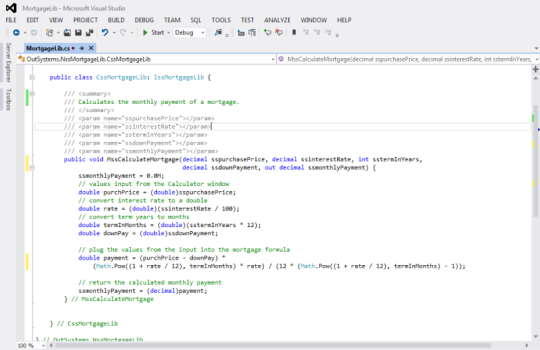
Developers build in a visual environment and don’t directly edit the generated source code inside the IDE. However, they can extend applications with custom C#, JavaScript, CSS, and external services when needed. If a customer leaves OutSystems, applications can be detached and exported as standard application code.
OutSystems generates standard backend and frontend code using widely adopted languages and frameworks. Backend logic is based on .NET and C#, while frontend experiences use JavaScript, HTML, CSS, and React. Developers work visually, but the resulting applications align with familiar enterprise development patterns and modern web architecture.
Experienced developers can typically become productive in OutSystems in one to two weeks, depending on their background and the complexity of the first project. Developers with experience in object-oriented programming, databases, APIs, and web development usually ramp fastest. Deeper architecture mastery develops through hands-on delivery and certification.
OutSystems development happens primarily in the OutSystems visual IDE, not in a third-party IDE. However, teams can integrate OutSystems with external development workflows, DevOps tools, APIs, testing tools, monitoring platforms, and custom code extensions. This gives developers a governed environment while preserving flexibility around supporting tools and processes.
OutSystems handles complex business logic through visual flows, conditional logic, loops, data transformations, workflow orchestration, and integrations with external services. Developers can also extend applications with custom code when needed. This allows teams to model sophisticated enterprise processes without losing control over performance, maintainability, or architectural design.
OutSystems supports deep UI and UX customization, including custom CSS, HTML, JavaScript, themes, reusable UI components, and design system alignment. Teams can build responsive, branded, pixel-perfect experiences while still benefiting from visual development. It can also support handoff from tools such as Figma or Adobe-based design workflows.
Multiple developers can work on the same OutSystems application through built-in team development capabilities. The platform tracks changes, supports versioning, detects conflicts, and allows developers to compare and merge work. Teams can coordinate publishing, review dependencies, and manage deployment through governed workflows across development, test, and production environments.
Yes. Developers can create reusable modules, libraries, services, UI components, and integration patterns that are shared across multiple applications. This reduces duplicate work, improves consistency, and makes maintenance easier. When a shared component is updated, teams can review dependencies and republish consuming applications through controlled lifecycle management.
OutSystems provides guided learning paths, certifications, documentation, hands-on labs, and community resources for developers. Most experienced developers can start building after completing foundational training, while advanced certifications support architecture, mobile, security, and delivery best practices. Teams can also use professional services or partners for deeper enablement.
Yes. The OutSystems AI development platform is designed for enterprise-scale applications, including large user bases, high-volume workloads, and mission-critical systems. It supports scalable architecture, performance monitoring, reusable components, and deployment governance. Cloud-native options add container-based scalability and resilience for applications with variable or growing demand.


Build what's in your backlog
The broadest range of use cases, templates, and powerful partner solutions help you tackle everything in your application backlog.

See how OutSystems stacks up
Get the latest research on low-code platforms from global industry analysts and see why OutSystems is known as the #1 low-code platform.

Go deeper into the platform
Get more details about how your team can build mission-critical applications fast. Browse our evaluation guide.